File and Project Interchange : Import / Export
18 - 445
Query Database
Click to use an online database to obtain track names and other data about com-
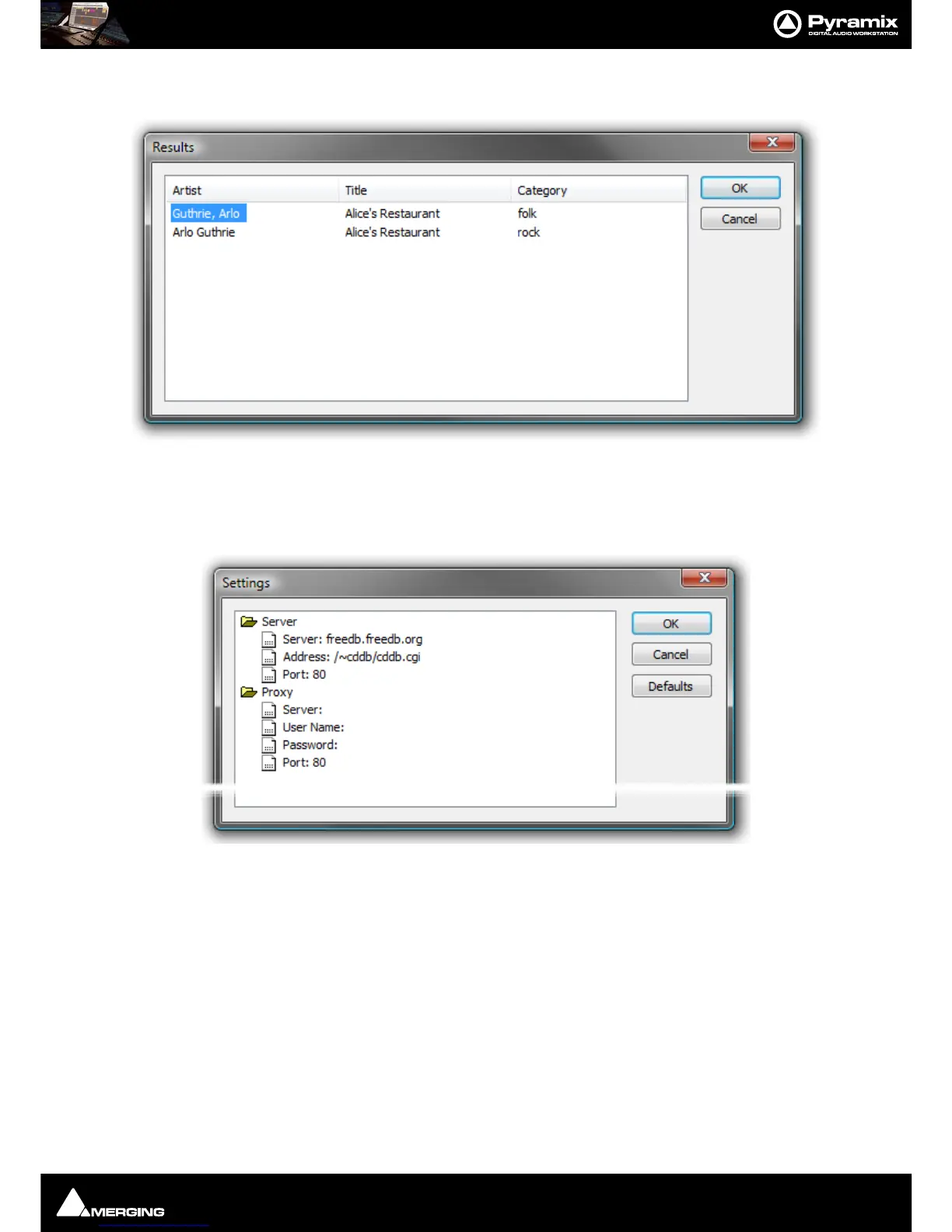
mercial CDs. Results are shown in a dialog :
If multiple disc titles are shown, click on the appropriate one to select it then click on
OK to import the data. The
disc name is automatically entered in the
Clip Prefix: field.
Database Settings Click to access a dialog where the database address and other settings can be
changed:
Default settings are shown above. To change a setting, click on the entry and type. Click
OK to save the edited set-
tings.
Defaults restores the default settings and Cancel closes the dialog without making changes..
Import All Tracks When active all tracks on the CD will be imported regardless of individual selec-
tions in the track list check boxes.
Import Selected Track(s) When active only the tracks selected (ticked in the track list) will be imported.
Select All Click the button to select all tracks in the list.
Deselect All Click the button to deselect all tracks in the list.
Target File
Destination Drive: The combo box drop-down lists all mounted folders.
Format: Shows the format selected and offers the choice of :
PMF, SD2, AIFF, FLAC, Ogg Vorbis, MP3/MPEG-1/2 Audio, MP4/AAC, DSDIFF, DSDIFF Edited Master, Virtual
Tape
, Wave, BWF, CD Image, MTFF, Digital Release, OMF.



 To Next Page