CD/SACD Mastering and Album Production : Importing a U-Matic Tape
25 - 561
Procedure
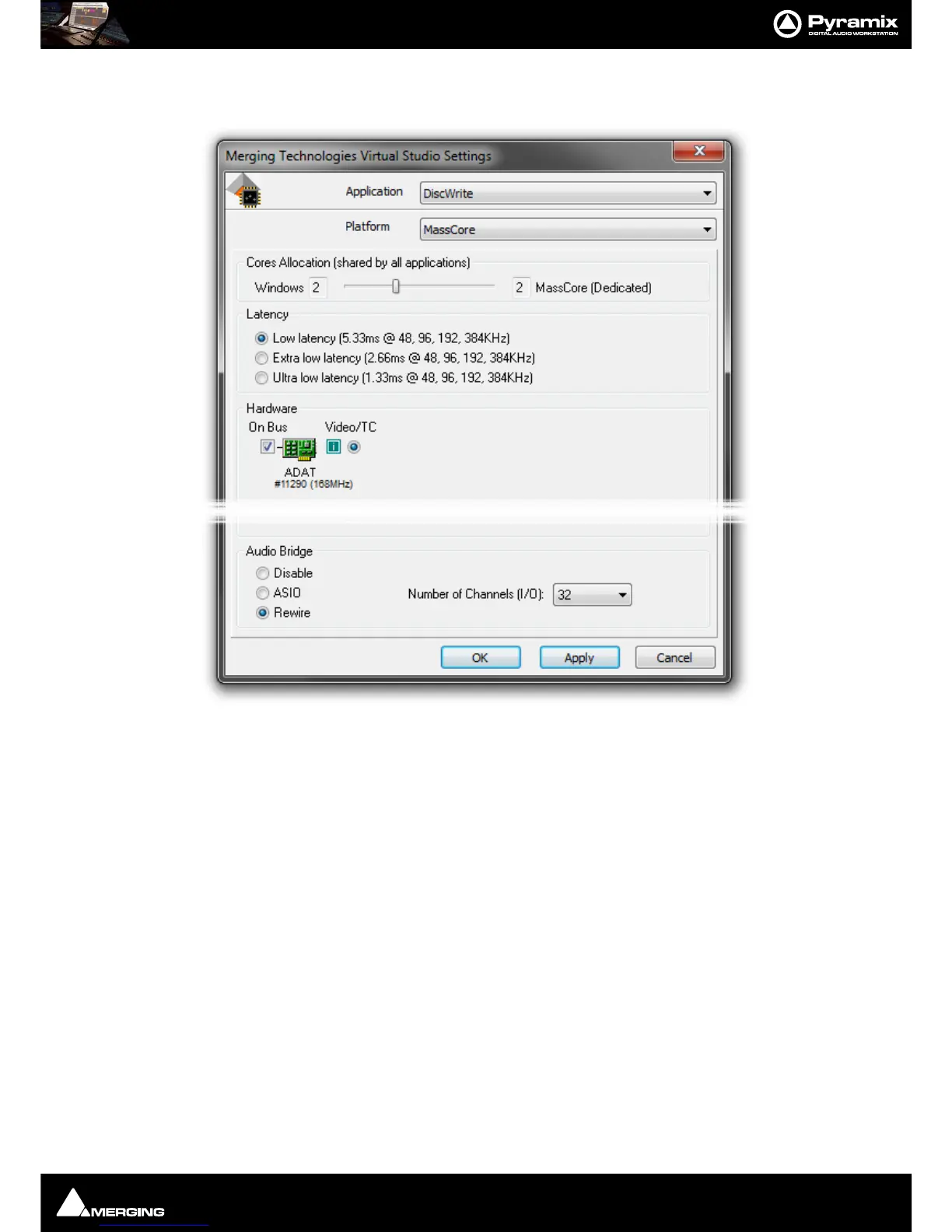
1. Before launching DiscWrite, open the VS3 Control Panel:
2. Choose DiscWrite from the Application drop-down list. Then, choose your preferred daughter card (SDIF,
AES or DUAL, depending on your hardware setup).
3. Click on OK to make the changes and to close the VS3 Control Panel.
4. Open DiscWrite
5.
Choose U-Matic Tape from the Source drop-down list.
6. Settings



 To Next Page