Media Management & Libraries : Library Tab Windows
4 - 79
Close Library
Close current library Shift + Click closes all open Libraries
Mount Referenced Media Automatically mounts the most recent location where media in the current project were
found
Update Referenced Media Paths To update a library, mount all the media folders involved then select this menu item
Import MTInterchange XML Opens the Import MTInterchange XML Browser Window
Export to MTIntercange XML Opens the Export MTInterchange XML Browser Window
Import OMF library (Avid Bin) Opens a File Browser to locate the library you wish to import
Export to Akai DD Series Opens the Export to Akai DD Series window
New Shelf Adds a new Shelf (folder) in the current Library or Shelf
Open Shelf Opens selected/highlighted Shelf
Up One Level Moves right-hand pane display up one level in the hierarchy
Properties Pops up a box with properties of the currently selected object
Edit Menu
Cut Cuts Object from pane. Object will be deleted unless pasted elsewhere.
Copy Copy object
Copy Trimmer Selection As it says
Paste Paste object (Media is preserved at its current location)
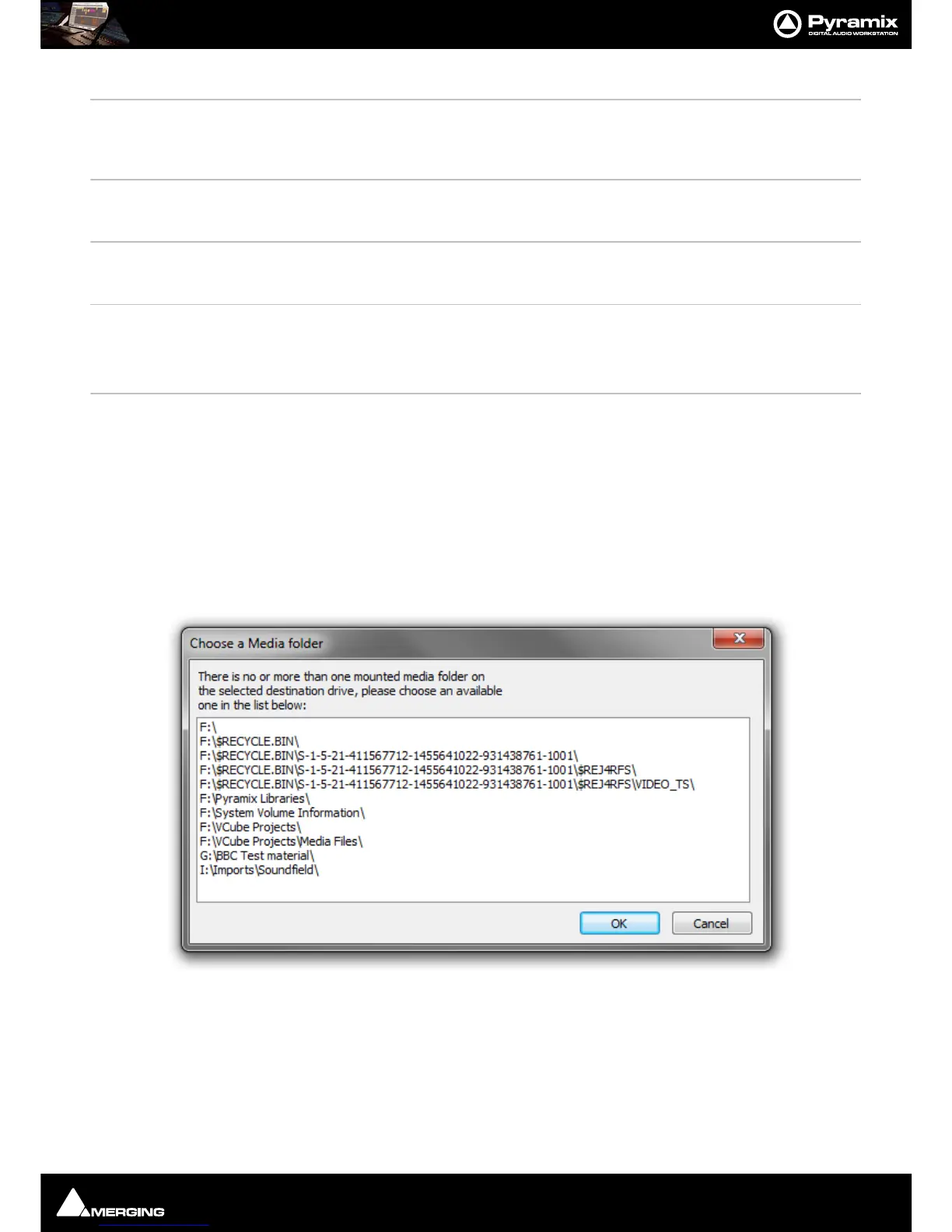
Paste with Media When more than one Media folder or no Media Folders are mounted this opens the
Choose a Media Folder dialog.
Select a suitable folder and click on
OK to complete pasting the object complete with a
copy of the associated Media files to the target directory path chosen in the pop-up.
Click on
OK to complete the Paste with Media Files



 To Next Page