Autopilot system 8 Vehicle guidance setup
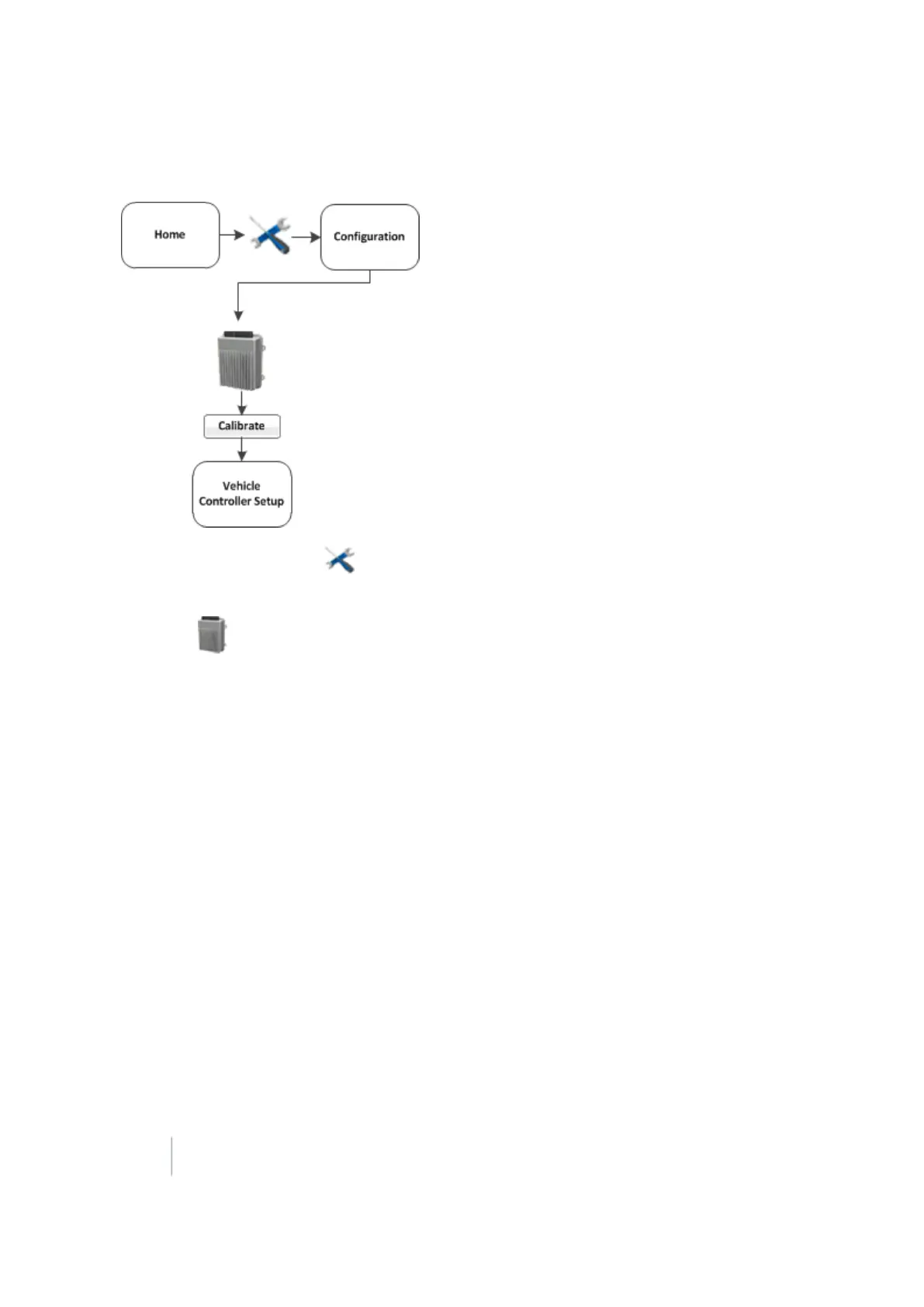
Begin calibration
1.
At the Home screen, tap .
2. At theConfigurations screen, tap Setup next to the vehicle.
3.
Select Autopilot (Vehicle) and tap Calibrate. The Vehicle Calibration screen displays.
4. Select a calibration and tap OK.
Controller orientation
1.
At the Vehicle Calibration screen, select Controller Orientation and tap OK. The Autopilot Controller
Orientation screen displays. A graphic of the controller represents the current mounting
orientation of the controller.
The image is shown as though:
ll You are looking down on the vehicle from above.
l The top of the screen points to the nose of the vehicle.
2.
Use the buttons to select the orientation of the controller.
If the controller is set at a sloped angle, the vehicle profile will set the NavController orientation.
Note – Install the NavController as described in the vehicle install instructions. If custom angles are used,
the on-screen image of the controller does not display.
3. Tap OK to accept the new orientation or tap Cancel to exit.
172 FM-1000 Integrated Display User Guide Version 9.25, Revision B



 To Next Page