Guidance pattern use 18 Operations
Rename a swath
Note – To rename swaths, you must have entered the administration password. You cannot rename line
features or FreeForm curves.
1.
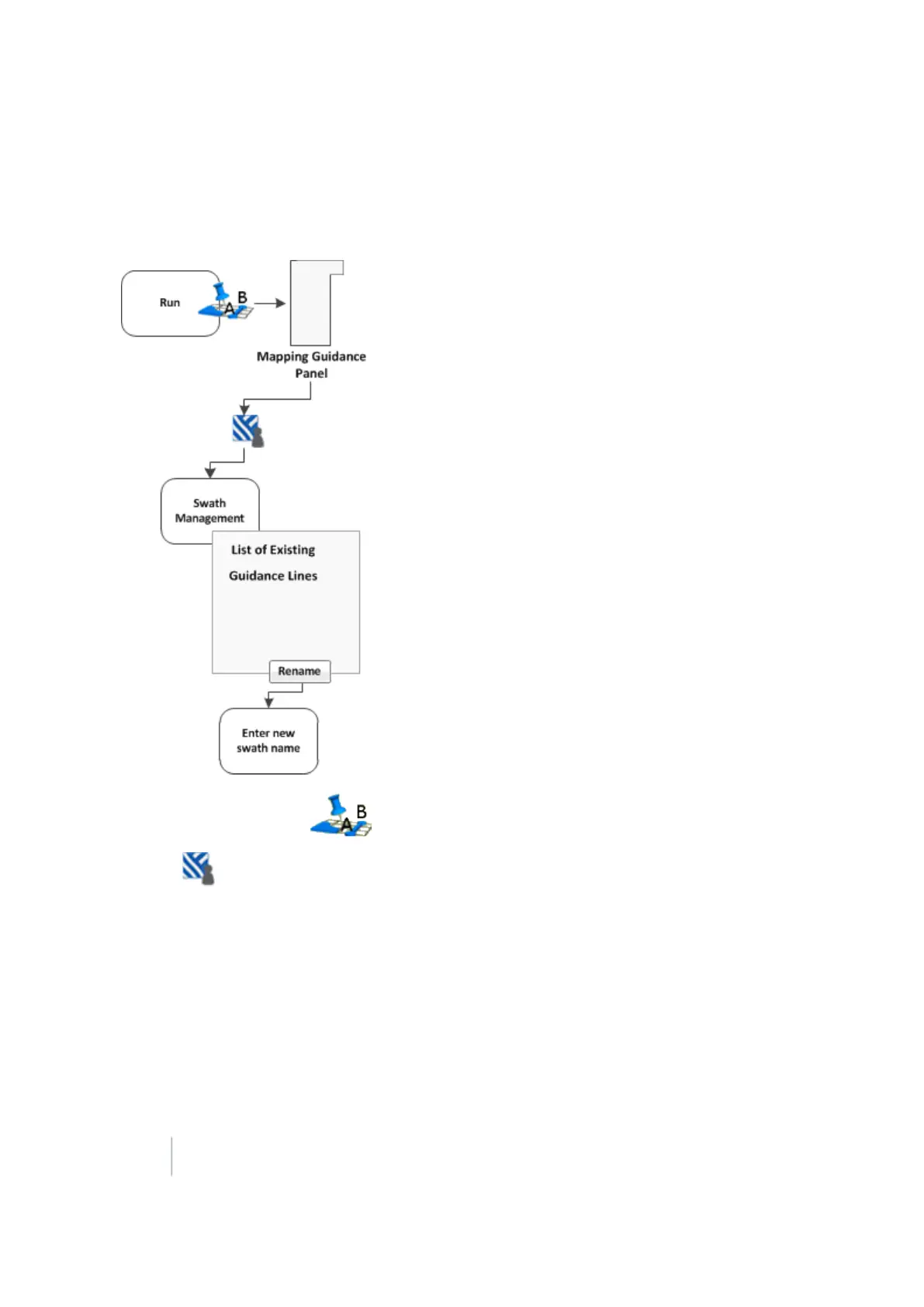
At the Run screen, tap to open the Mapping Guidance panel.
2.
Tap Swaths. The Swath Management screen displays.
3. From the list on the left, select the swath to rename.
4. Tap Rename. If prompted, enter the password. The Enter new swath name screen displays.
5. Enter the new name for the swath and tap OK. The Swath Management screen displays again.
6. To return to the Run screen, tap Close.
376 FM-1000 Integrated Display User Guide Version 9.25, Revision B



 To Next Page