4 Data management Transfer data
Data Files screen
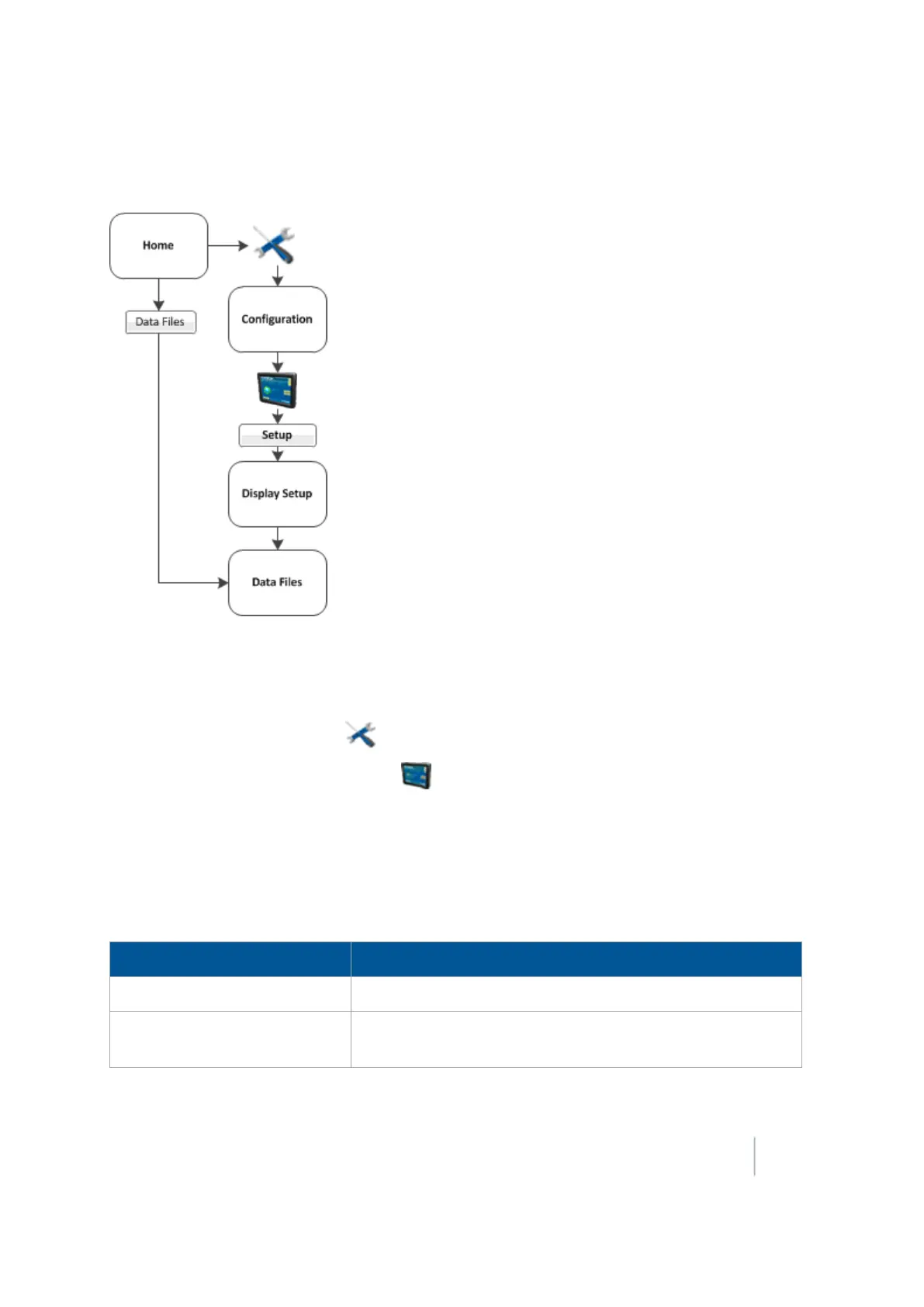
You can access the Data Files screen from either:
l The Home screen:Tap Data Files.
l The Configuration screen:
a.
At the Home screen, tap .
b.
At the Configuration screen, tap System and then tap Setup.
c. If necessary, enter the administration password and then tap OK.
d. Select Data Files from the list and then tap Manage. The Data Files screen displays.
Data File categories
The categories available on the Data Files screen are:
Category Subcategories and data
Summary Files PDF summary files listed under client name
Diagnostics
Screen shots:Folder containing screen captures
System logs
Version 9.25, Revision B FM-1000 Integrated Display User Guide 87



 To Next Page