2 Display basics Main screens
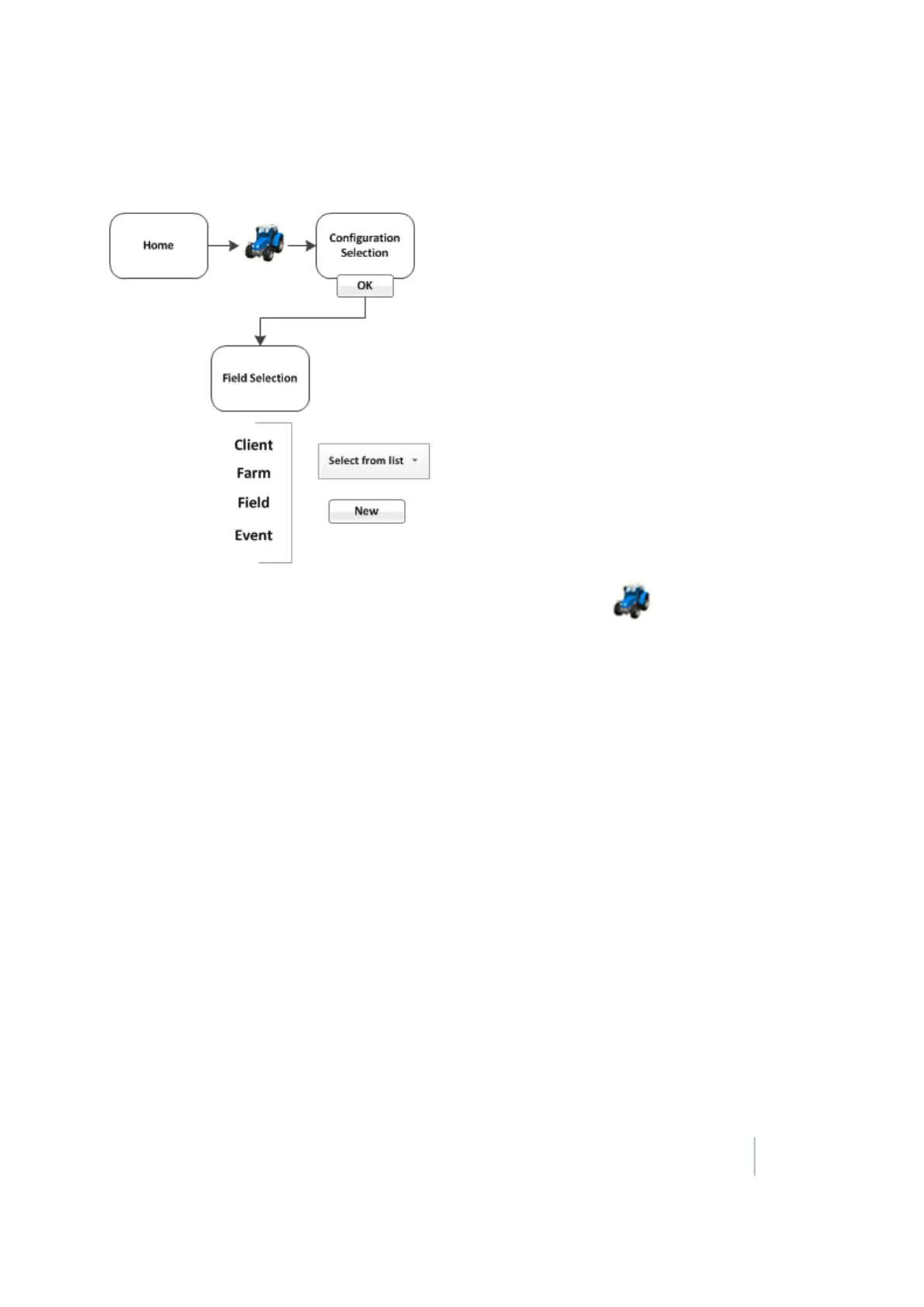
Field Selection screen
1.
When you want to go to a field to begin work in the Run screen, tap at the Home screen.
2. If the system, vehicle and implement at the Configuration Screen are what you want to use,
tap OK.
3. At the Field Selection screen, you can:
ll Choose existing fields you have created in the system
l Create a new field (as well as the client, farm and event associated with it)
For more information, see Field creation / selection (page 353).
Version 9.25, Revision B FM-1000 Integrated Display User Guide 33



 To Next Page