3 Basic settings Activate features/plugins for use
Activate features/plugins for use
All features that have been unlocked must be activated (or "added") for use before you can set up
or use them.
1. Open the FM-1000 integrated display if you are not already in it.
2.
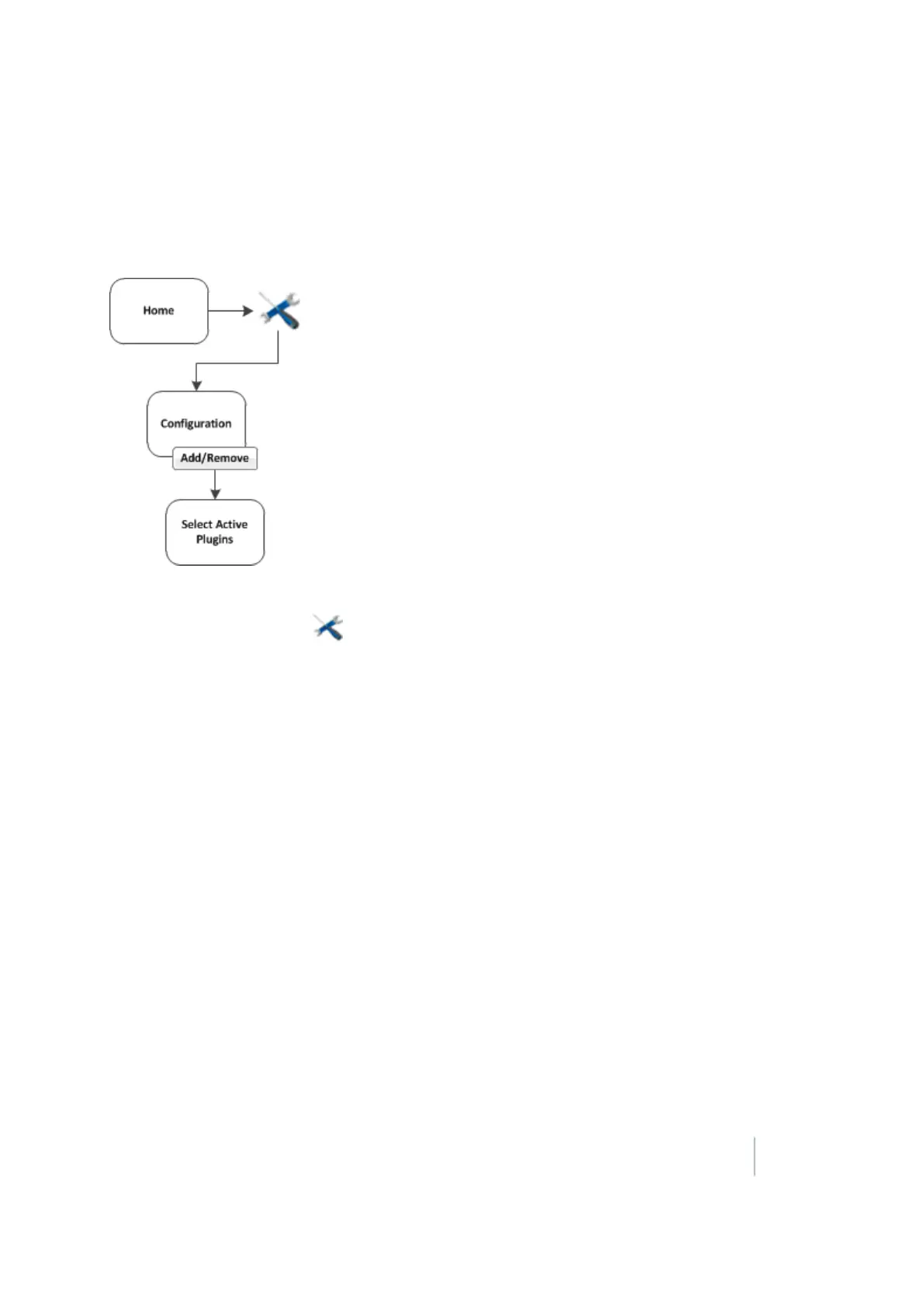
At the Home screen, tap .
Note – To add or remove features/plugins, you must access the Configuration screen only from the
Home screen.
3. At the Configuration screen, tap Add/Remove. The Select Active Plugins screen displays.
4. To use a feature, select it from the Inactive Plugins list and tap Add >.
5. To stop using a feature, select it from the Active Plugins list and tap <Remove.
6. When you are finished with your choices, tap OK. The system returns you to the Configuration
screen.
Version 9.25, Revision B FM-1000 Integrated Display User Guide 47



 To Next Page