Field-IQ operation 18 Operations
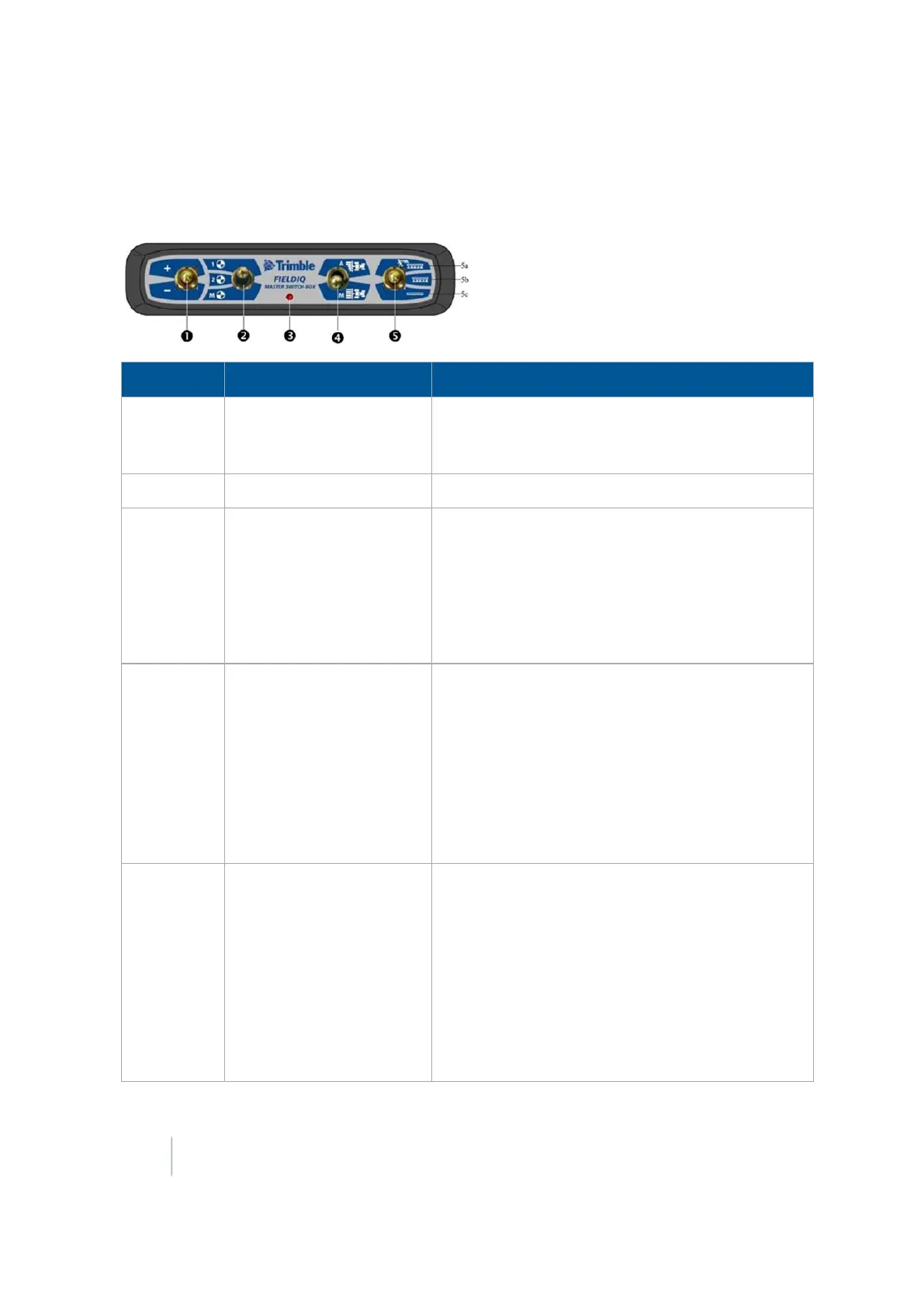
Field-IQ master switch box functions
Note – All systems must have a Field-IQ master switch box.
Item Setting Explanation
1 Increment / decrement
switch
Increases or decreases the applied amount by a set
amount (the amount is set in the Setup screen,
Rate
tab).
2 Rate switch Preset Rate 1, preset Rate 2, or Manual rate.
3 LED indicator
l Red: Unit is powered but not communicating
with the FM-1000 integrated display.
l Green: Unit is powered and communicating with
the FM-1000 integrated display.
l Yellow: Unit is initializing communications with
the FM-1000 integrated display.
4
Automatic / Manual
section switch
You can switch from Automatic to Manual mode
while traveling.
l Automatic mode: The FM-1000 integrated
display automatically opens and closes sections
when entering areas of overlap, non-apply
zones, or crossing boundaries.
l Manual mode: The sections are controlled by
the user using the Field-IQ system.
5
Master switch
l 5a: Jump start position. The same functions as
in Master On are active, plus the system is
overridden to use a preset control speed (the
speed is set in the
Setup
screen, Override tab).
l 5b: On position. The sections and rate are ready
to be commanded by the FM-1000 integrated
display.
l 5c: Off position. Sections are closed and rate is
set to zero.
390 FM-1000 Integrated Display User Guide Version 9.25, Revision B



 To Next Page