8 Vehicle guidance setup EZ-Pilot assisted steering system
EZ-Pilot system calibration
To calibrate the EZ-Pilot system to work with the FM-1000 integrated display, you must complete
the following:
1. Enter the vehicle settings.
2. Complete calibration for T3™ roll compensation. See T3 roll compensation calibration (page
197).
3. Calibrate the EZ-Pilot system:
ll Angle per turn. See SAM-200 calibration (page 195).
l Aggressiveness and Freeplay offset. See Steering performance calibration (page 196).
4. Confirm the calibration settings.
Note – You may have to perform the EZ-Pilot calibration more than once to achieve optimal results.
SAM-200 calibration
Note – You must calibrate the IMD-600 before you calibrate the SAM-200.
1.
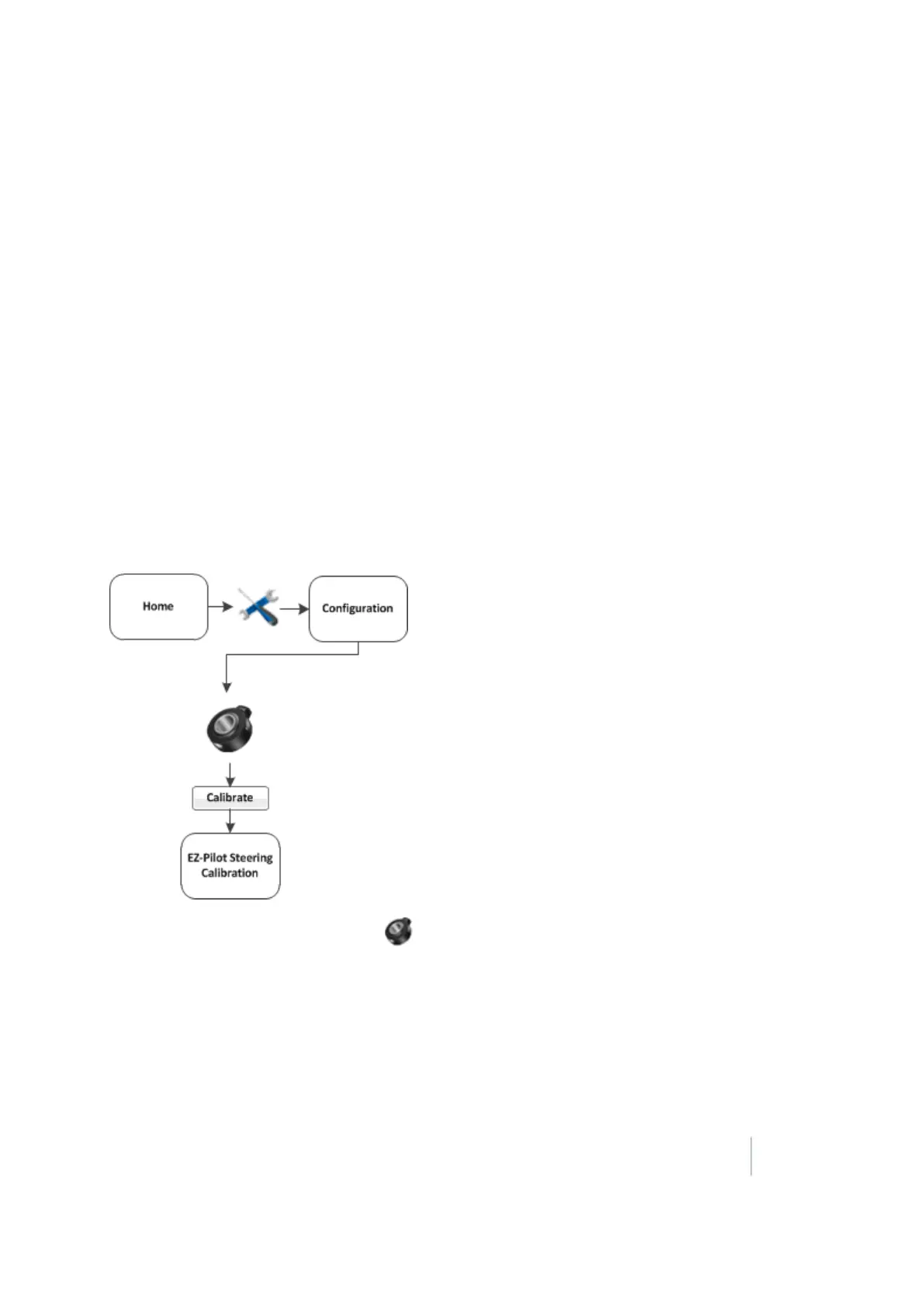
At the Configuration screen, select EZ-Pilot and then tap Calibrate. The EZ-Pilot Steering
Calibration screen displays.
2.
Select SAM-200 and tap OK.
3. Ensure that you are operating the vehicle in an open field with ample area for the vehicle to
make right and left turns.
4. For best results, operate the vehicle at between 2 and 4 mph.
Version 9.25, Revision B FM-1000 Integrated Display User Guide 195



 To Next Page