Guidance pattern use 18 Operations
The system switches to the next available pattern and displays the name of the active pattern on
the Mapping Guidance panel.
Note – FreeForm cannot be actively recording the path for the Next button to be active.
Shift a swath
Note – Shifting a swath is a permanent adjustment. To temporarily change the spacing of swaths, skip a
swath instead. See Skip a swath (page 379).
Note – You cannot shift line features or FreeForm curves.
1.
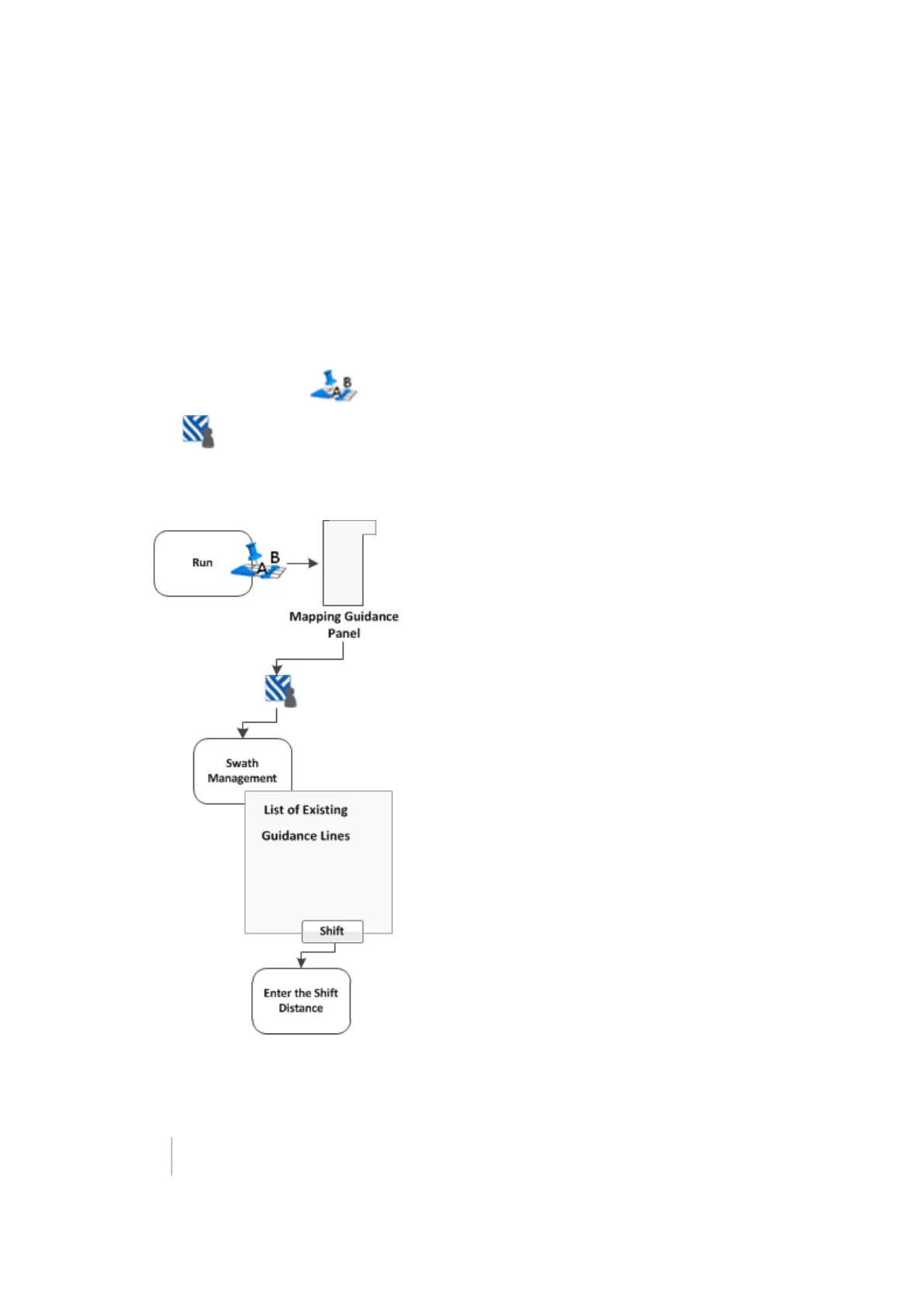
At the Run screen, tap to open the Mapping Guidance panel.
2.
Tap Swaths. The Swath Management screen displays.
3. Select the swath to shift from the list on the left.
4.
Tap Shift. The Enter the Shift Distance screen displays.
5.
Enter the values.
378 FM-1000 Integrated Display User Guide Version 9.25, Revision B



 To Next Page