RX2540 M2 Upgrade and Maintenance Manual 69
Basic hardware procedures
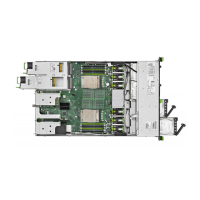
Figure 4: Extending the server out of the rack
Ê Remove all remaining external cables from the rear connector panel and
expansion cards (see section "Connectors and indicators" on page 582).
I Note for installations with expansion cards in slot 5 and slot 11!
If there is a cable installed to an expansion card in the upper slot, see
section "Note for installation with expansion cards in slot 5 and slot
11" on page 83.
Ê If you are not using a cable mounting arm (CMA kit), ensure that the rear
cables are long enough not to be strained or damaged when extending the
server out of the rack.
Ê Fold down the two quick release levers on the rack mounting frame (1) and
pull the server out of the rack until it locks in place (2).
V CAUTION!
Do not use the extended server as a surface on which to put things or as
a work surface, and strictly avoid leaning on or against it.


 To Next Page
 Loading...