Raisecom
ISCOM2600G-HI (A) Series Configuration Guide
Raisecom Proprietary and Confidential
Copyright © Raisecom Technology Co., Ltd.
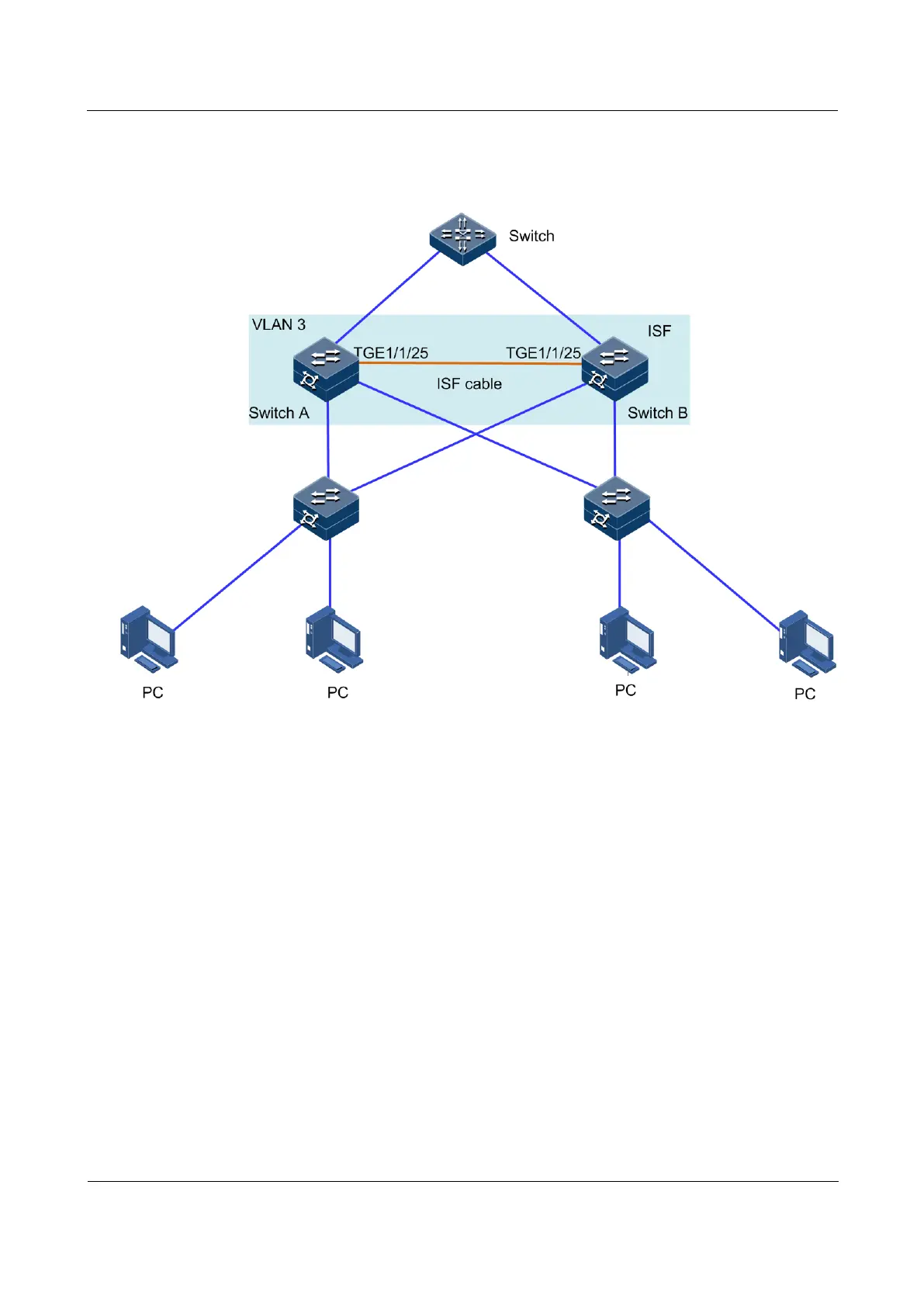
Networking topology
Figure 3-16 ISF networking (BFD MAD mode)
Configuration steps
Step 1 Determine the master device. Configure Switch A as below:
Raisecom#1#show isf
MODE:ISF mode
ISF MAC:00:01:22:44:76:78
----------------------------------------------
Isf-port1/1/1
Tengigabitethernet1/1/25
Number MAC Address Domain Unit Priority Role
Stk Time Version Minversion
1 00:01:22:44:76:78 0 2 255 master
18 2 9
2 00:0e:5e:61:91:cf 0 1 64 backup
30 2 9
Previous information shows that Switch B is the master device.
Step 2 Disconnect the ISF link by manually shutting down ISF physical interface Tengigabitethernet
1/1/25 on the master device.



 To Next Page
 Loading...



