Raisecom
ISCOM2600G-HI (A) Series Configuration Guide
Raisecom Proprietary and Confidential
Copyright © Raisecom Technology Co., Ltd.
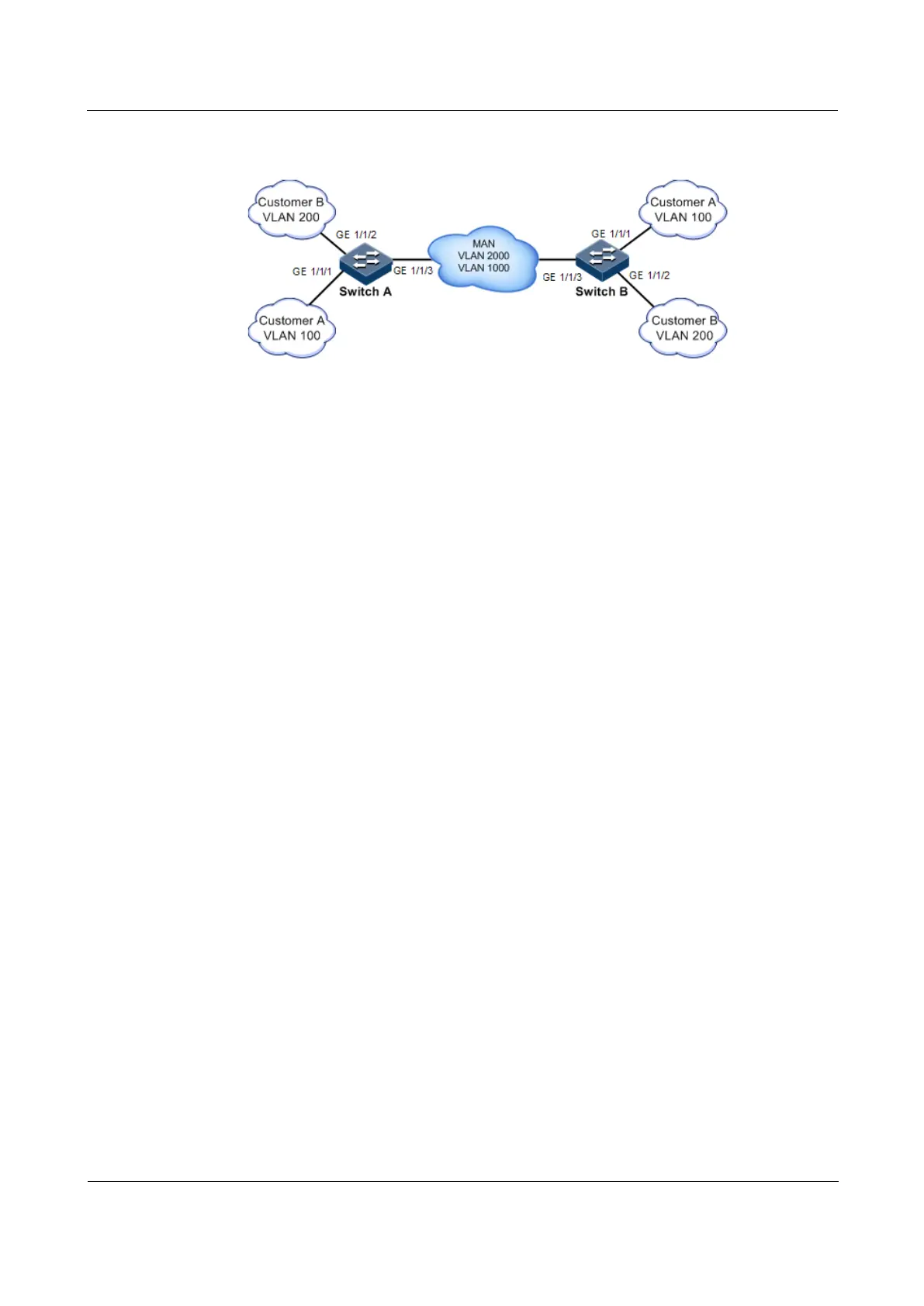
Figure 2-25 L2CP networking
Configuration steps
Configure Switch A and Switch B.
Configurations of Switch A and Switch B are identical. Take Switch A for example.
Step 1 Configure the switch name.
Raisecom#name SwitchA
Step 2 Configure the specified multicast destination MAC address.
Raisecom(config)#l2cp-process tunnel destination-address 0100.1234.1234
Step 3 Configure L2CP profile 1, and apply the profile to GE 1/1/1 for Customer A.
Raisecom(config)#l2cp-process profile 1
Raisecom(config-l2cp-profile)#name CustomerA
Raisecom(config-l2cp-profile)#l2cp-process protocol all action drop
Raisecom(config-l2cp-profile)#l2cp-process protocol stp action tunnel
Raisecom(config-l2cp-profile)#exit
Raisecom(config)#interface gigaethernet 1/1/1
Raisecom(config-gigaethernet1/1/1)#l2cp-process profile 1
Raisecom(config-gigaethernet1/1/1)#exit
Step 4 Configure L2CP profile 2, and apply the profile to GE 1/1/2 for Customer B.
Raisecom(config)#l2cp-process profile 2
Raisecom(config-l2cp-proflie)#name CustomerB
Raisecom(config-l2cp-proflie)#l2cp-process protocol all action drop
Raisecom(config-l2cp-proflie)#l2cp-process protocol stp action tunnel
Raisecom(config-l2cp-proflie)#l2cp-process protocol vtp action tunnel



 To Next Page
 Loading...



