Raisecom
ISCOM2600G-HI (A) Series Configuration Guide
Raisecom Proprietary and Confidential
Copyright © Raisecom Technology Co., Ltd.
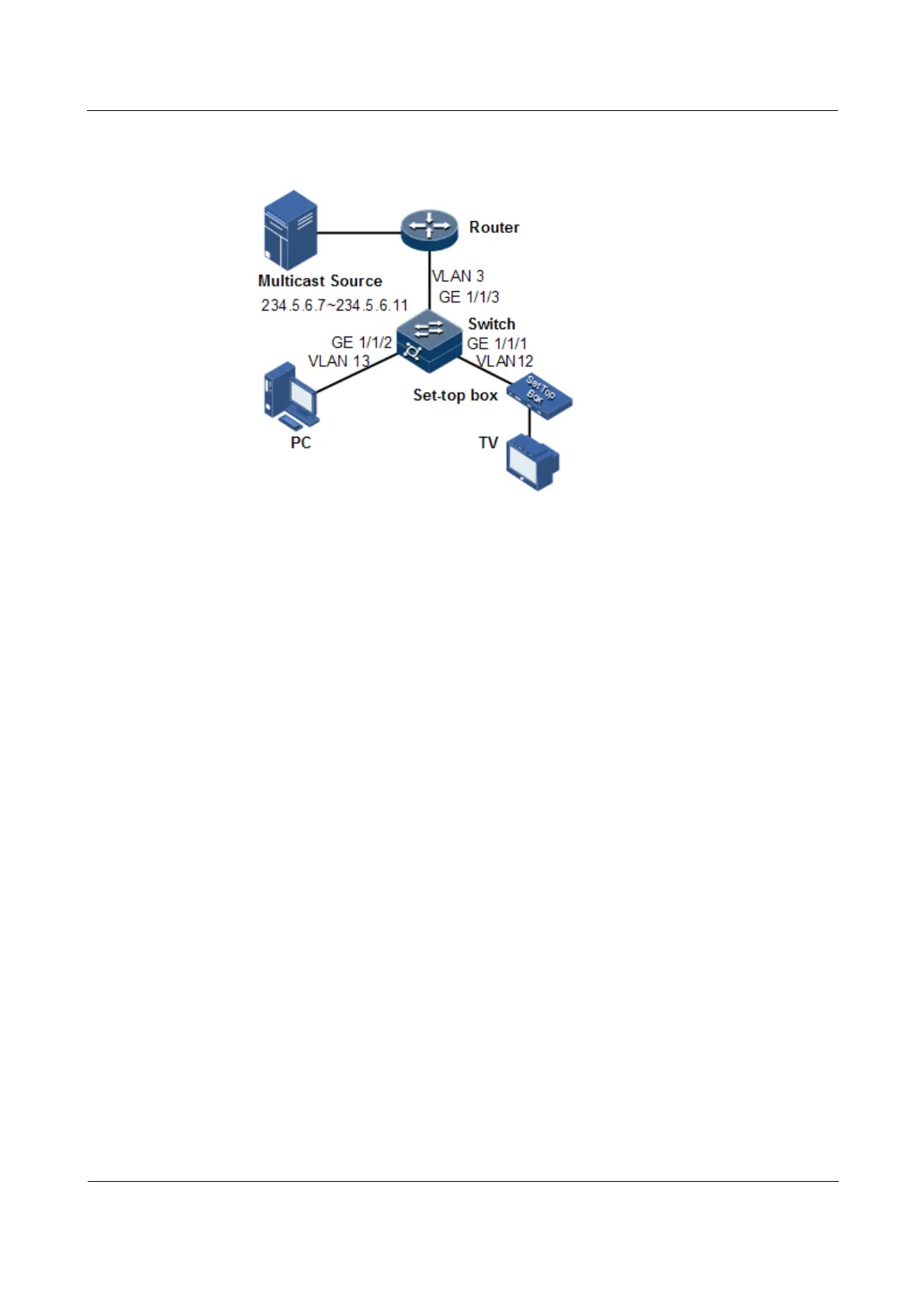
Figure 8-10 Applying IGMP filtering on interface
Configuration steps
Step 1 Create VLANs, and add interfaces to VLANs.
Raisecom#config
Raisecom(config)#create vlan 3,12,13
active
Raisecom(config)#interface gigaethernet 1/1/1
Raisecom(config-gigaethernet1/1/1)#switchport mode trunk
Raisecom(config-gigaethernet1/1/1)#switchport trunk native vlan 12
Raisecom(config-gigaethernet1/1/1)#switchport trunk untagged vlan 3
Raisecom(config-gigaethernet1/1/1)#exit
Raisecom(config)#interface gigaethernet 1/1/2
Raisecom(config-gigaethernet1/1/2)#switchport mode trunk
Raisecom(config-gigaethernet1/1/2)#switchport trunk native vlan 13
Raisecom(config-gigaethernet1/1/2)#switchport trunk untagged vlan 3
Raisecom(config-gigaethernet1/1/2)#exit
Raisecom(config)#interface gigaethernet 1/1/3
Raisecom(config-gigaethernet1/1/3)#switchport mode trunk
Raisecom(config-gigaethernet1/1/3)#switchport trunk native vlan 3
Raisecom(config-gigaethernet1/1/3)#switchport trunk untagged vlan 12,13
Raisecom(config-gigaethernet1/1/3)#exit
Step 2 Enable IGMP MVR.
Raisecom(config)#igmp mvr
Raisecom(config)#interface gigaethernet 1/1/1
Raisecom(config-gigaethernet1/1/1)#igmp mvr
Raisecom(config-tengigabitethernet1/1/1)#igmp mvr user-vlan 12
Raisecom(config-gigaethernet1/1/1)#exit



 To Next Page
 Loading...



