Raisecom
ISCOM2600G-HI (A) Series Configuration Guide
Raisecom Proprietary and Confidential
Copyright © Raisecom Technology Co., Ltd.
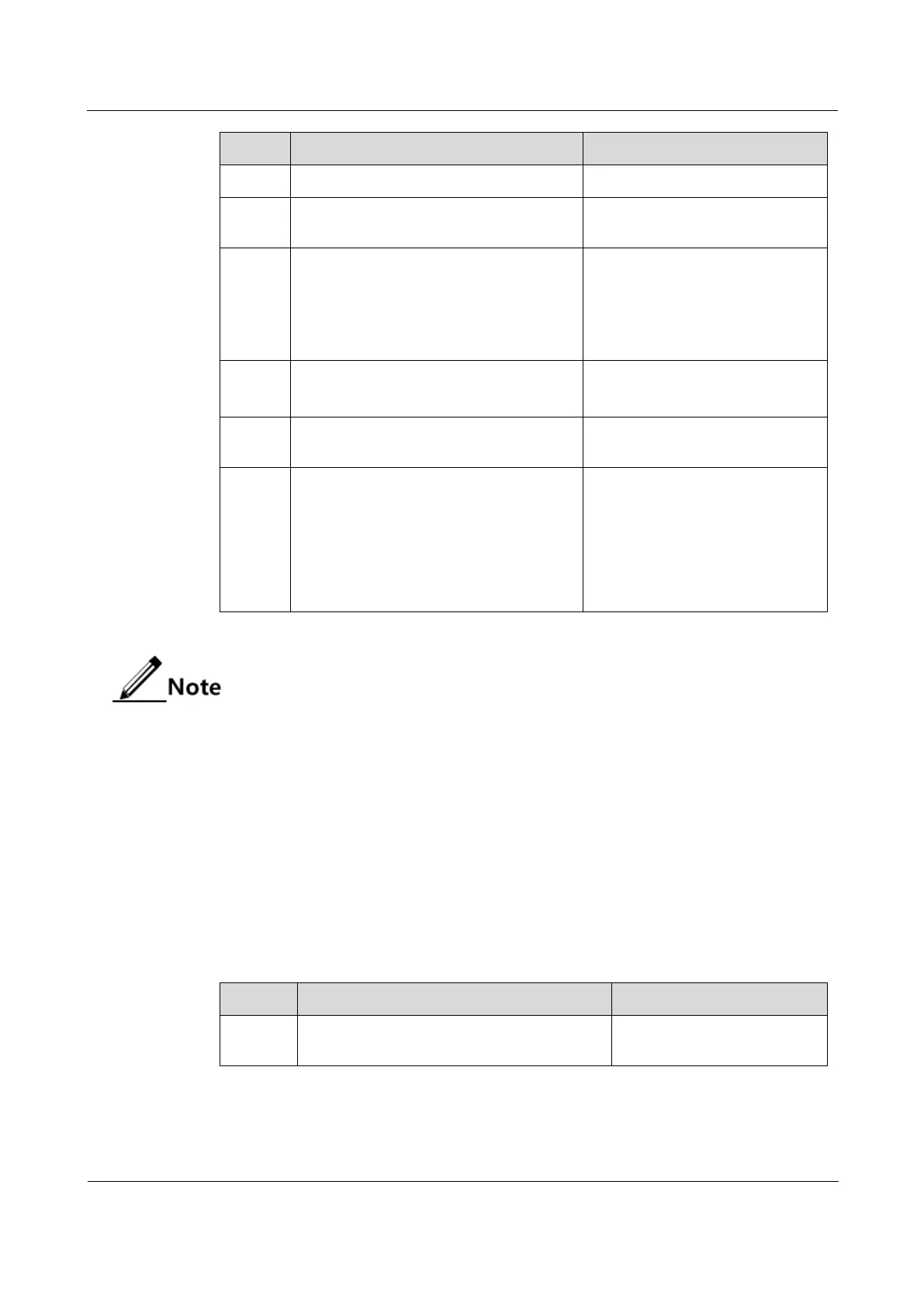
Enter global configuration mode.
Raisecom(config)#link-state-
tracking group
group-number
Create the link-state group and
enable link-state tracking.
Raisecom(config)#link-state-
tracking group
group-number
action { block-vlan
vlan-id
interface-type interface-number
|
delete-vlan
vlan-id
| flush-erps
rind-id |
suspend-vlan
vlan-id
}
Configure the mode for processing
fault on the link-state interface.
Raisecom(config)#link-state-
tracking group
group-number
trap
{ enable | disable }
Configure Trap sending on link-
state tracking.
Raisecom(config)#interface
interface-type interface-number
Enter physical layer interface
configuration mode.
Raisecom(config-
gigaethernet1/1/port)#link-state-
tracking group
group-number
{ downstream | upstream } ma-name
ma-name
cfm
mepid
level
level
Configure the link-state group of
the interface and interface type.
One interface can belong to only
one link-state group and be
configured as an either uplink or
downlink interface. The interface
can be bound with CC.
One link-state group can contain several uplink interfaces. Link-state tracking will
not be performed when at least one uplink interface is Up. Only when all uplink
interfaces are Down will link-state tracking occur.
In global configuration mode, when you use the no link-state-tracking group
group-number command to disable link-state tracking, the link-state group without
interfaces will be deleted.
In physical layer interface configuration mode, use the no link-state-tracking
group group-number command to delete an interface. During the execution of this
command, if the link-state group contains no other interfaces and is disabled, it
will also be deleted.
11.3.5 Checking configurations
Use the following commands to check configuration results.
Raisecom#show link-state-tracking
group
group-number
Show configurations and
status of the link-state group.



 To Next Page
 Loading...



