Raisecom
ISCOM2600G-HI (A) Series Configuration Guide
Raisecom Proprietary and Confidential
Copyright © Raisecom Technology Co., Ltd.
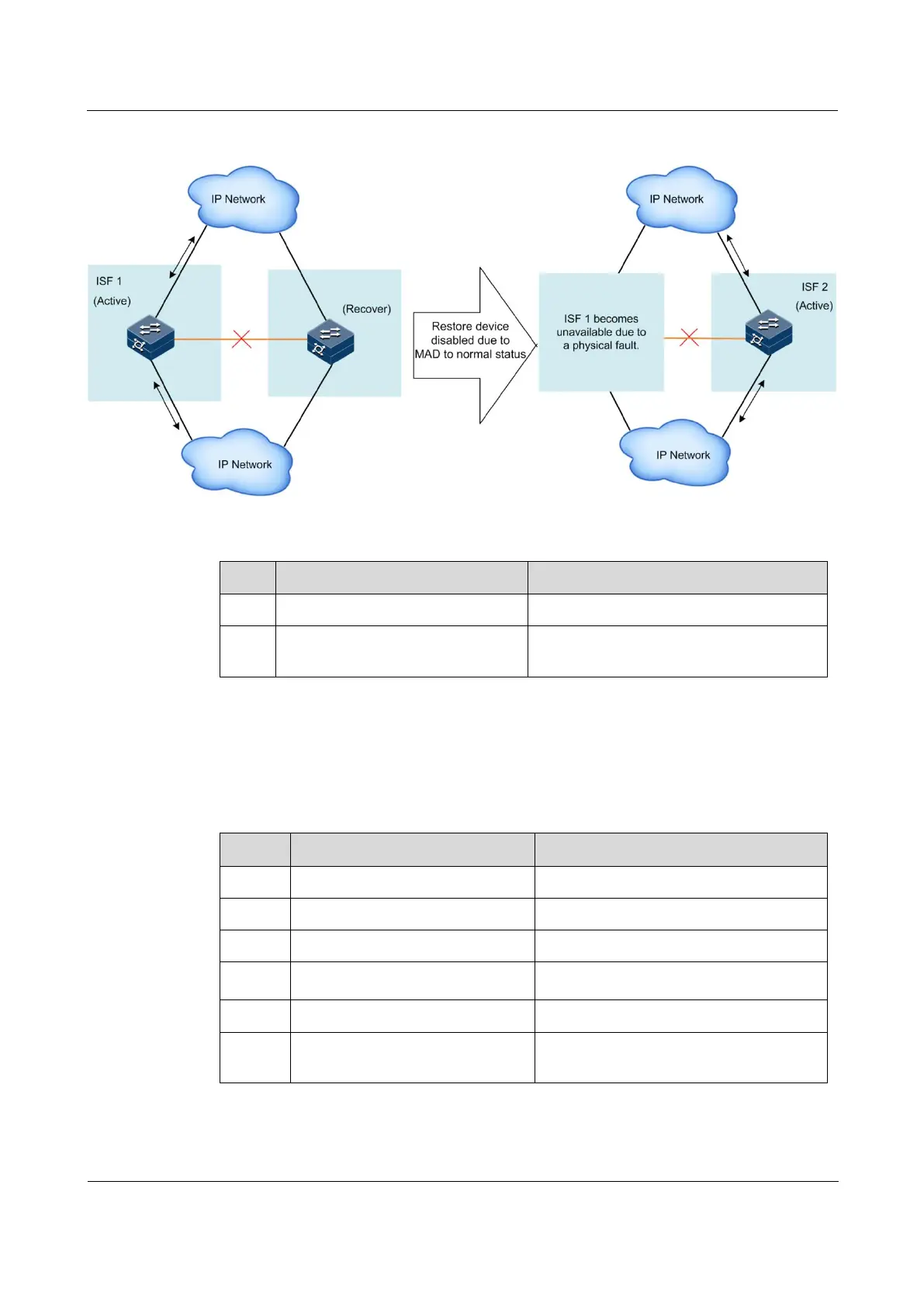
Figure 3-13 Clearing MAD fault (ISF link fault and Active ISF fault)
Restore service interfaces shut down due to MAD to normal status for the ISCOM2600G-HI
series switch as below.
Enter global configuration mode.
Raisecom(config)#mad restore
Restore service interfaces shut down due
to MAD to normal status.
3.7 Checking configurations
Use the following commands to check configuration results.
Show all collected ISF information.
Raisecom#show isf topology
Show information about ISF topology.
Show statistics on ISF packets.
Raisecom#show isf
configuration
Show ISF preconfigurations.
Show configurations and status of MAD.
Raisecom#show mac-address
synchronizing config
Show configurations of MAC address
synchronization.



 To Next Page
 Loading...



