Raisecom
ISCOM2600G-HI (A) Series Configuration Guide
Raisecom Proprietary and Confidential
Copyright © Raisecom Technology Co., Ltd.
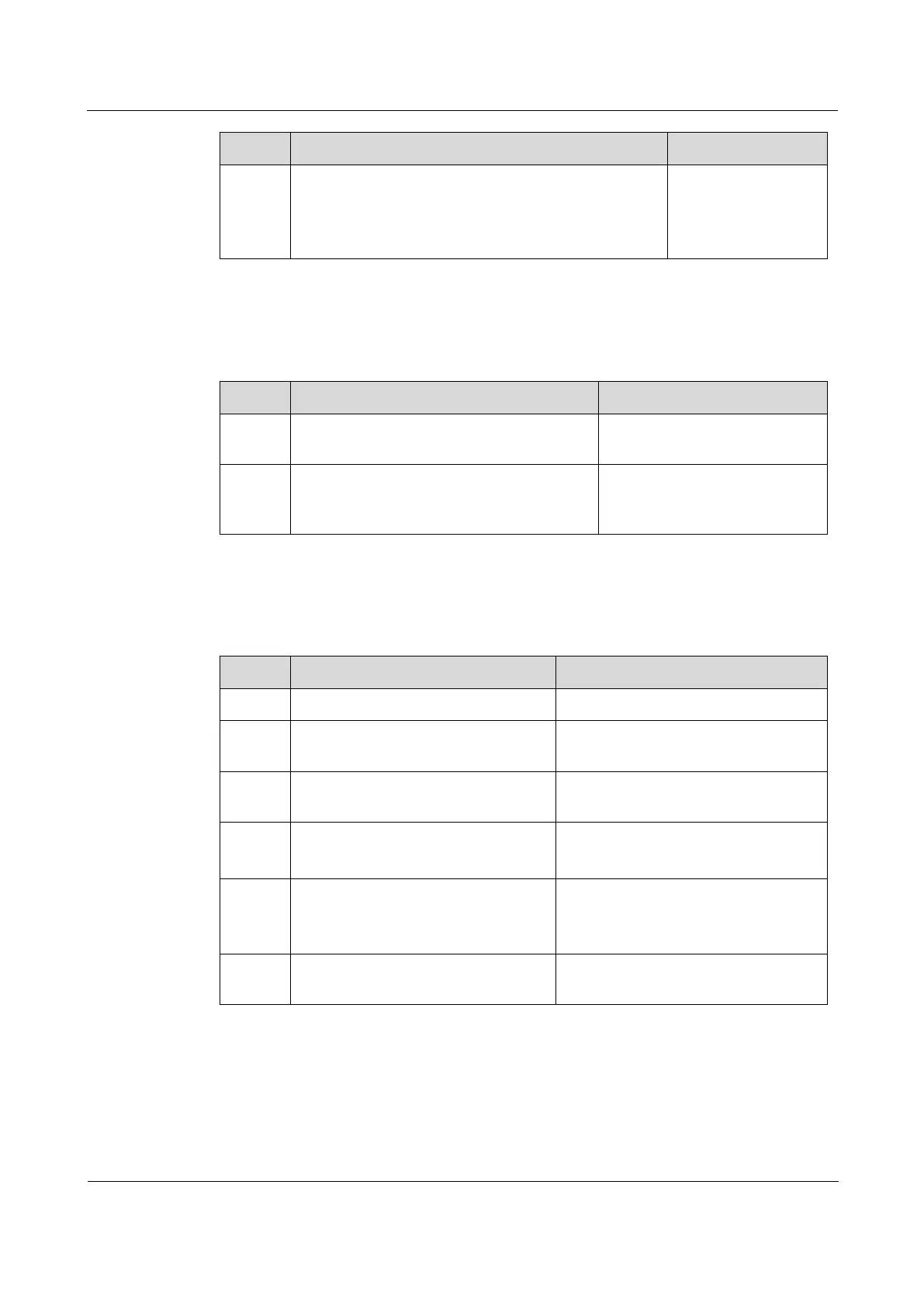
Raisecom(config)#rmon alarm
alarm-id
mibvar
[ interval
period
] { absolute | delta }
rising-threshold
rising-value
[
rising-
event-id
] falling-threshold
falling-value
[
falling-event-id
] [ owner
owner-name
]
Add alarm instances
to the RMON alarm
group and configure
related parameters.
12.2.7 Configuring RMON event group
Configure the RMON event group for the ISCOM2600G-HI series switch as below.
Enter global configuration
mode.
Raisecom(config)#rmon event
event-
id
[ log ] [ trap ] [ description
string
] [ owner
owner-name
]
Add events to the RMON event
group and configure processing
modes of events.
12.2.8 Checking configurations
Use the following commands to check configuration results.
Show RMON configurations.
Raisecom#show rmon alarms
Show information about the RMON
alarm group.
Raisecom#show rmon events
Show information about the RMON
event group.
Raisecom#show rmon statistics
[
interface-type interface-
list
]
Show information about the RMON
statistics group.
Raisecom#show rmon latest
statistics [ long | short ]
portlist
interface-type
interface-number
Show RMON statistics in the last 5s or
5min.
Raisecom#show rmon history
interface-type interface-list
Show information about the RMON
history group.
12.2.9 Maintenance
Maintain the ISCOM2600G-HI series switch as below.



 To Next Page
 Loading...



