Raisecom
ISCOM2600G-HI (A) Series Configuration Guide
Raisecom Proprietary and Confidential
Copyright © Raisecom Technology Co., Ltd.
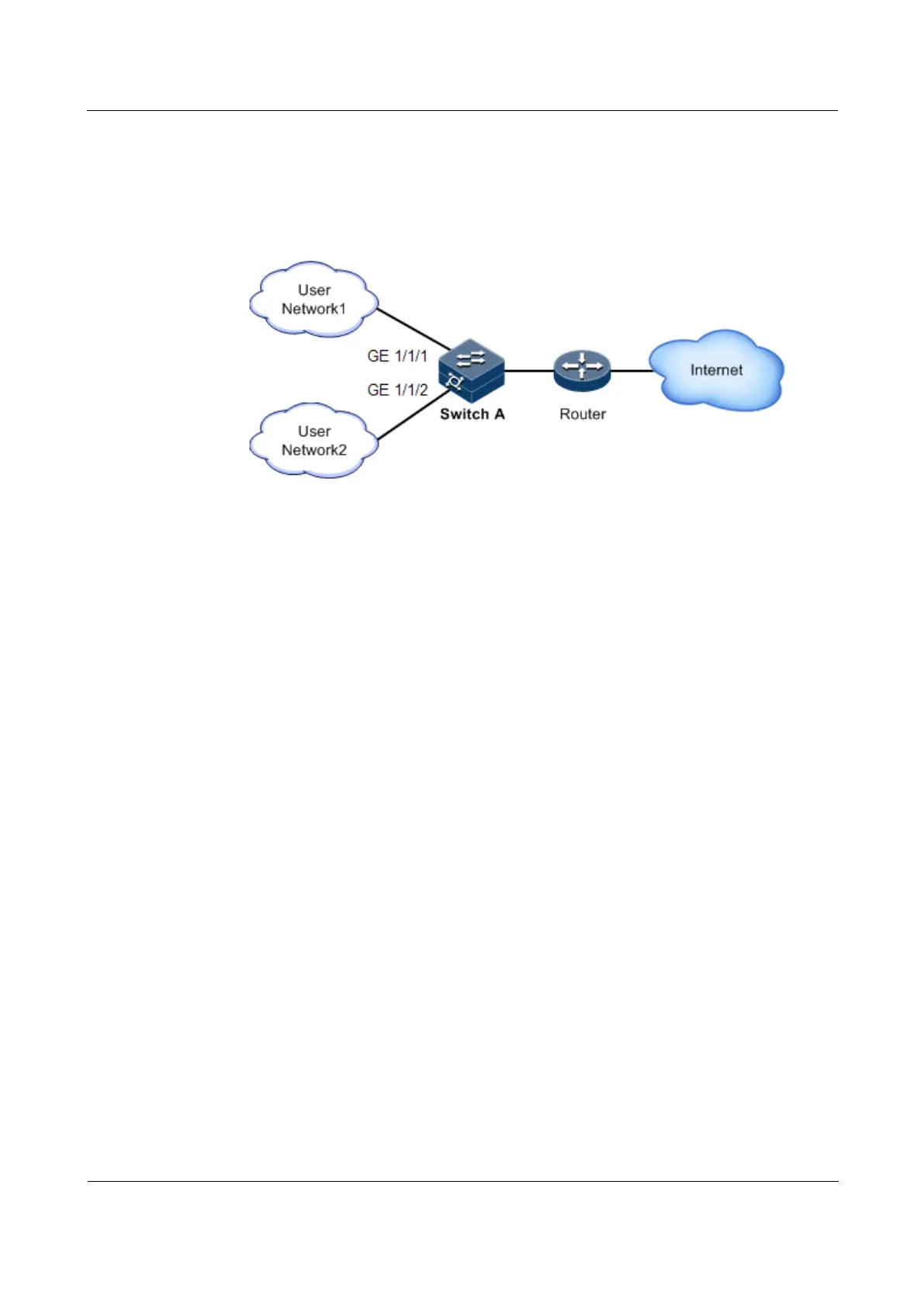
To restrict impacts on Switch A caused by broadcast storm, you need to configure storm
control on Switch A to control broadcast packets from user networks 1 and 2, with the
threshold of 640 pps.
Figure 10-6 Storm control networking
Configuration steps
Enable storm control, and configure the threshold for storm control.
Raisecom(config)#interface gigaethernet 1/1/1
Raisecom(config-gigaethernet1/1/1)#storm-control broadcast bps 640
Raisecom(config-gigaethernet1/1/1)#exit
Raisecom(config)#interface gigaethernet 1/1/2
Raisecom(config-gigaethernet1/1/2)#storm-control broadcast bps 640
Checking results
Use the show storm-control command to show configurations of storm control.
Raisecom#show storm-control interface gigaethernet 1/1/1
Threshold: 0 kbps
Interface Packet-Type Pps(pps) Bps(Kbps) Cbs(kByte)
-------------------------------------------------------------------------
------------
GE1/1/1 Broadcast -- 640 4
Multicast -- 0 0
Dlf -- 0 0



 To Next Page
 Loading...



