18 Operations Field-IQ operation
If you load a shapefile prescription, select the rate column.
CAUTION – When you select a shapefile prescription, the applied rate will be incorrect if you choose the wrong
column when using a variable rate controller.
Load prescription file
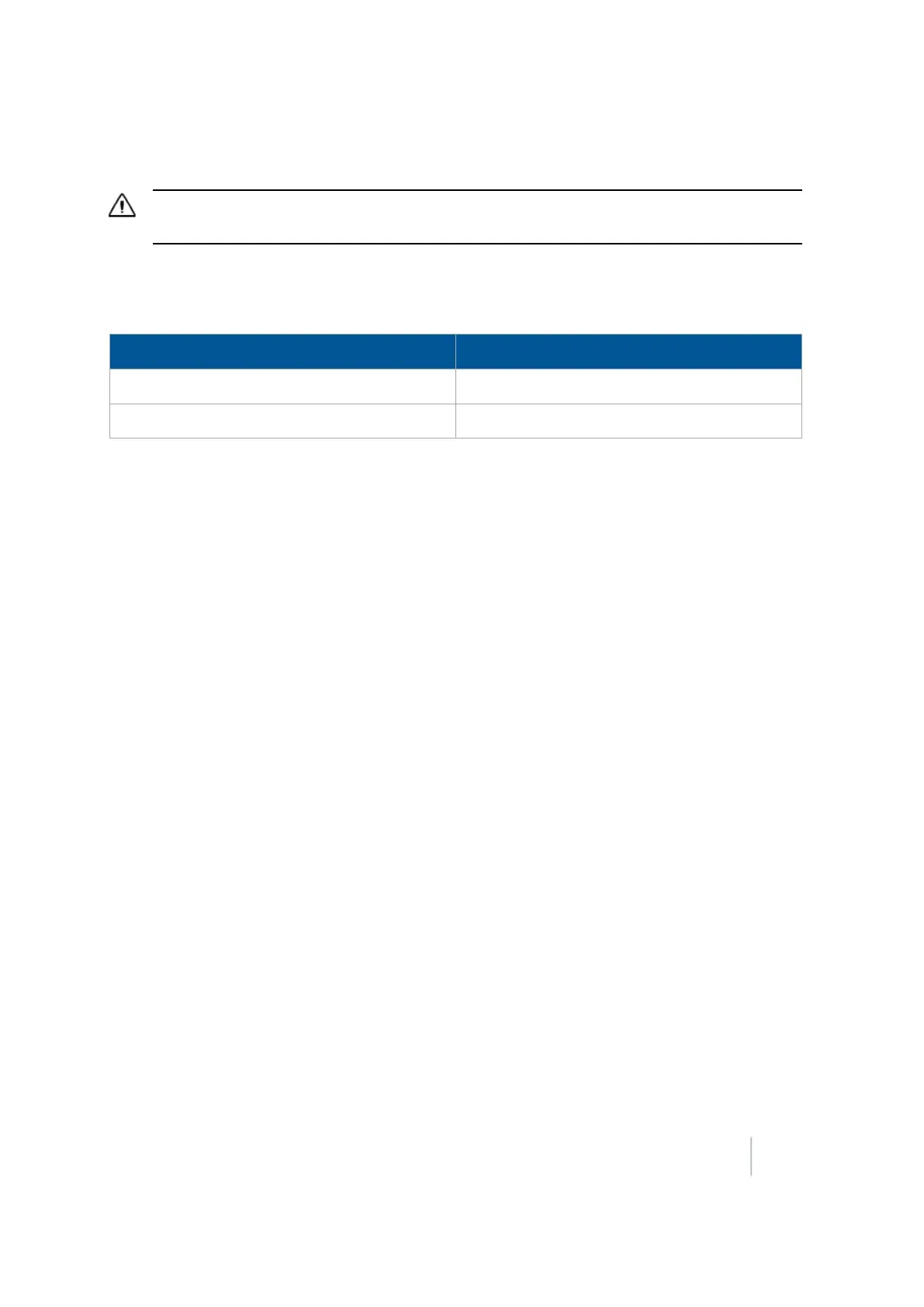
A prescription works only when the Field-IQ rate selection switch is in the Rate1 position.
Rate Switch Position Increment / Decrement Switch Status
Rate 1 Disabled
Rate 2 Enabled
To load a prescription file:
1.
Map a new field or select an existing field. The FM-1000 integrated display lists the prescription
files within the specified limits. If there are many prescriptions on the hard drive, this can take
several seconds, and a progress bar displays.
If any prescription files are within the specified limits, the Select Prescription screen displays.
2.
From the Available Prescriptions list, select a prescription file.
Note – If an AgInfo GDX prescription has an incorrect format, it will not display in the Available
Prescriptions list.
ll
If you select a shapefile prescription, select the correct prescription rate column.
Note – When you select a shapefile prescription, if you choose the wrong column when using a
variable rate controller, the applied rate will be incorrect.
l If you select an AgInfo GDX prescription, the Rate Column box does not appear.
3. From the Prescription Scale Factor, select the scale factor for the units used in the prescription file.
4. Set the lead time.
5. From the When off prescription use list, select the target rate for when you are outside the area that
is covered by the prescription file. See Prescriptions (page 394).
6. Tap OK to load the prescription file.
Lead time
Lead-time is the average time required by the controller before it can react to a requested rate
change. Define the lead time in the Select Prescription screen. For example, a value of 5.0 means
that, on average, it takes the controller around five seconds to change from one rate to a new rate.
The direction and speed of the vehicle are combined with the lead time to project a future position
of the vehicle. The target rate at this projected position is sent to the variable rate controller, giving
the controller time to reach the required rate at approximately the same time that the vehicle
arrives at the projected position.
Version 9.25, Revision B FM-1000 Integrated Display User Guide 395



 To Next Page