18 Operations Water Management functionality
Item Explanation
11
Surface
information: Elevation of the surface at that location.
12
Design Tool
list: Options:Clip Start, Clip End, Fix Point.
13
Add button: Tap to add a fixed point to the design.
Clip button: Tap to clip the designated portion of the section line.
14
Delete All
button: Tap to delete all of the fixed points created.
15
OK
button: Tap to save any changes to the design.
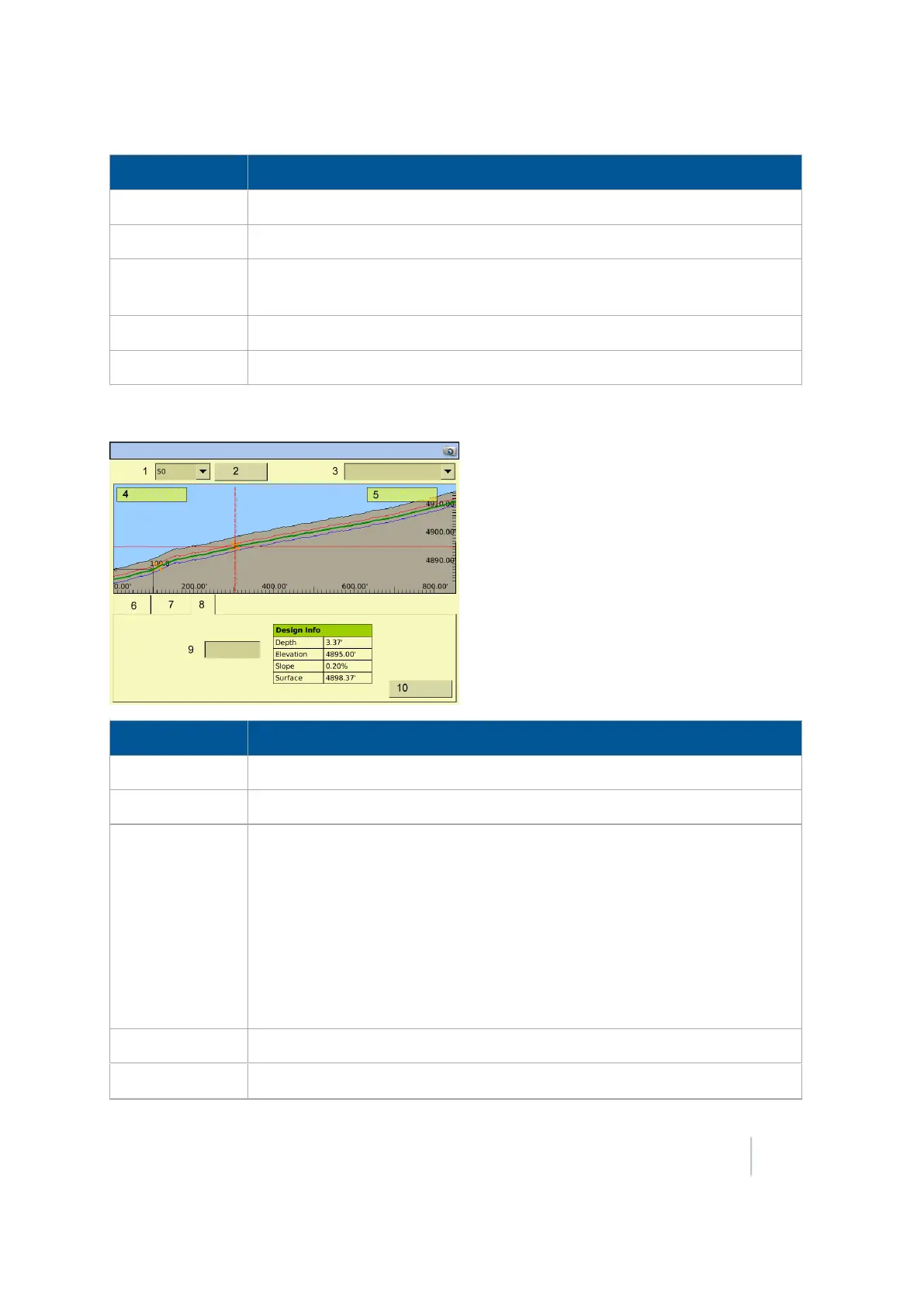
Info tab
Item Explanation
1
Section
: The section you are currently designing.
2
Rename
button:Tap to rename the section.
3
Direction
list: The design screen shows the outlet at the left side of the screen
and runs the design uphill to the right side of the screen. The direction of the
profile is defined by the direction that it was surveyed. If your survey profile is
displayed the other way, switch the option shown in the
Direction
list to the
other option in the list.
Options are:
l Outlet at Survey Start
l Outlet at Survey End
4
Outlet
information: Elevation of outlet depth.
5
Boot Slope
information: The current reading for the boot slope from the IMD-
Version 9.25, Revision B FM-1000 Integrated Display User Guide 459



 To Next Page