WindO/I-NV4 User’s Manual 15-1
15
Operation Log Function
This chapter describes how to configure the Operation Log function and its operation on the MICRO/I.
1.1 How the Operation Log Function is Used
The Operation Log function records events that have occurred on the MICRO/I, including user operations such as
pressing a button or changing the operation mode.
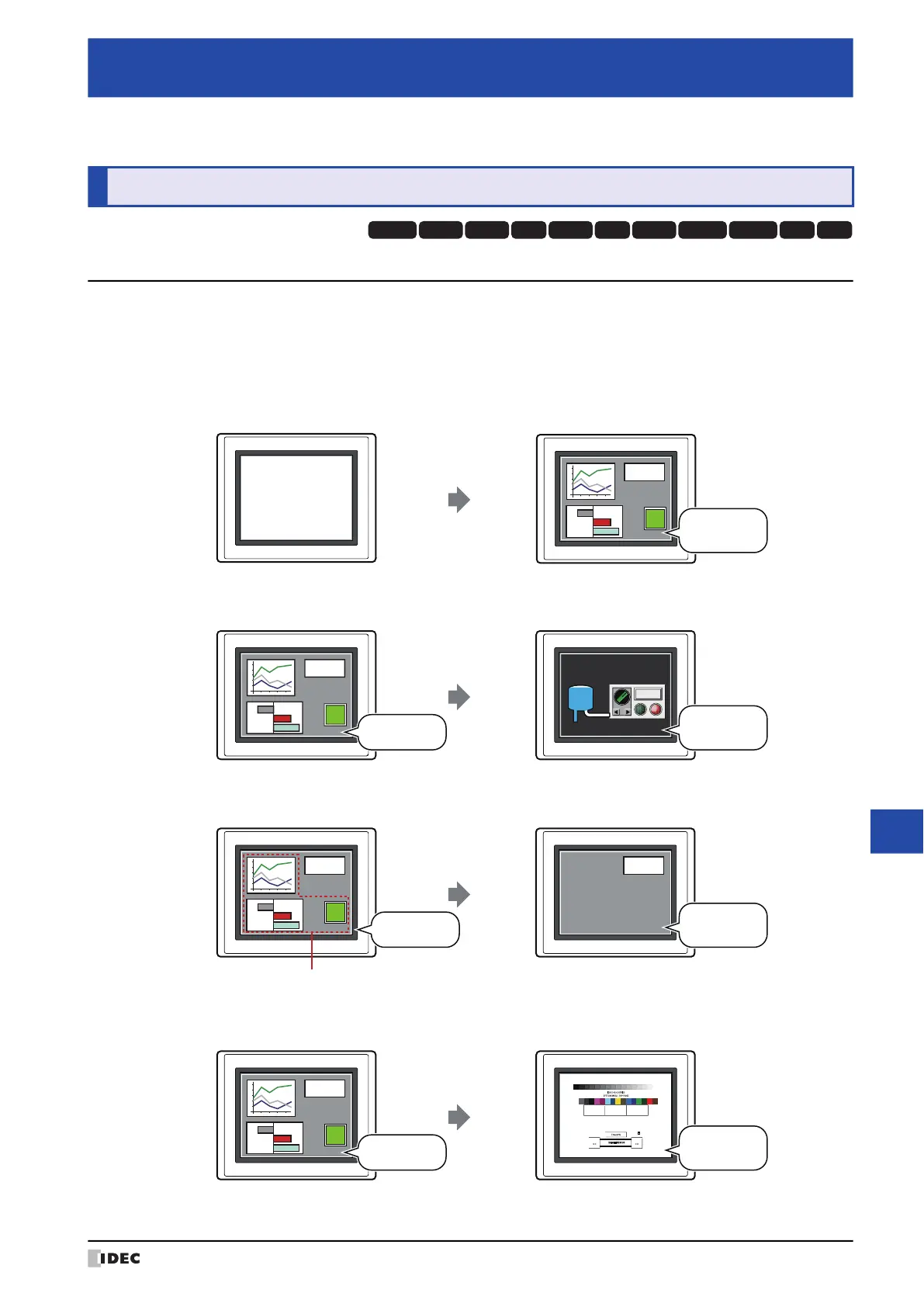
You can perform the following actions using the Operation Log function.
• Record turning on the MICRO/I power
• Record switching the base screen
• Record changing the user
• Record changing the operation mode
Chapter 15 Operation Log Function
1 Overview
HG3G
HG2G-5FHG5G-V HG4G-V HG3G-V HG2G-V HG2G-5T
HG4G HG1G HG1P
HG2J-7U
MICRO/I
Power ON
MICRO/I
130
12:00
Run Mode
MICRO/I MICRO/I
130
Switch to Base Screen
Full
Tank 1
Base screen 1
12:01
Base screen 2
MICRO/I
130
MICRO/I
130
Change Users
User1
Group parts not displayed on User2 screen
12:02
User2
MICRO/I MICRO/I
130
Change Operation Modes
Run Mode
12:03
System Mode
Run Offline Main Menu
MAC Address 00:03:7B:F0:12:A8
IP Address 192.168.0.1(DHCP)
2010/OCT/14/THU 14:56:44



 To Next Page