WindO/I-NV4 User’s Manual 11-1
11
Charts
This chapter describes how to configure charts and meters and their operation on the MICRO/I.
1.1 How the Bar Chart is Used
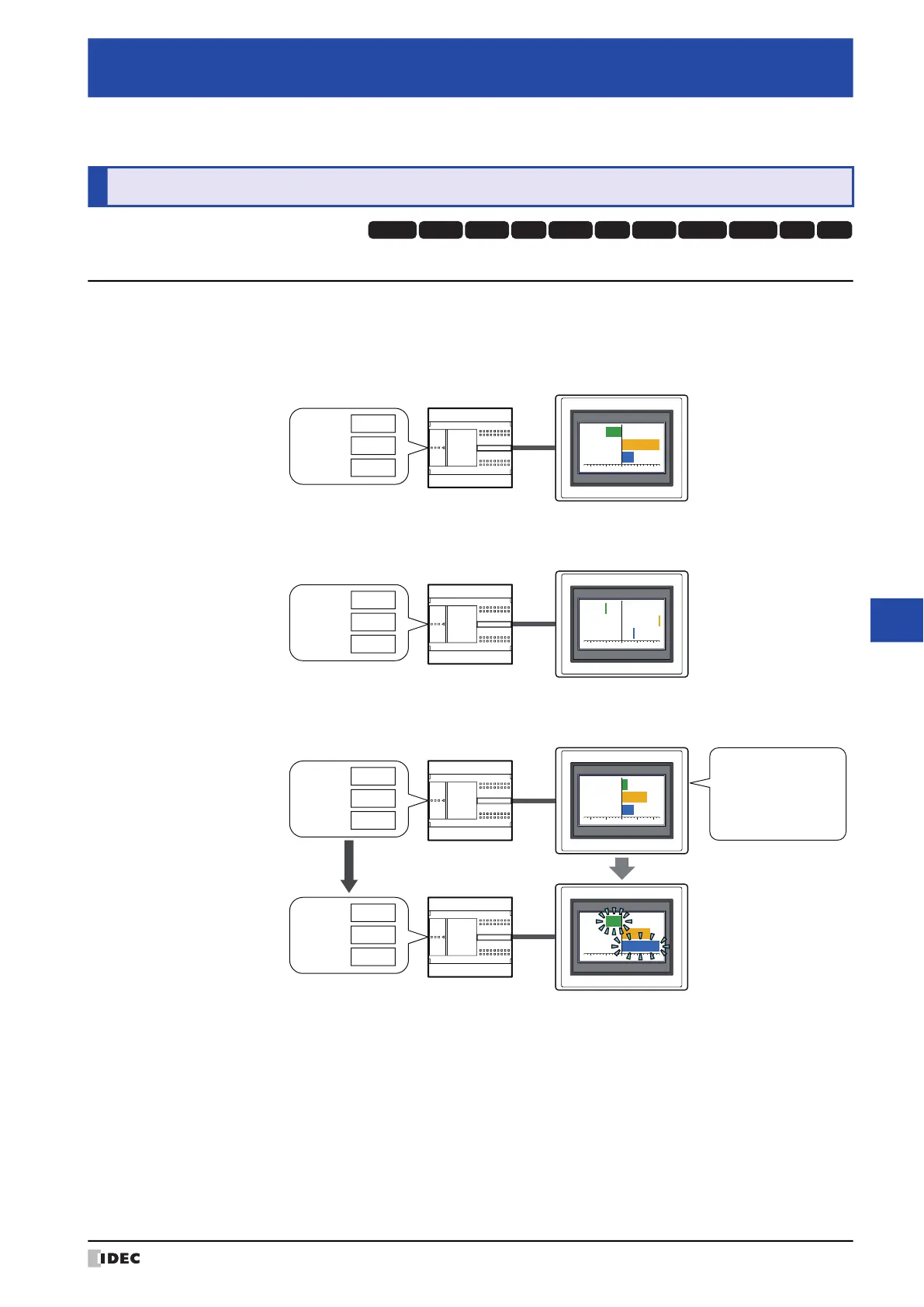
Bar charts and peak charts can be used to display word device values.
• Display word device values in a bar chart
• Display word device values in a peak chart
• Make the chart flash when the displayed data exceeds the maximum or minimum
Chapter 11 Charts
1 Bar Chart
HG3G
HG2G-5FHG5G-V HG4G-V HG3G-V HG2G-V HG2G-5T
HG4G HG1G HG1P
HG2J-7U
External device
MICRO/I
D100 :
-50
D200 :
120
D300 :
40
External device
MICRO/I
D100 :
-50
D200 :
120
D300 :
40
External device
MICRO/I
Range: Value
Minimum : 0
Maximum : 100
When Data Over
Flash: Selected
D100 :
20
D200 :
80
D300 :
40
D100 :
-50
D200 :
90
D300 :
120



 To Next Page