WindO/I-NV4 User’s Manual 31-15
1 External Memory Devices
31
External Memory Devices
● Formatting external memory device under the System Mode on the MICRO/I
External memory device inserted in MICRO/I can be formatted by using the menu in the System Mode on the MICRO/I.
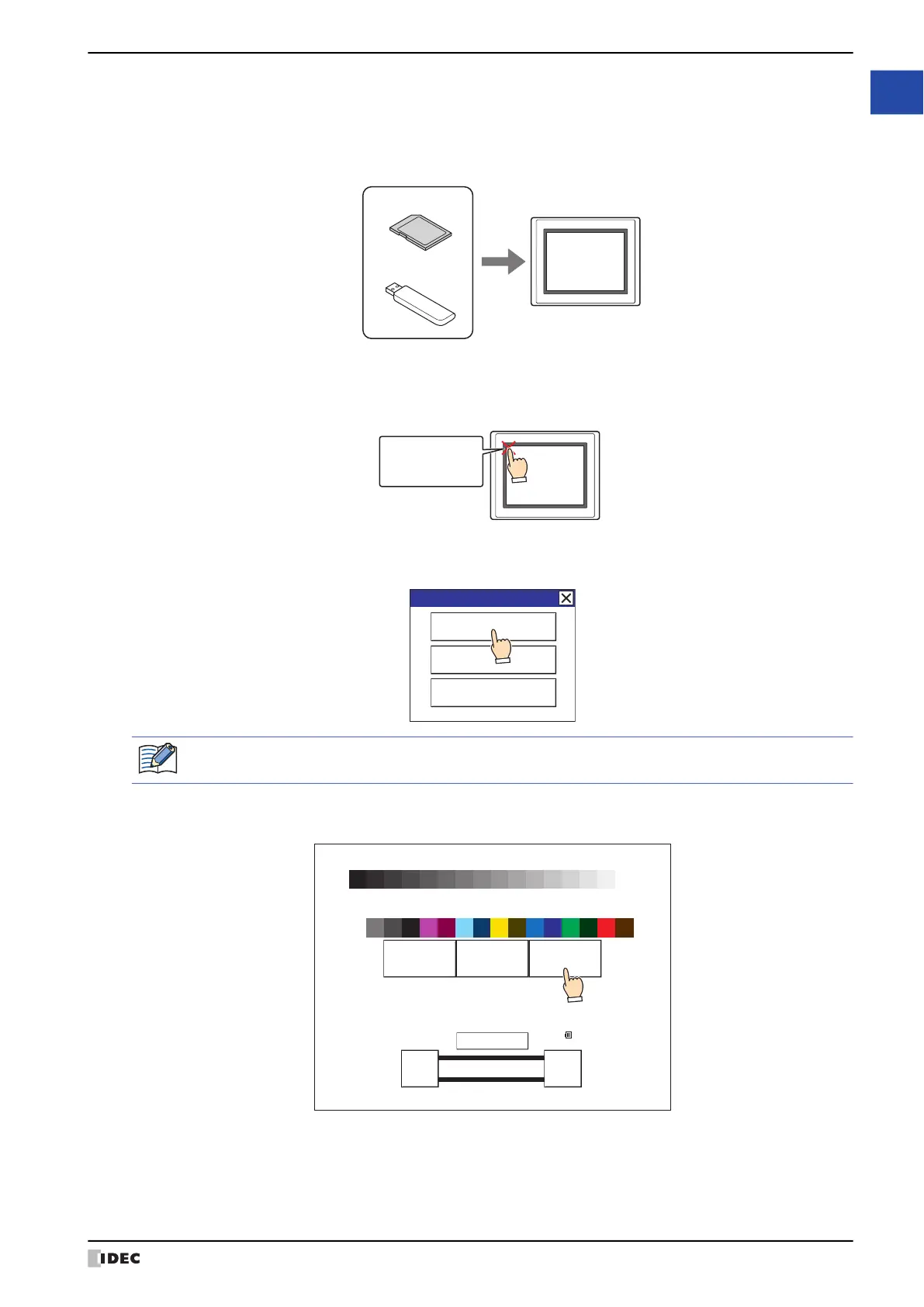
1 Insert the external memory device into the MICRO/I.
2 Press and hold the upper left corner of the MICRO/I screen for 3 or more seconds.
The Maintenance Screen appears.
3 Press the System Mode.
MICRO/I switches to the Top Page in the System Mode.
4 Press the Main Menu.
The Main Menu appears.
MICRO/I
USB flash drive
SD memory card
External memory device
Press and hold 3
or more seconds
MICRO/I
Maintenance
System Mode
Device Monitor
Adjust Brightness
If security is enabled for the project on MICRO/I, a dialog appears for you to enter a user name and
password. For details, refer to Chapter 23 “User Accounts and the Security Function” on page 23-1.
Run Offline Main Menu
<< >>
BRIGHTNESS 31
IDEC HG G SERIES
SYSTEM MODE TOP PAGE
ENG/JPN
MAC Address 00:03:7B:F0:12:A8
IP Address 192.168.0.1(DHCP)
2010/OCT/14/THU 14:56:44



 To Next Page
 Loading...