Water Management functionality 18 Operations
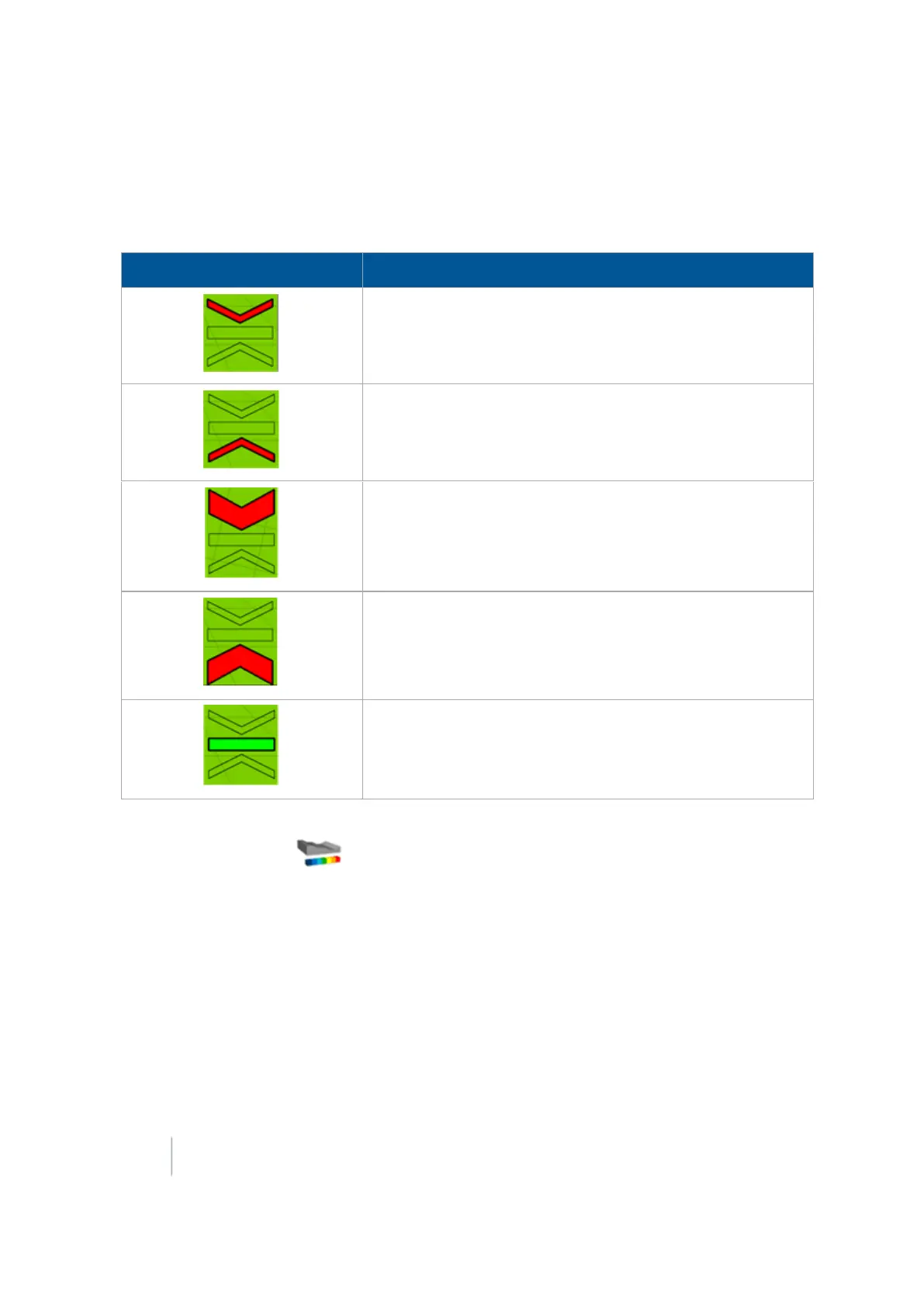
Blade level indicators
In the operational view of the Run screen, a blade indicator shows the status of the blade related to
the On-Grade Limit.
Indicator Explanation
The blade is above the target height beyond the On-Grade
Limit.
The blade is below the target height beyond the On-Grade
Limit.
The blade is considerably above the target height, more than
double the On-Grade Limit.
The blade is considerably below the target height, more than
double the On-Grade Limit.
The blade is at the correct target height, within the On-Grade
Limit.
When you are using dual or tandem scrapers, you will see two blade indicators on the Run screen.
Additionally, you can tap to open the legend for the operational view of the Run screen and
select either Height or Cut/Fill.
FieldLevel II status items
Status items are text information that:
l Describe factors in leveling models
l Beginning with P are for the primary GPS receiver (for example, PBlade Height)
l Beginning with S for the secondary if you are using dual or tandem scrapers (for example,
SBlade Height)
446 FM-1000 Integrated Display User Guide Version 9.25, Revision B



 To Next Page