WindO/I-NV4 User’s Manual 2-27
1 WindO/I-NV4 Specifications
2
WindO/I-NV4 Features & Basic Operations
● Saving pictures as image files
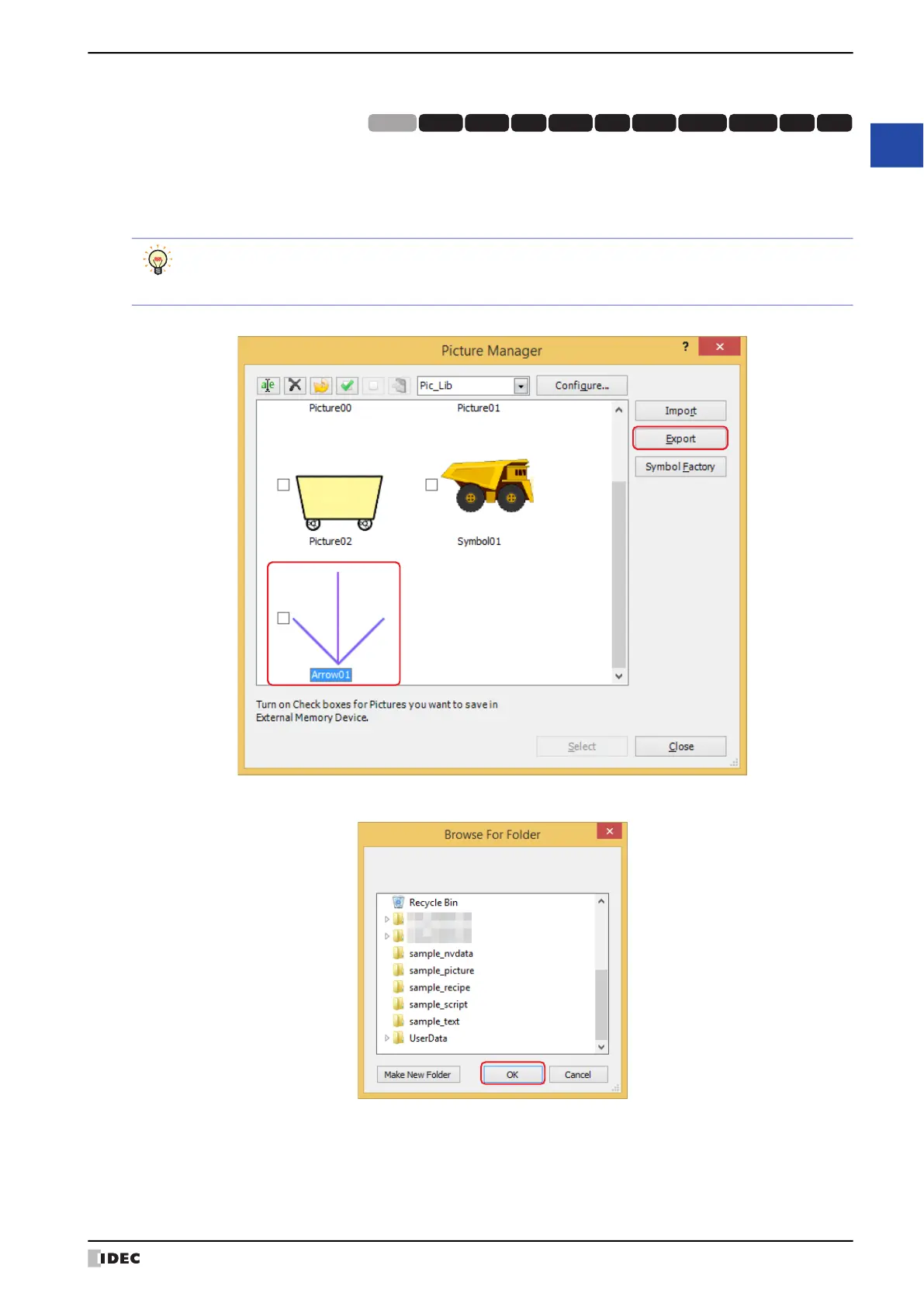
To use a picture saved in Picture Manager on another computer, save the picture as an image file.
1 Select a picture to export, and then click Export.
The Browse For Folder dialog box is displayed.
2 Select the folder to save, and then click OK.
HG3G
HG2G-5FHG5G-V HG4G-V HG3G-V HG2G-V HG2G-5T
HG4G HG1G HG1P
HG2J-7U
• To select multiple pictures, press and hold SHIFT or CTRL while you click the specific items.
• To save as an image file in NMF (NV Metafile) format, select and right-click the drawing object drawn on
the editing screen, then click Export as NV Metafile.



 To Next Page