WindO/I-NV4 User’s Manual 2-33
1 WindO/I-NV4 Specifications
2
WindO/I-NV4 Features & Basic Operations
Symbol Options
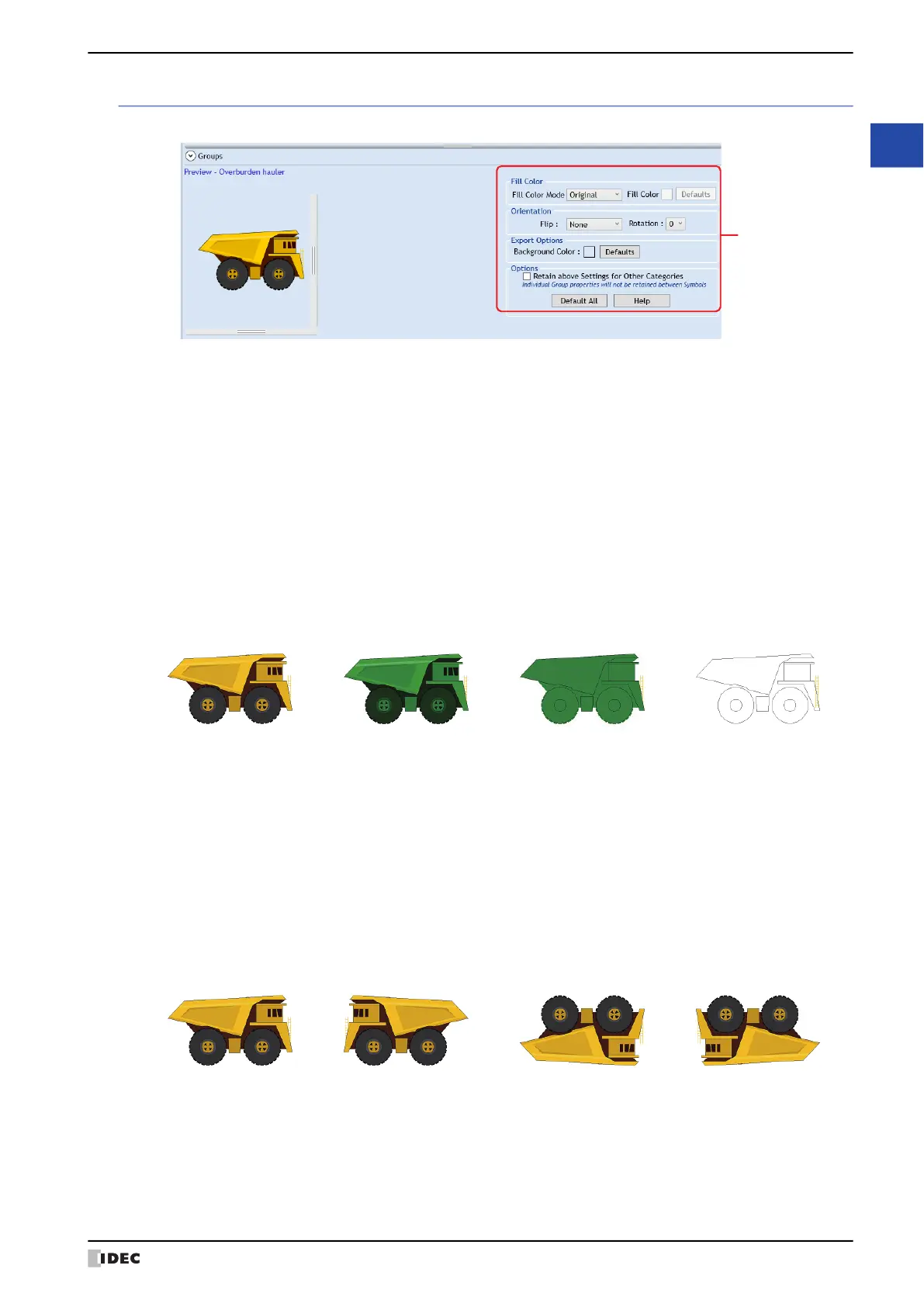
Modify the fill color and background color, and to flip or rotate a picture selected in (Categories tab).
■ Fill Color
■ Orientation
(Symbol Options)
Fill Color Mode: Select from the following picture color conversion methods.
Original: The color of the image is not changed.
Shaded: The image filled with different shades of the color selected in Fill Color (for a 3D
effect).
Solid: The image is filled uniformly in the color selected in Fill Color.
Hollow: All color is deleted.
Fill Color: Selects the color used for Shaded or Solid modes. Click this button to display the Color Settings
dialog box. Select a color from the Color Palette.
This option can only be set when Shaded or Solid are selected as the Fill Color Mode.
Defaults: Returns all settings in Fill Color to their default.
Shaded Solid HollowOriginal
Flip: Select from the following flipping methods.
None: The image is not flipped.
Horizontal: The image is flipped horizontally.
Vertical: The image is flipped vertically.
Both: The image is flipped both horizontally and vertically.
Horizontal Vertical BothNone



 To Next Page