118 Operation
imc CANSAS Users Manual - Doc. Version 1.9 - 05.12.2014© 2014 imc Meßsysteme GmbH
3.5.5.4 Operating software, modification of the Baud rate
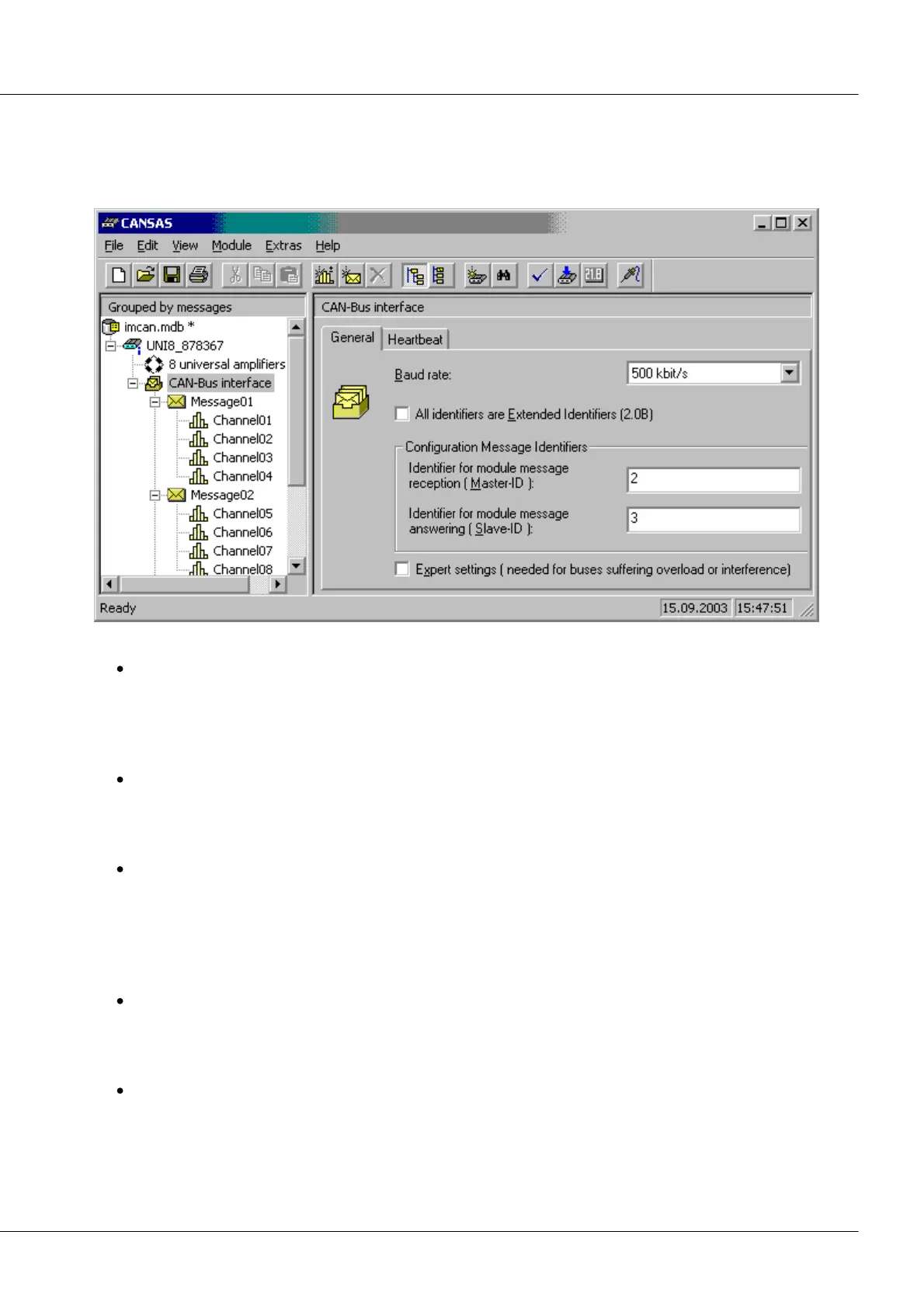
In the operating software, the Baud rate can be set individually for each module. To do this, select in the
tree at left the entry CAN-Bus-Interface. This entry exists for every imc CANSAS-module type. On the
right-hand side of the screen, select the index card General.
Observe the following notes:
If only a single module is connected to your CAN-Bus (in other words, only the two CAN-nodes PC
and 1 imc CANSAS-module), then you can change the Baud rate and other settings as you wish and
then configure the module. Once the module has been configured successfully, the imc CANSAS-
module reboots and starts up with the new Baud rate. The PC also switches to the new Baud rate.
You can then communicate with the module with this new Baud rate.
If you use a CAN-Bus with multiple subscribers, they must all always have the same Baud rate. If
even one subscriber has a different Baud rate, the CAN-Bus no longer works. The CAN-controllers
detect bus errors and deactivate automatically; the CAN-Bus is designed to do so. If you wish to
change the Baud rate for the entire CAN-Bus, this must be done for all subscribers at the same time.
If you use the CAN-Bus just with the PC and otherwise only imc CANSAS-modules, the Baud rate can
be changed for all subscribers at once. First set the new Baud rate for all modules in the user
interface. The select all modules in the tree on the left side of the user interface. Then select the
menu item Modules / Configure... The software recognizes that the Baud rate is to be changed,
notifies all modules of the new Baud rate and has them all reboot at the same time. They all then
boot up with the new Baud rate.
The technique described above only works if all the modules already had a common Baud rate, so
that it was even possible to address them all via the CAN-Bus. This technique is only available from
the firmware for the software version V1.3Rev.11 onwards. If this isn't present, first configure the
modules without changing the Baud rate in order to update the firmware.
If you use other devices with your CAN-Bus (besides imc CANSAS-modules), changing the Baud rate
is more difficult since these devices don't respond to the imc CANSAS software's boot command. In
this case, these devices must be first removed from the CAN-Bus and changed separately.
Afterwards they can be re-integrated into the system.



 To Next Page