Menu functions 95
imc CANSAS Users Manual - Doc. Version 1.9 - 05.12.2014© 2014 imc Meßsysteme GmbH
3.4.4.3 Module - Check configuration
Purpose: Checks for errors in the configuration set for the imc CANSAS module.
Shortcuts
Toolbar:
Prerequisite: One or more imc CANSAS modules must be selected; all modules selected are checked. The
module itself or any subordinate entry can be selected; the function is applied to the module affected. If
the Database entry is selected, all the modules will be checked.
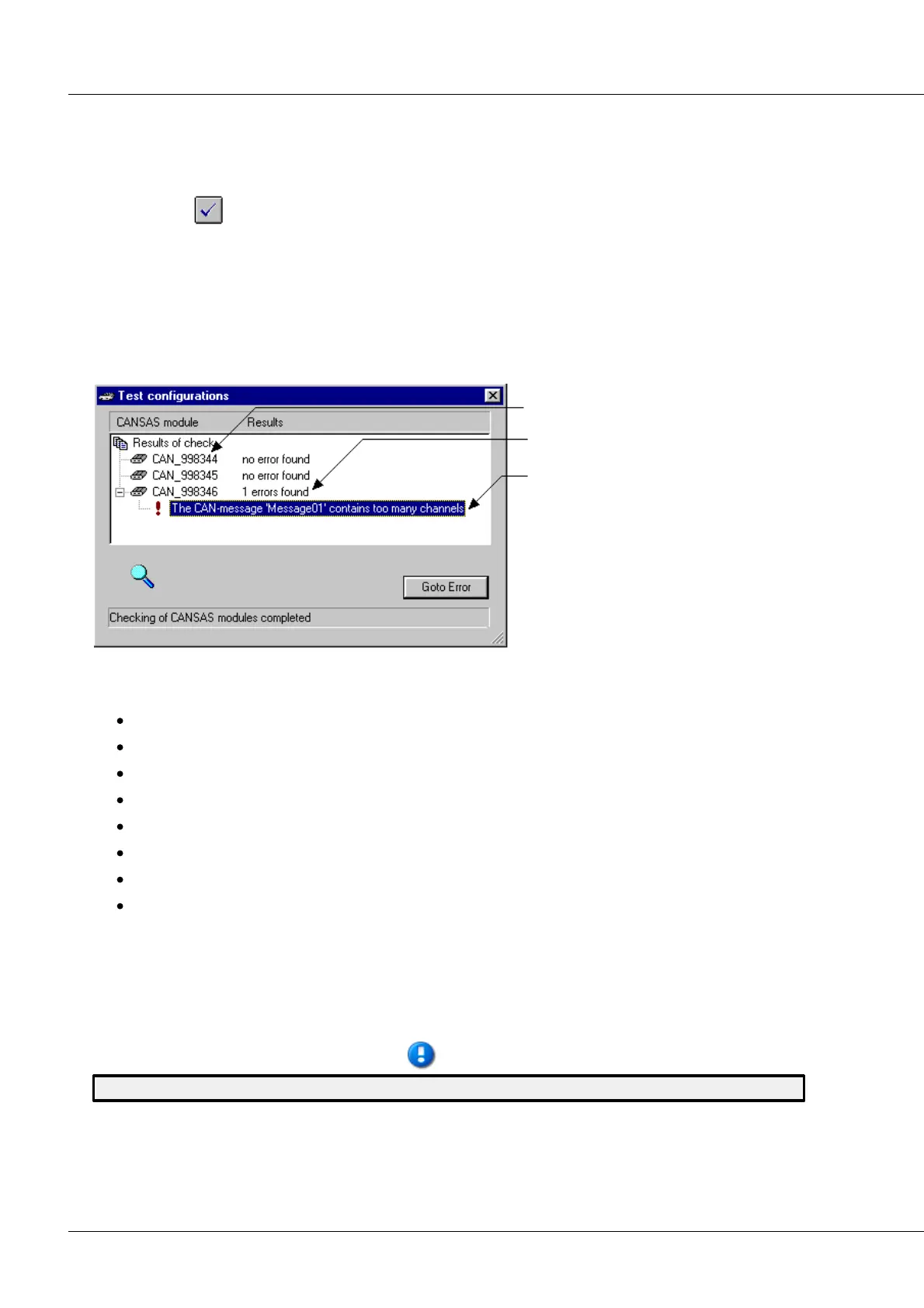
Remarks: Calling the command makes the window "Test configurations" appear. The tests are started
immediately and carried out without accessing the interface and module.
The Test configurations dialog
All modules selected are checked
Number of errors by module
Error message
Each imc CANSAS module is tested on the following points:
imc CANSAS- module names
CAN-message names and channel names
CAN-Bus Interface settings
CAN-Bus messages
Virtual channels
Input channels
Module computational capacity
Occupation of bus capacity by the module
If an error is detected, an error message is posted under the entry for the module affected. The system
attempts to find and indicate any configuration errors. Once the tests are completed, one of the errors
found can be selected. By pressing the softkey Go to error, the source of the error is selected in the
Module Tree (this can also be accomplished by double-clicking the error's listing). This way, the error can
be corrected by changing the appropriate setting in the Properties dialog.
A imc CANSAS module can only be configured if the test is carried out successfully.



 To Next Page