Calling the program 51
imc CANSAS Users Manual - Doc. Version 1.9 - 05.12.2014© 2014 imc Meßsysteme GmbH
Operation
3.1 Calling the program
Once the imc CANSAS application has been
successfully installed, it can be called from
the Windows Start menu.
You can use the Start menu's 'Run'-command to start the application. To do this, find the file imc
CANSAS.exe.
imc CANSAS enters various settings into the Windows System Registry. In the English program version,
the main key is designated
HKEY_CURRENT_USER\SOFTWARE\imc Measurement and Control\Default\imc CANSAS
If you wish to work with personally customized settings, then call the file imimc CANSAS.exe using the
calling parameter /cMySettings. In this case, the main key is designated
HKEY_CURRENT_USER\SOFTWARE\imc Measurement and Control\MySettings\imc
CANSAS
Create a shortcut to imimc CANSAS.exe. In the menu for setting shortcut properties, supplement the call
command by appending the parameter /c(name).
Calling imc CANSAS from imc DEVICES
As of Version 1.4R5, the imc CANSAS software can operate not only as an independent program, but also
some of its elements are integrated with the imc DEVICES software. This is supported by imc DEVICES as
of Version 2.6.
However, certain functions and menu items aren't available for calling from imc DEVICES. For example,
the imc CANSAS configuration is not administered as an MDB-database, since it is saved along with the
experiment under imc DEVICES. XML-export/import is possible. Access to the imc CANSAS hardware is
provided via the imc DEVICES hardware's CAN-Bus. This communicates via Ethernet, so that all interfaces
incl. imc-USB as well as the Interface-Dialog are blocked.
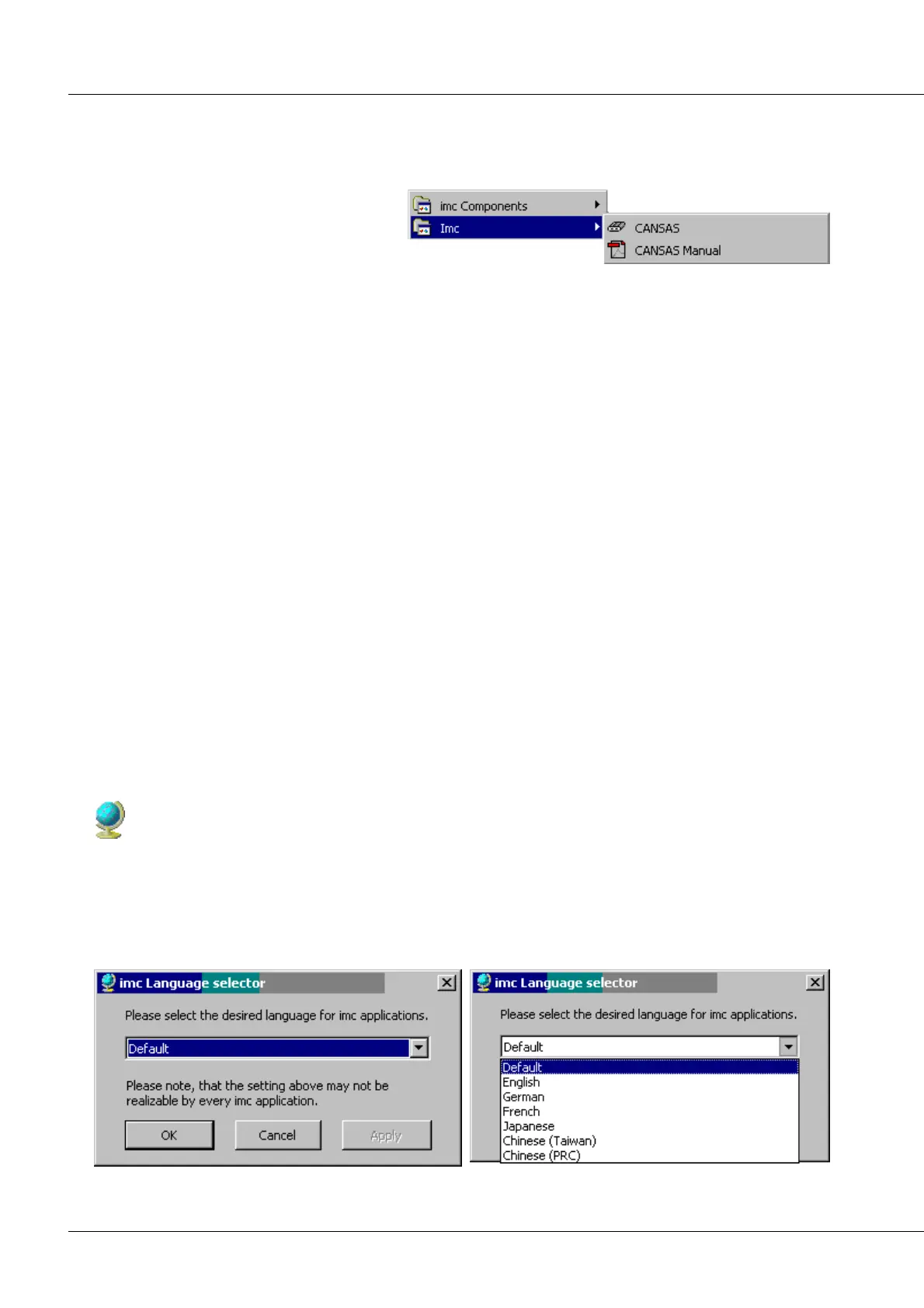
3.1.1 Language setting - imcLanguageSelector
The software is provided with different languages, which can be selected with the program
ImcLanguageSelector.
Thus installing several language versions of the software is not necessary. As default the language of the
operation system will be used. In case of the imc product is not provided with the language of the
WINDOWS version, English will be used.
The ImcLanguageSelector is located at C:\Program files\Imc\Shared.



 To Next Page