Menu functions 97
imc CANSAS Users Manual - Doc. Version 1.9 - 05.12.2014© 2014 imc Meßsysteme GmbH
3.4.4.5 Module - Measure...
Purpose: Measurement data are read from the module.
Shortcuts
Toolbar:
Prerequisite: The imc CANSAS modules from which measurement data are to be read must be selected in
the Module Tree.
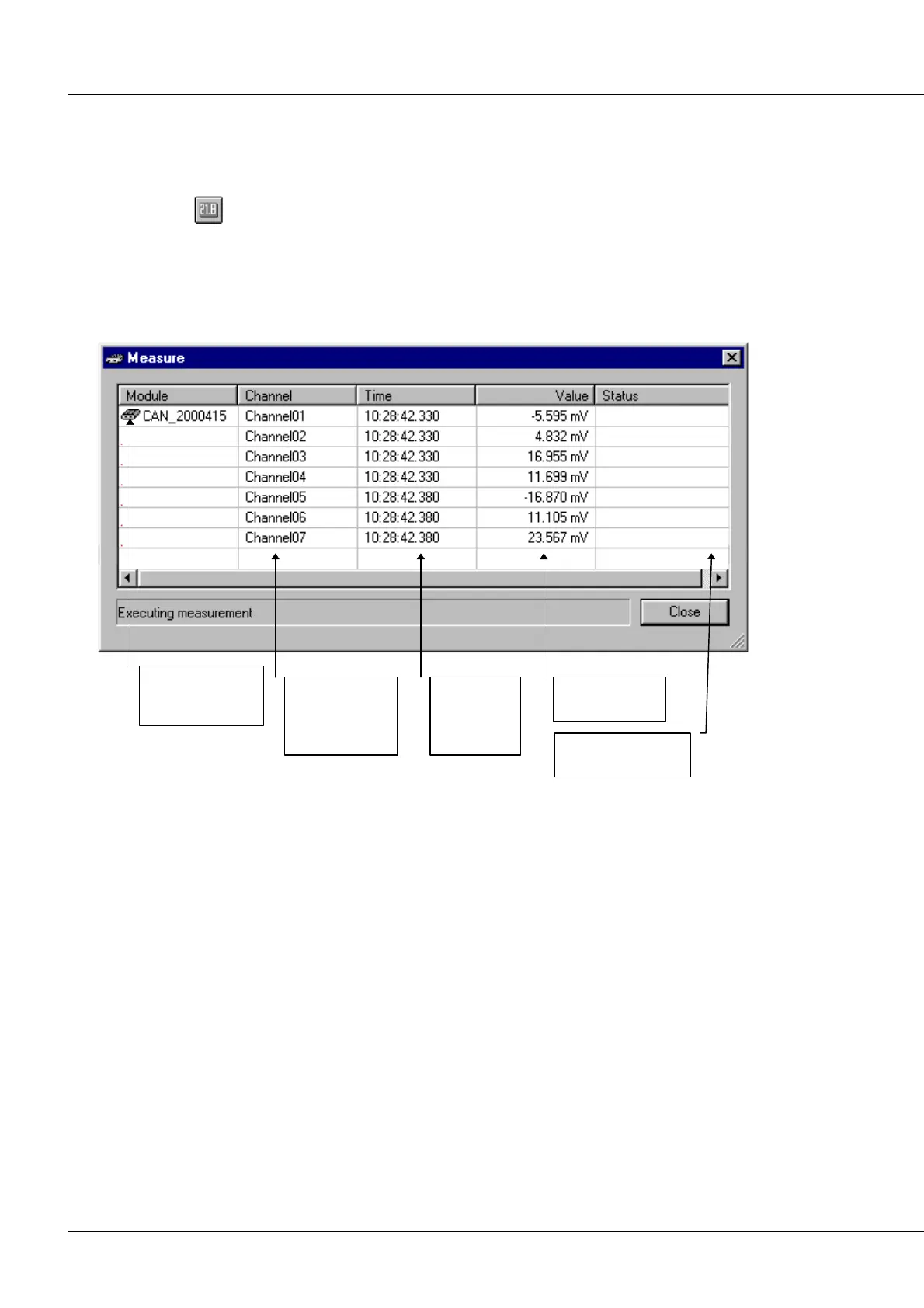
Remarks: Calling this command causes the Measure dialog, as shown below, to appear:
Column listing all
CANSAS modules
to measure
Column listing
all transferred
input and virtual
channels
Time stamp
stating time
measurement
received
A channel's last
value measured
Column for status
and error messages
Before actual measurement proceeds, a check of the firmware and the module configuration is
performed automatically. If these are not compatible, a corresponding error message is displayed in the
status bar. Measurement by the module affected cannot be carried out; it would be necessary to
perform the command Module/ Configure... in preparation.
The displayed measurement values are constantly updated. The measuring process can be ended by
selecting the menu item Close.
If the system running a measurement includes bridge modules (DCB8, UNI8, BRIDGE2), the commands
under the menu Bridge amplifier are enabled. The command Perform balance causes all bridge modules
to be balanced automatically. The command Trigger shunt calibration causes the bridges of the bridge
modules to be shunted. The bridges are thus trimmed in a defined way for a certain time. The command
is useful for performing a function check.
The Output modules menu plays a role in DO and DAC8 modules.
With these modules, the entry in the column Measurement/output value can be edited. Pressing the
Enter- key switches to edit mode. The output value can be edited. Pressing the Enter- key then confirms
the new value and applies it in the module. The Esc- key can be used to abort the new entry.



 To Next Page