UNI8: universal 431
imc CANSAS Users Manual - Doc. Version 1.9 - 05.12.2014© 2014 imc Meßsysteme GmbH
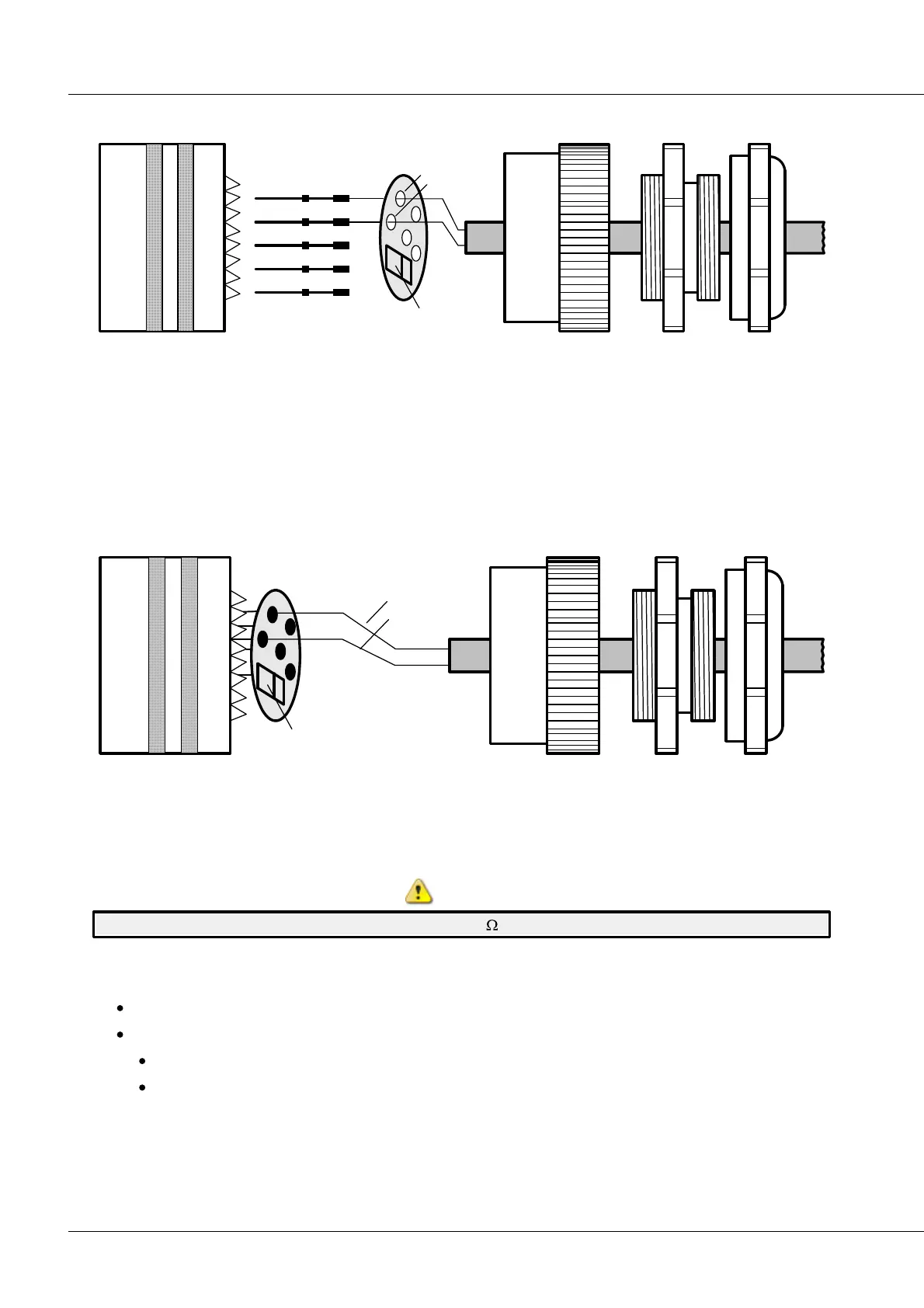
6.20.14.1 Connection using crimps
PT100
A
B
Litton-VEAM
Litton-VEAM
1. Thread the thermocouple's cable through the ITT VEAM connector's spacer and strain relief.
2. Pass the thermocouple's leads through the plate's holes.
3. Crimp the leads into the contacts.
4. Press the two crimped contacts and the other three contacts into the ITT VEAM connector.
5. Push the Pt100 plate onto the contacts.
6. Solder the contacts to the plate.
6.20.14.2 Connection by soldering
PT100
A
B
Litton-VEAM
Litton-VEAM
1. Press all the contacts into the ITT-VEAM connector.
2. Fit the Pt100 plate over the contacts and solder.
3. Thread the thermocouple's cable through the ITT VEAM connector's spacer and strain relief.
4. Solder the thermocouple's measurement leads.
Be certain that the Pt100's contacts aren't shorted. 100 must be measured between Pins G and D!
6.20.14.3 Recommended tools
VEAM contact inserter T98143
For crimping:
Crimping pliers by DML M22520/1-01
Crimping adapter M22520/1-02



 To Next Page