220 Measurement Technique
imc CANSAS Users Manual - Doc. Version 1.9 - 05.12.2014© 2014 imc Meßsysteme GmbH
5.5 CANSAS blinking codes
The imc CANSAS modules come with an LED which can shine in three colors.
The available colors are the primary colors Red and Green plus their resulting composite color yellow.
With few exceptions, the light-blinking codes apply for almost all the modules. The UNI8 module has two
additional LEDs which can be freely configured and only shine yellow light.
5.5.1 Normal operation
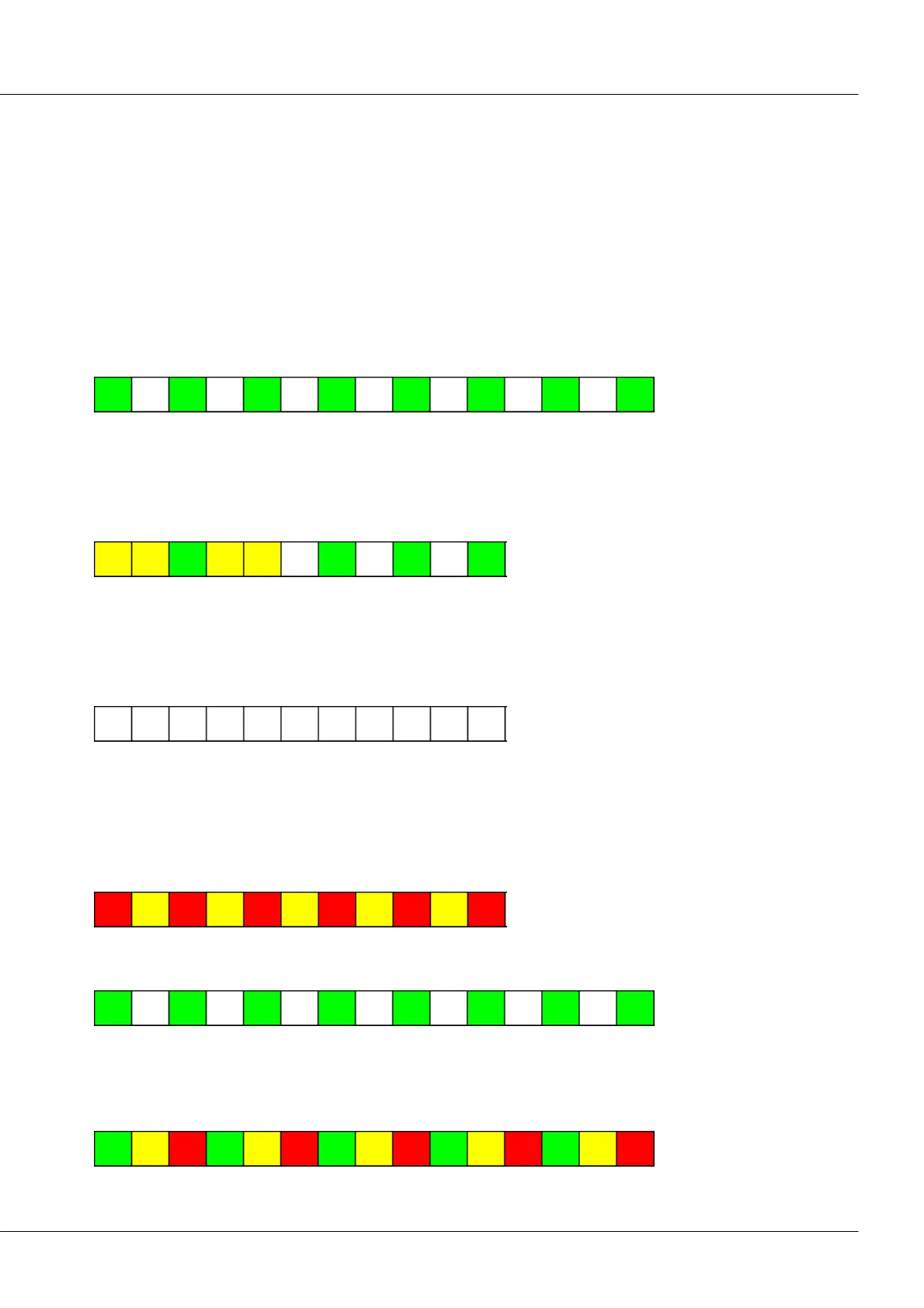
In normal operation, the LED blinks green at constant intervals. Once the power supply is connected to
the device, various blinking codes are emitted, which depend on the module and on its firmware version,
before the blinking pattern reverts to constant green blinking.
5.5.1.1 Successful configuration
Once a module has been configured successfully, a blinking code is emitted. The LED flashes yellow once
for a long duration, then once briefly green, then once more yellow and long and then goes off. A short
time later, the device begins blinking again in indication of normal operation.
5.5.1.2 With device's Reset-plug
While the Reset-plug is attached at the device, the LED dies not flash. The LED also doesn’t flash after
withdrawal of the Reset-plug until either a configuration for the module has been successfully
completed, or the module has been disconnected from the power supply and then reconnected to it.
5.5.1.3 Synchronization
If a module is configured as the Master for synchronization purposes, then following successful
configuration is alternates blinking in yellow and red (blink code: wait for other module) until it is
connected with another module via the CAN-Bus. For this, it doesn’t matter whether or not the other
module is set to the corresponding Slave-mode.
Once the connection has been securely set up, the module blinks normally again in green.
If there is no connection to any other module within 5 – 10 seconds, then a blinking code consisting of a
mix between the code for normal operation and the code for “Wait for other module”, namely
alternating green, yellow and red, is emitted. The device is then in an undefined state.



 To Next Page