IGN ignition angle measurement module 317
imc CANSAS Users Manual - Doc. Version 1.9 - 05.12.2014© 2014 imc Meßsysteme GmbH
6.11.3.2 Snapshot operation mode
Data recorded at high speed are played back in slow motion. For instance, data written to the internal
buffer at 1 MHz and then into the CAN-Bus at 1 ms are shown in a connected CAN measurement device's
curve window as a plot at a speed 1000 times slower.
Multiplication factor = Sampling rate_ADC / Output rate_CAN
In the Snapshot mode, there is a short sequence of values outputted on the CAN-Bus once transfer of
data from the internal buffer to the CAN-Bus has been completed, which indicates the end of the data.
The values on all channels are [-Fullscale]-values, meaning 8000H. These values were not really measured
and are not actual signals at the inputs! Following this short sequence, a new snapshot is recorded in the
internal buffer and immediately outputted on the CAN-Bus.
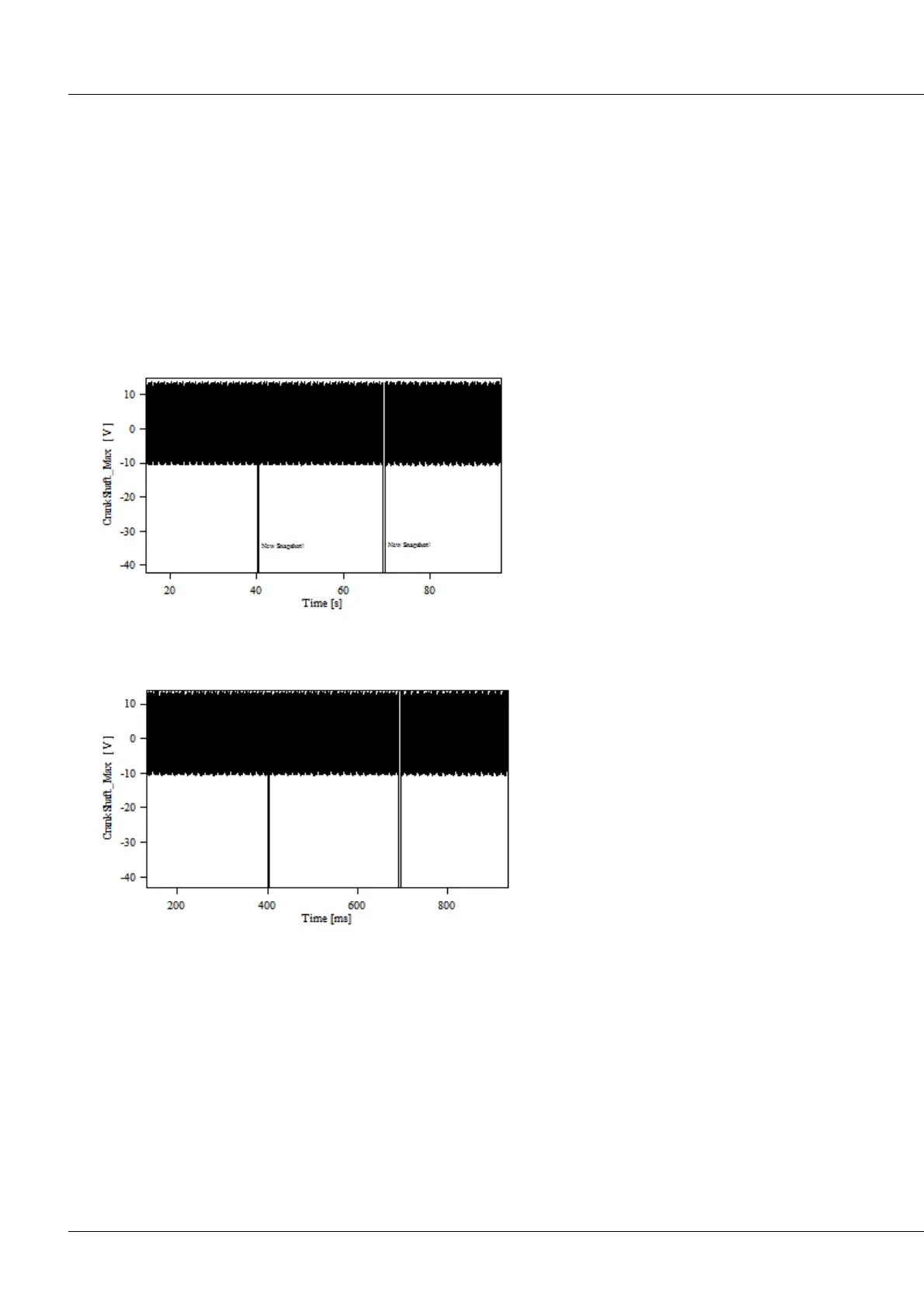
Below is shown a typical Snapshot, illustrating the signal from an engine's own crankshaft sensor (VRS).
The negative peaks in the recorded CAN-Bus
signal, which clearly are not derived from the
crankshaft sensor but indicate the start of the
next snapshot. In this case, data gathered
with a 100 kHz data rate and 30000 points
buffer are transferred to the CAN-Bus at 1
kHz. In other words, a snapshot every 30 s.
After correction of the time base, the result is:



 To Next Page