238 Measurement Technique
imc CANSAS Users Manual - Doc. Version 1.9 - 05.12.2014© 2014 imc Meßsysteme GmbH
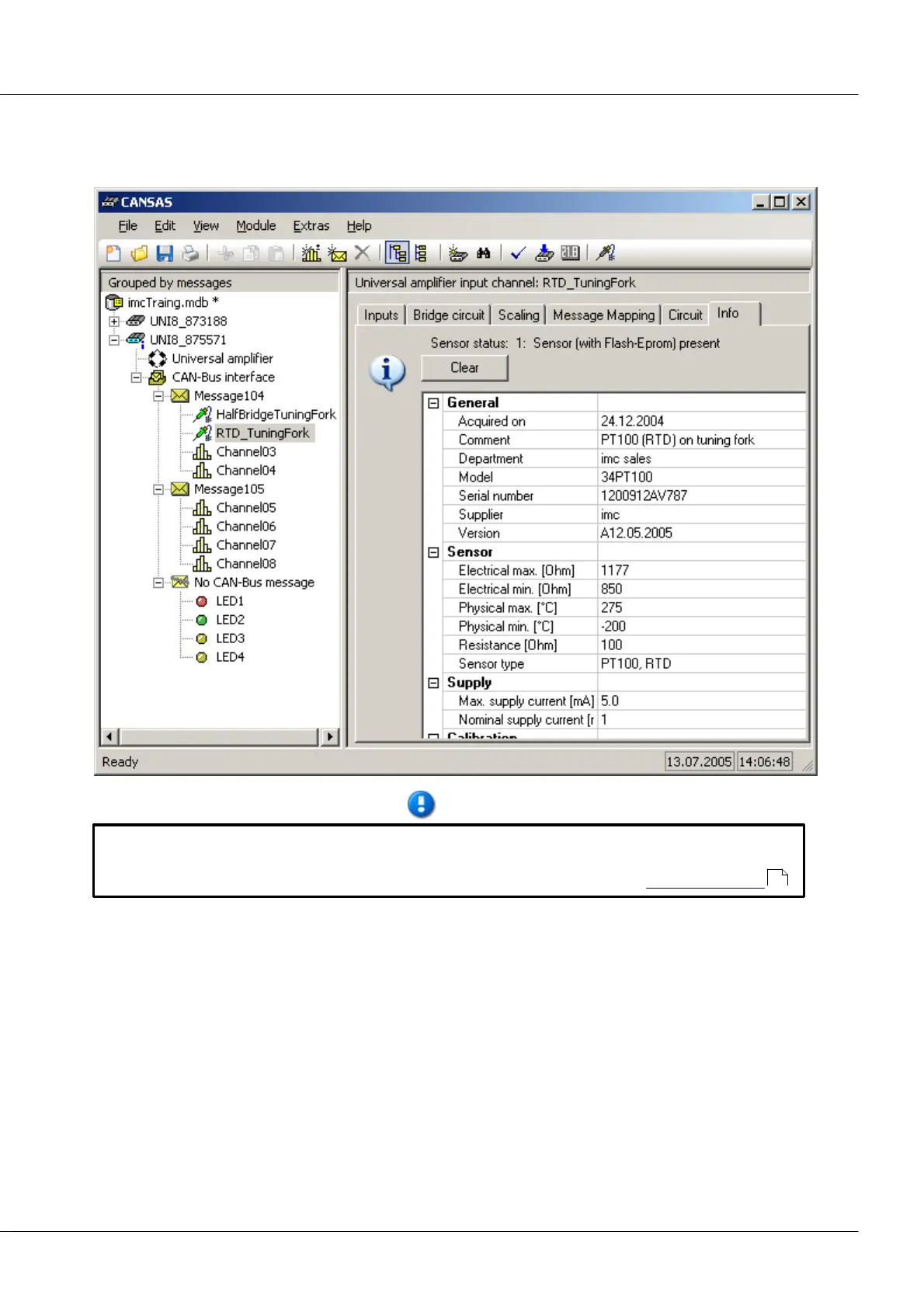
5.8.2.2 Sensor information
The dialog page Sensor presents a detailed list of the selected sensor's technical specs. However, these
sensor data cannot be edited here!
In order to be able to edit the sensor spec-sheet data, the program imc SENSORS must be
installed. The sensor database imc SENSORS administers such information for sensors. In this
program, it's possible to set up, edit and administer entries for sensors; see Sensor-Database .
5.8.2.3 Saving imported sensor information in CANSAS
The sensor information once imported and linked to a channel are saved with the imc CANSAS
configuration. If the configuration is later transferred (e.g. copied to another PC), this sensor information
isn't lost!
5.8.2.4 Sensor-Database
The device software supports the export of sensor information from a sensor database and the
application of this information to configure measurement channels.
For this purpose, it’s necessary to install the product imc SENSORS. The sensor database imc SENSORS
administers the sensor information. Sensor entries can be created, edited and administered.
238



 To Next Page