96 Operation
imc CANSAS Users Manual - Doc. Version 1.9 - 05.12.2014© 2014 imc Meßsysteme GmbH
3.4.4.4 Module - Configure...
Purpose: Writes the configuration to the module.
Shortcuts
Toolbar:
Prerequisite: One or more imc CANSAS modules must be currently selected in the Module Tree.
Configuration performed always affects all modules selected. It is enough to select a subordinate entry of
a module to make the module involved count as selected. If the entry for the database is selected, all
modules belonging to the database are configured.
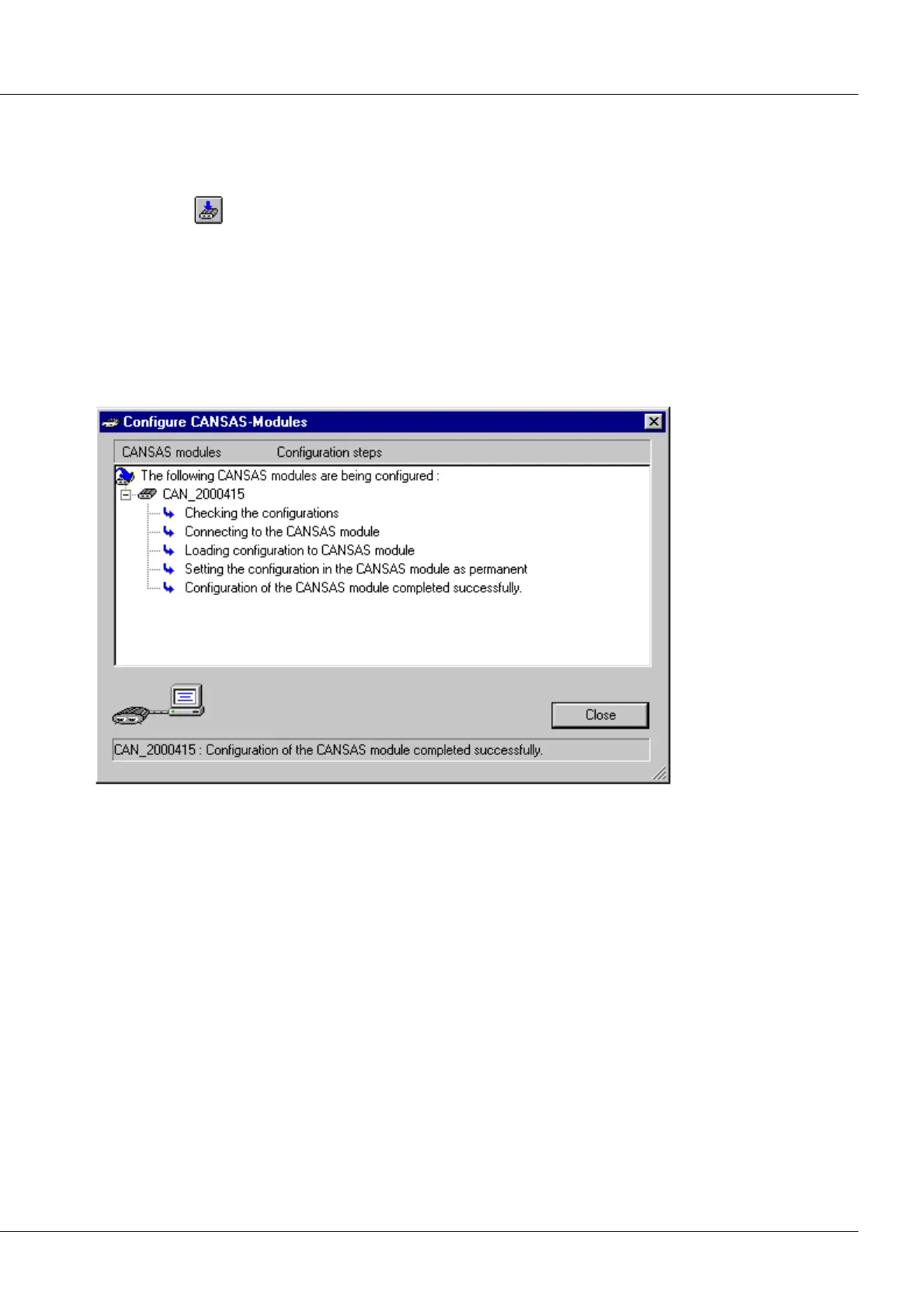
Remarks: Configuration is accomplished using the dialog Configure imc CANSAS-modules. The process
starts immediately.
The Configure CANSAS-modules dialog
The configuration process includes a check of the settings. The same testing algorithm is used as for the
command Edit/ Check configuration..... If multiple modules are to be configured, they are all first tested.
If an error is detected in any module, configuration is canceled.
The next step consists of checking whether the imc CANSAS module is connected to the CAN-Bus. Once a
functioning connection has been established, the module's firmware version is compared with the
firmware file.
If a discrepancy between the file firmware version and the module firmware version is discovered, the
firmware must be loaded into the module and made permanent there. If the firmware file's version is
older than that of the module, a prompt will be posted beforehand for confirmation that the older
version should be loaded in the module.
Now the configuration noted in the module is compared with the configuration set in the PC. If they are
the same, no configuration is loaded into the module; otherwise the new configuration is loaded into the
module and made permanent there.
If an error is detected during the configuration stage, this will be indicated in the dialog. Configuration is
resumed in the next module. By pressing the soft key Stop, the user can abort the configuration process,
if desired.



 To Next Page