58 Operation
imc CANSAS Users Manual - Doc. Version 1.9 - 05.12.2014© 2014 imc Meßsysteme GmbH
name, identifier, message length
name, input configuration, input range, sampling
rate, scaling, message mapping
Digital input (bit) of a DI16I module
Digital input port of a DI16I module
Digital output (bit) of a DO8R module
name, comment, functionality, message mapping
Analog output of a DAC8 module
name, comment, functionality, message mapping
name, function, units, message mapping
Virtual special channel ( LED)
Special functions (synchronisation, heartbeat)
3.2.4 Properties Display
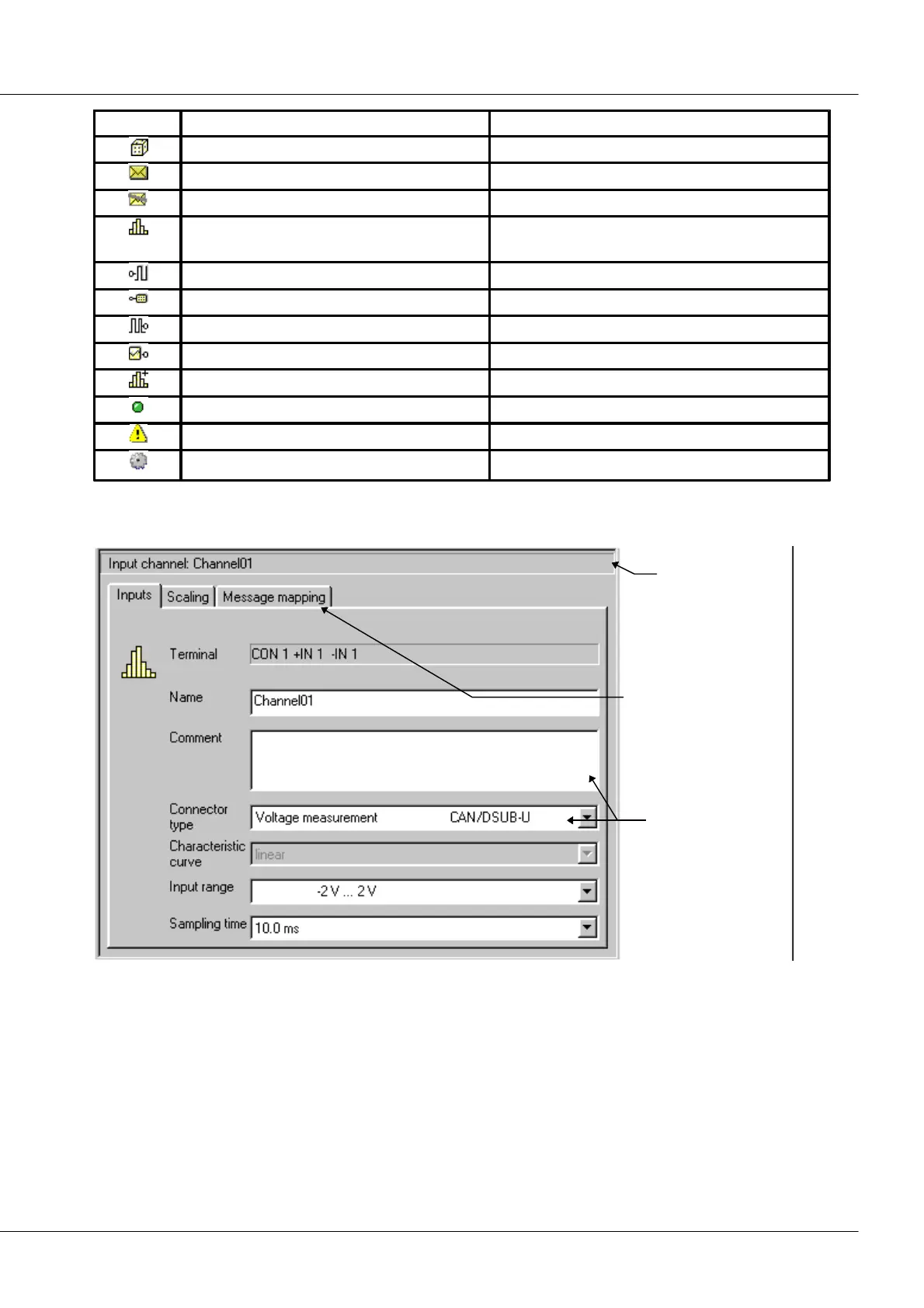
Properties dialog
title bar
Filecard tabs for
paging through dialog
Text box and
combo box for
making settings
Properties dialog for an input channel
In the right-hand segment of the application window, the properties of the currently selected Module
Tree entry are displayed. Depending on the type the entry belongs to, the properties may appear on up
to three 'index cards'. Paging through the cards is accomplished by clicking on the card tabs.
If multiple Module Tree entries are simultaneously selected, the Properties display will attempt to reflect
their common properties. This will only work if the entries are of the same type, otherwise the Properties
display will indicate that it's not possible.
There is a header at the top of the Properties display in which the entry type and the names of the
entries are stated.



 To Next Page