The user interface 67
imc CANSAS Users Manual - Doc. Version 1.9 - 05.12.2014© 2014 imc Meßsysteme GmbH
With time offset correction
Without time offset correction
3.2.4.6 Input channel
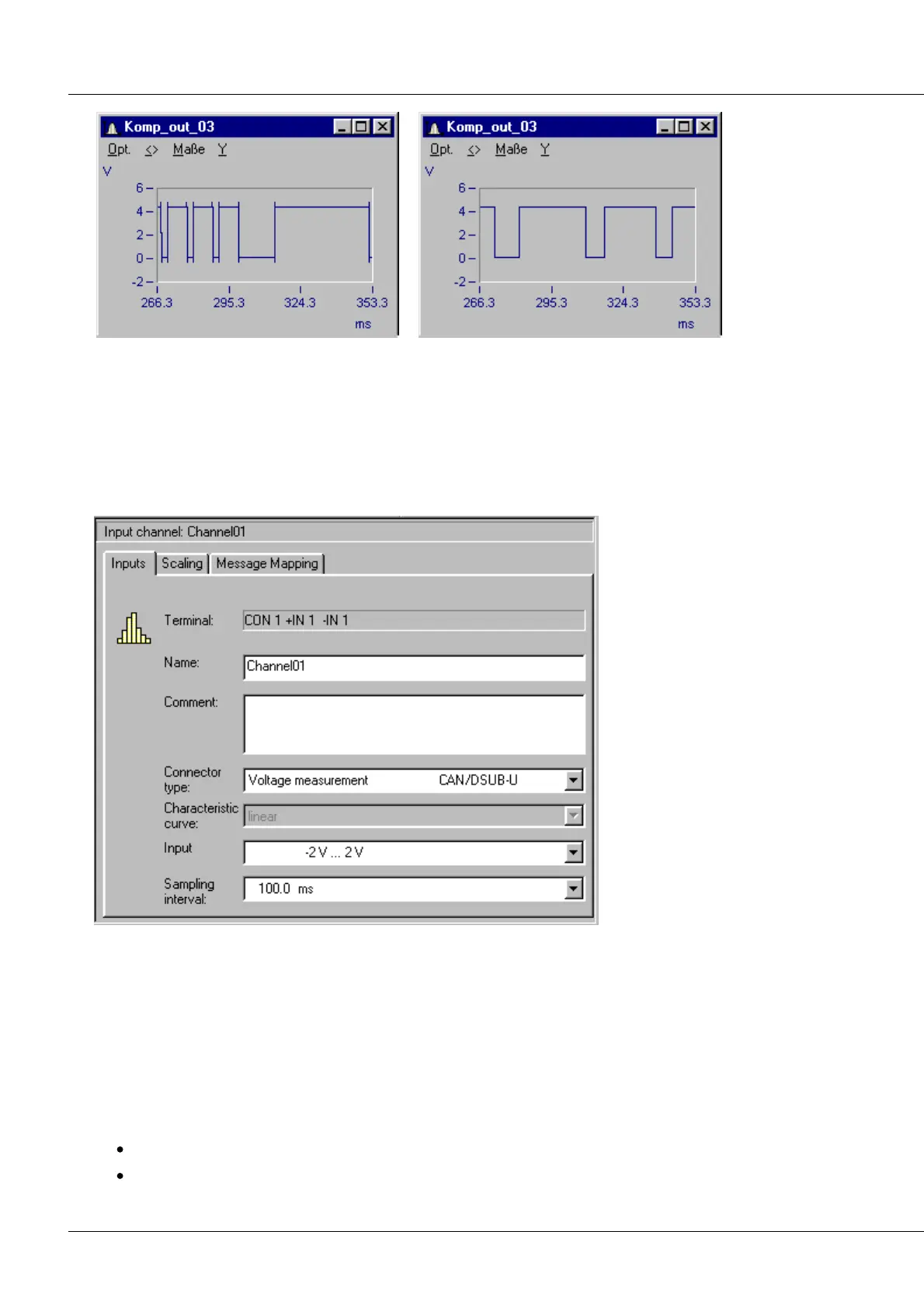
This dialog serves to indicate and to alter the properties of an input channel. The dialog's structure is
determined by the type of imc CANSAS module involved. The following is the dialog for a imc CANSAS
C12 module input channel, for illustration purposes:
The property controls are arranged on three index cards.
CANSAS C12 Input Channel Properties dialog, Page 1
The first page is for defining generalities as the name and comments. The connected device, input range
and sampling rate can also be set here.
This discussion will only address the general properties. The module-specific settings are described in the
chapter on the Analog-page settings.
The setting Terminal indicates which of the two screw terminals the channel inputs are wired at the plug-
internal screw terminals.
The Name can be specified arbitrarily. It is a means of identifying the channel. There are only these
limitations on the possibilities for the name:
there must always be a name.
the name may not contain the following characters: \ / : * ? " < > |. A name may not start with dot.



 To Next Page