68 Operation
imc CANSAS Users Manual - Doc. Version 1.9 - 05.12.2014© 2014 imc Meßsysteme GmbH
the name must be unique within the database,
the name may contain no more than 64 characters.
Incorrect names are displayed in the status bar.
When the cursor is moved away from the input box, the name is updated in the Module Tree.
When multiple channels are selected it's not possible to assign a name.
The box Comments is for notes pertaining to the channel.
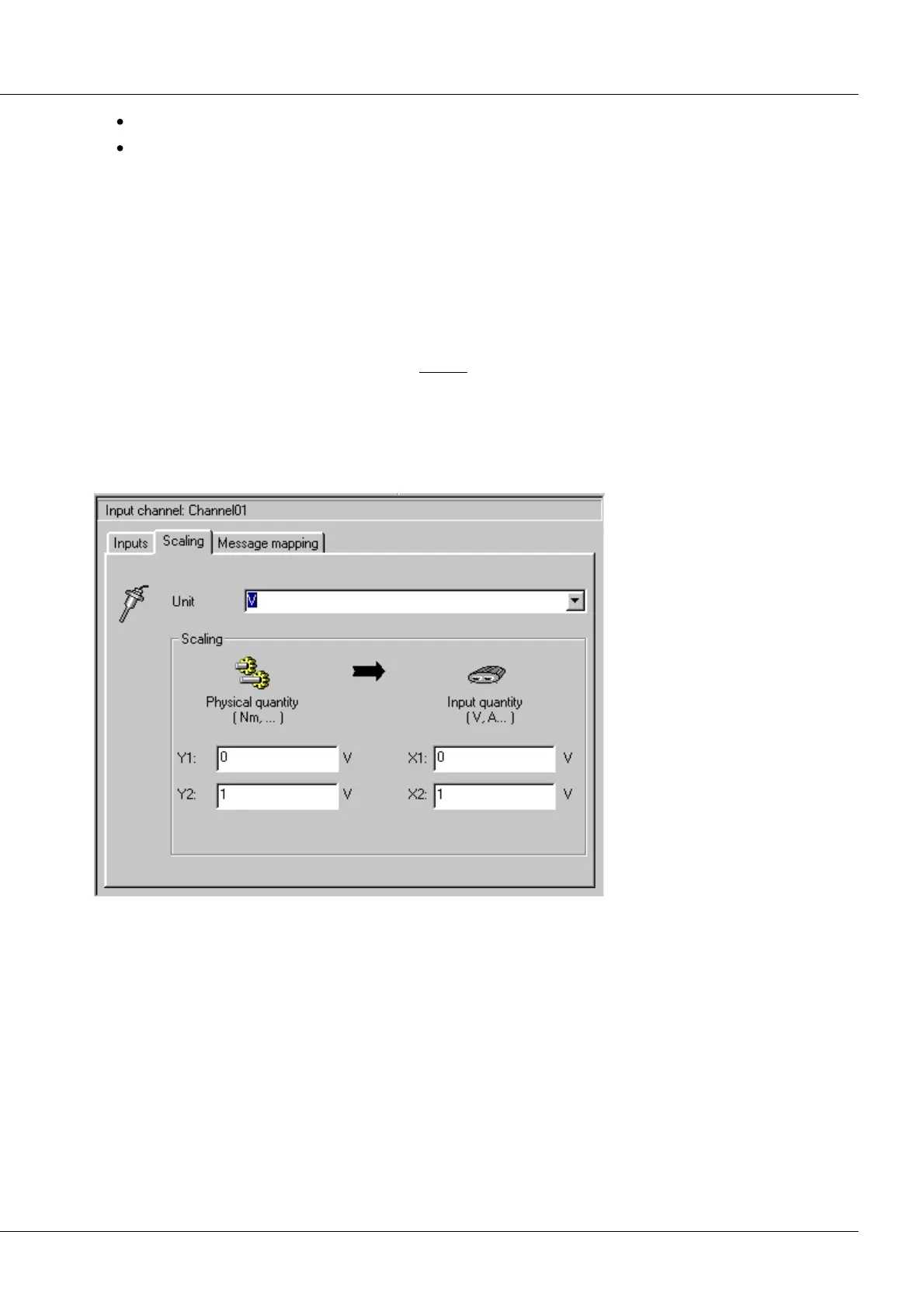
The second page is for setting a custom scaling factor and offset.
In the upper combo box the measurement unit can be set. A unit can be selected from the list or
personally entered. Defining the scaling factor is accomplished using a two-point specification:
Y1 - Custom scaling factor * X1
These scaling quantities are then taken account of in the input range indicator on the 1st index card.
Errors will result if X1 and X2 are equal. The faulty entry will be presented in the status bar.
CANSAS C12 Input Channel Properties dialog, Page 2
When temperature measurements are involved, all the controls on this page are disabled. The scaling
factor is automatically 1 and the offset is 0. On the third index card, information about the placing of the
channel data within the CAN-message is displayed.



 To Next Page