52 Operation
imc CANSAS Users Manual - Doc. Version 1.9 - 05.12.2014© 2014 imc Meßsysteme GmbH
3.2 The user interface
3.2.1 Introduction
Upon starting, a welcoming screen pattern, which displays statements about the program version,
appears.
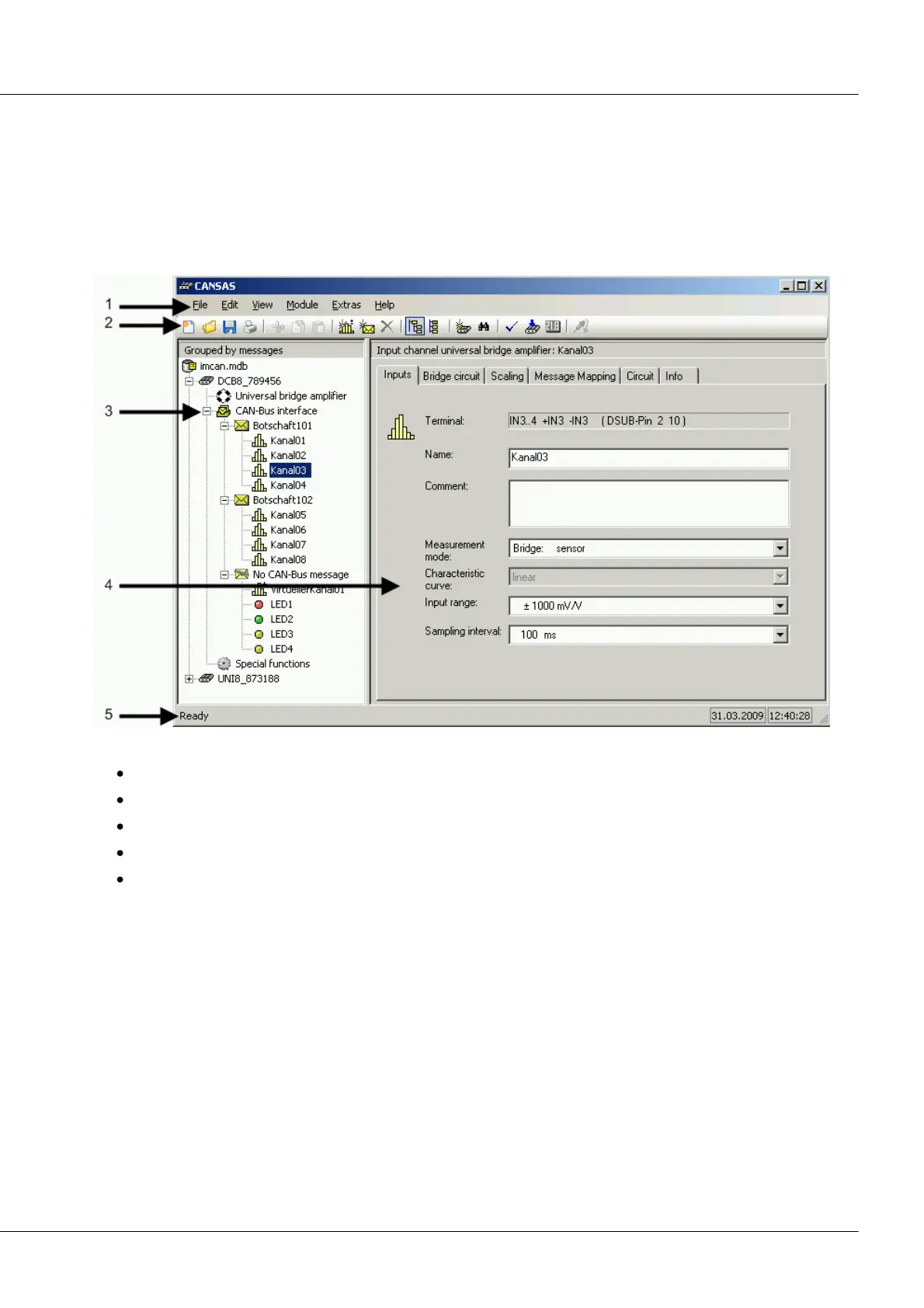
The contents of the most recent module database are read in and the application window is set up in the
manner shown below:
The application window features the following elements:
Menu bar [1]
Toolbar [2]
Module directory tree [3]
Properties dialog [4]
Status bar [5]



 To Next Page