TEDS 237
imc CANSAS Users Manual - Doc. Version 1.9 - 05.12.2014© 2014 imc Meßsysteme GmbH
Another important aspect is the compatibility of the imc solution and any sensors having TEDS which are
already present. Thanks to the specifications by IEEE 1451, all information stored in these sensors can
also be used by imc devices. Such settings parameters which don't appear in the TEDS, such as the
sampling interval, can be set later using the imc devices' operating interface.
Fig. 5: Pressure sensor with built-in TEDS sensor
recognition
Fig. 6: 8-channel CANSAS-P8 pressure
measurement module. Even if sensors are
exchanged, the overall system remains
calibrated.
5.8.2 Operation in CANSAS Software
The device software supports export of sensor spec-sheet data from a sensor TEDS and the application of
this information in configuring channels.
Sensor TEDS are supported by the amplifier UNI8, CI8, SCI8, SCI16, SC16, DCB8, P8 and all futurities.
For configuring the sensor information, you need the product imc SENSORS. The use of this sensor
database in imc CANSAS is described here . For a detailed description of the database itself, see the
user's manual for imc SENSORS. Below, the import of already recorded sensor data to imc CANSAS is
described.
5.8.2.1 Importing sensor data
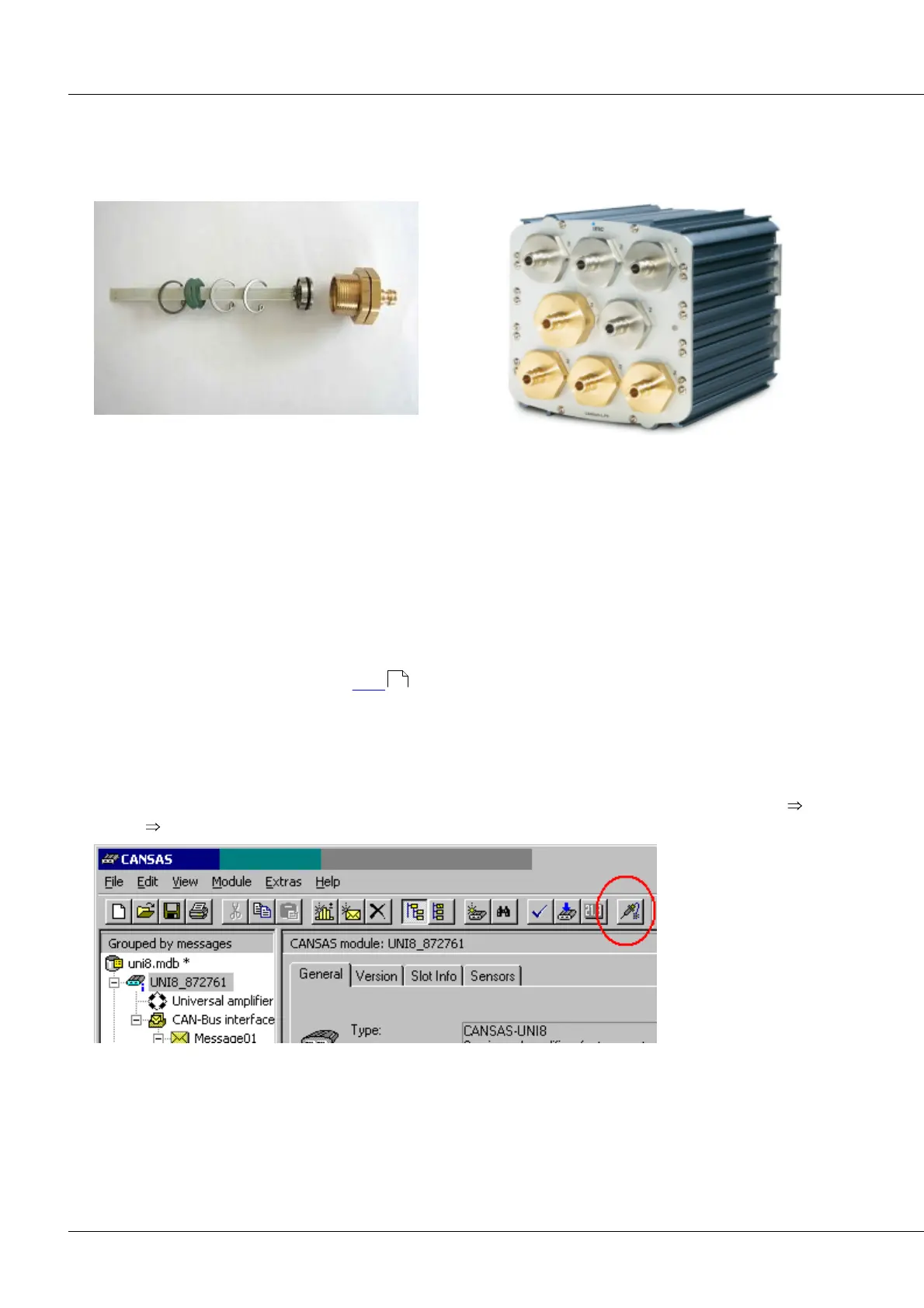
Import of Import of sensor spec-sheet data from all sensor TEDS takes place on menu item Module
Sensor Read characteristic values (from Sensor-Eprom)…;alternatively corresponding toolbar button:
The sensor information is read out and used to configure the channels. TEDS- channels will be marked
with a symbol.
238



 To Next Page