258 Properties of the Modules
imc CANSAS Users Manual - Doc. Version 1.9 - 05.12.2014© 2014 imc Meßsysteme GmbH
6.1.5.1 Performing bridge balance by button
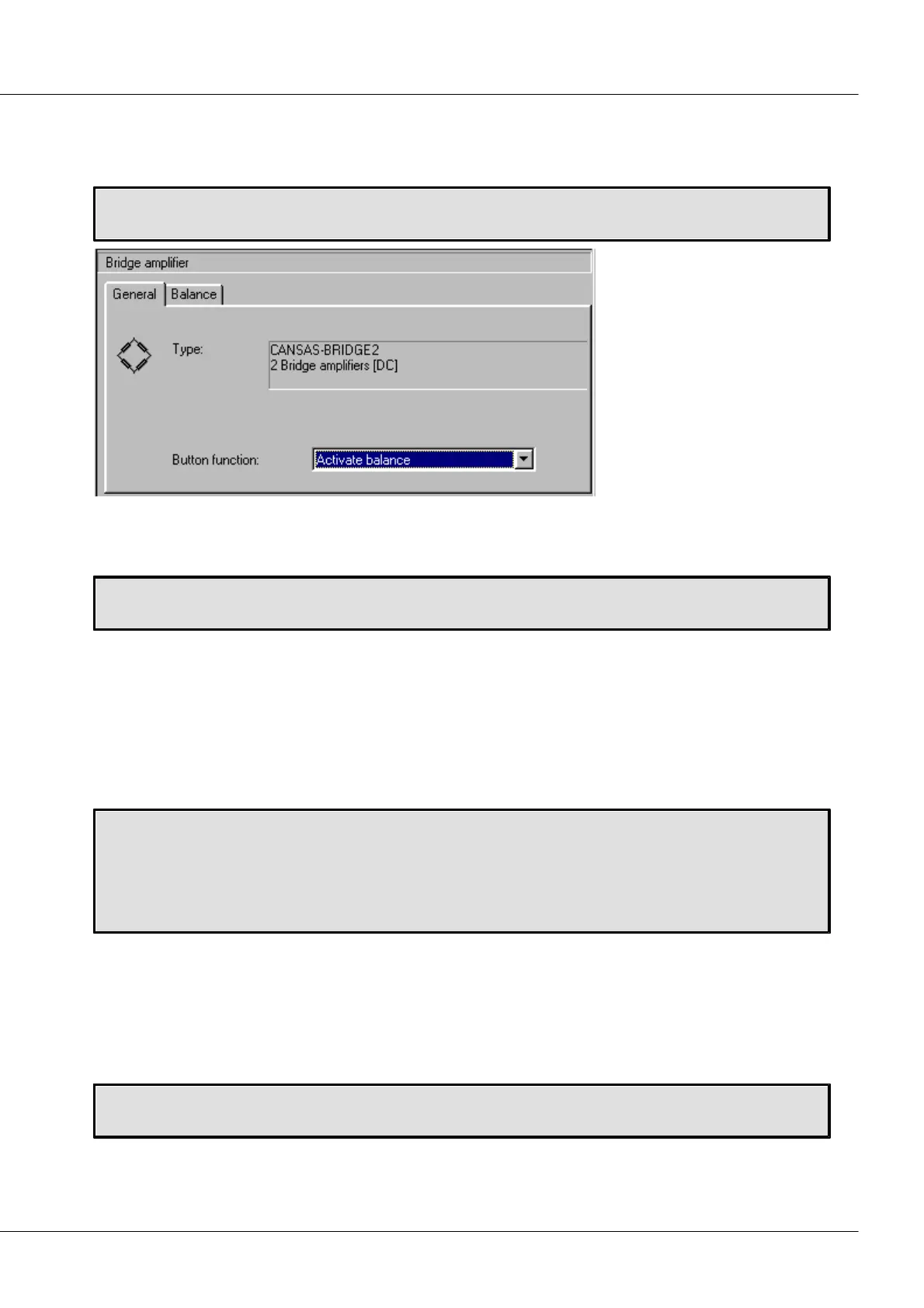
To have bridge balancing performed at the push of the button on the module, make the following
setting:
Setting balance to be triggered by button:
Bridge amplifier -> Index card “General” ->“Button function”: “Activate balance”
6.1.5.2 Bridge balance upon power-up of CANSAS-BRIDGE2
If balancing is to be performed immediately upon switching on the device, make the following setting:
Setting balance to be activated upon activation of module:
Bridge amplifier -> Index card “Balance” -> check box “Perform bridge balance upon power up”
This mode is desirable if the system's setup (process and imc CANSAS module) is at rest upon switching
on.
6.1.5.3 Activating bridge balance via CAN-Bus
Bridge balancing can be performed in response to a CAN-bus message. The message ID can be freely
defined, the same conditions and properties apply as for channel messages. The message to perform
balancing is 1 Byte long. Bit 4 (hexadecimal 0x10) must be “1” to order balancing. (Bit 0 is the LSB).
Setting bridge balancing via Can-bus
Bridge amplifier -> Index card “Balance” ->
Check option box “Allow shunt calibration or bridge balance via CAN-bus”
Setting the message ID:
Bridge amplifier -> Index card “Balance” -> Enter ID “Identifier for bridge balance message”.
6.1.5.4 Bridge balance duration
imc CANSAS-BRIDGE2 determines a bridge's unbalance by taking readings for a certain amount of time
and averaging these. The unbalance value found in this way is compensated in subsequent measurement.
The duration of the balancing process, i.e. the number of values to be averaged, is variable. The duration
doesn't depend on the way the balancing is triggered. The following values for the duration can be set:
Setting the balancing duration
Bridge amplifier -> Index card “General” -> Combo box “Balance duration”
Available times for the balance duration: 0.4 s; 0.8 s; 1.6 s



 To Next Page