P8 pressure 355
imc CANSAS Users Manual - Doc. Version 1.9 - 05.12.2014© 2014 imc Meßsysteme GmbH
6.16.7 Operating software
6.16.7.1 Module integration
To work with and make settings for a pressure module, it must first be entered in the database. This is
done the usual way. When a new entry is made, the sensor's characteristic data are read in upon
recognition of a pressure module and the input ranges for the channels are set accordingly.
Attention when performing module integration off-line: Since there is no connection to an actual
pressure module, all sensors are assumed to have an input range of 0..10 bar. If you already make the
configuration for a module with its serial number entered correctly, it is still necessary to perform
module integration of the module when it is first really connected, in order to have the input ranges
correctly stated in the database.
6.16.7.2 Read-in of sensor data
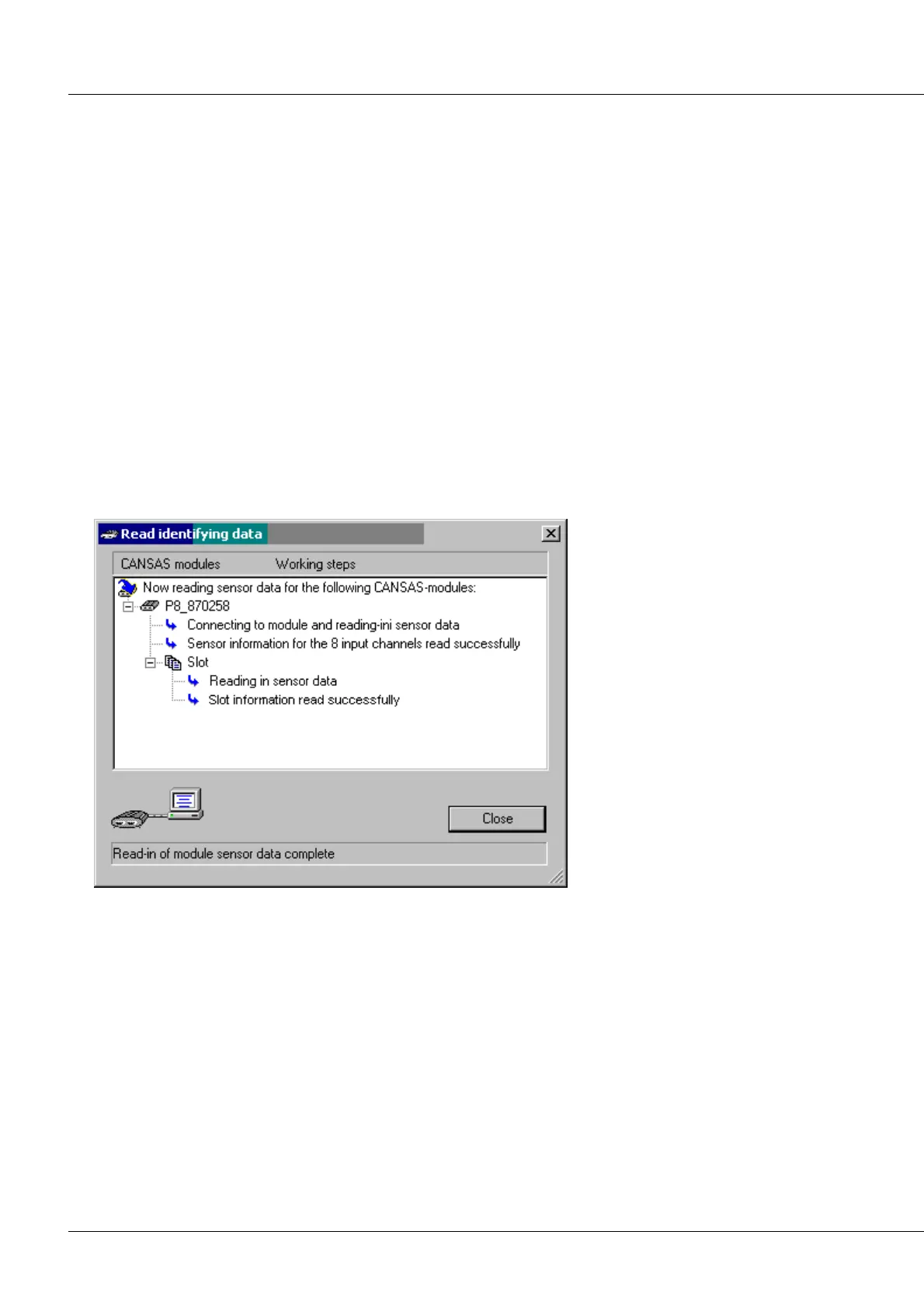
If a pressure module is selected in the tree diagram on the left side of the user interface, it is possible to
select the menu item Module / Sensors / Read identifier data... for that module (or alternatively, the
corresponding toolbar button). This causes the characteristic data of all sensors to be read in. You can
take a look at these characteristic data by selecting an individual channel of the module and accessing
the index card Info on the right.
Progress indication dialog for read-in of sensor properties



 To Next Page