General notes on working with imc CANSAS modules 109
imc CANSAS Users Manual - Doc. Version 1.9 - 05.12.2014© 2014 imc Meßsysteme GmbH
3.5.1.2 Operation
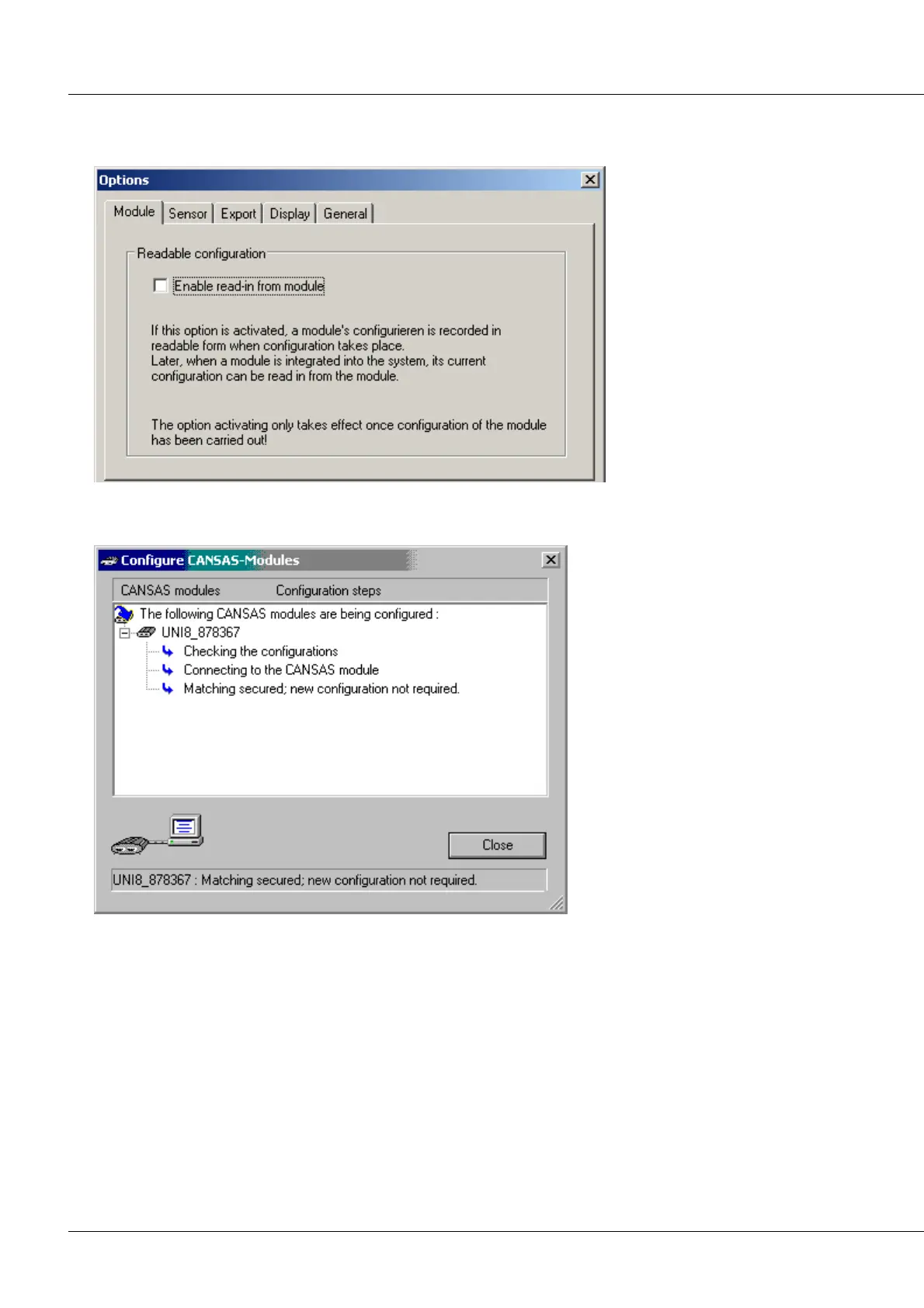
1. The menu item Extras / Options calls a dialog, in which you must select the index card Module.
2. Activate the option Enable read-in from module and confirm with OK.
3. Next, the imc CANSAS-module is configured.
4. If the imc CANSAS module's configuration hasn't changed and for this reason the screen shown above
is displayed, select the menu item Module / Configure…again, while holding down the SHIFT-key. This
forces configuration to be carried out:



 To Next Page