236 Measurement Technique
imc CANSAS Users Manual - Doc. Version 1.9 - 05.12.2014© 2014 imc Meßsysteme GmbH
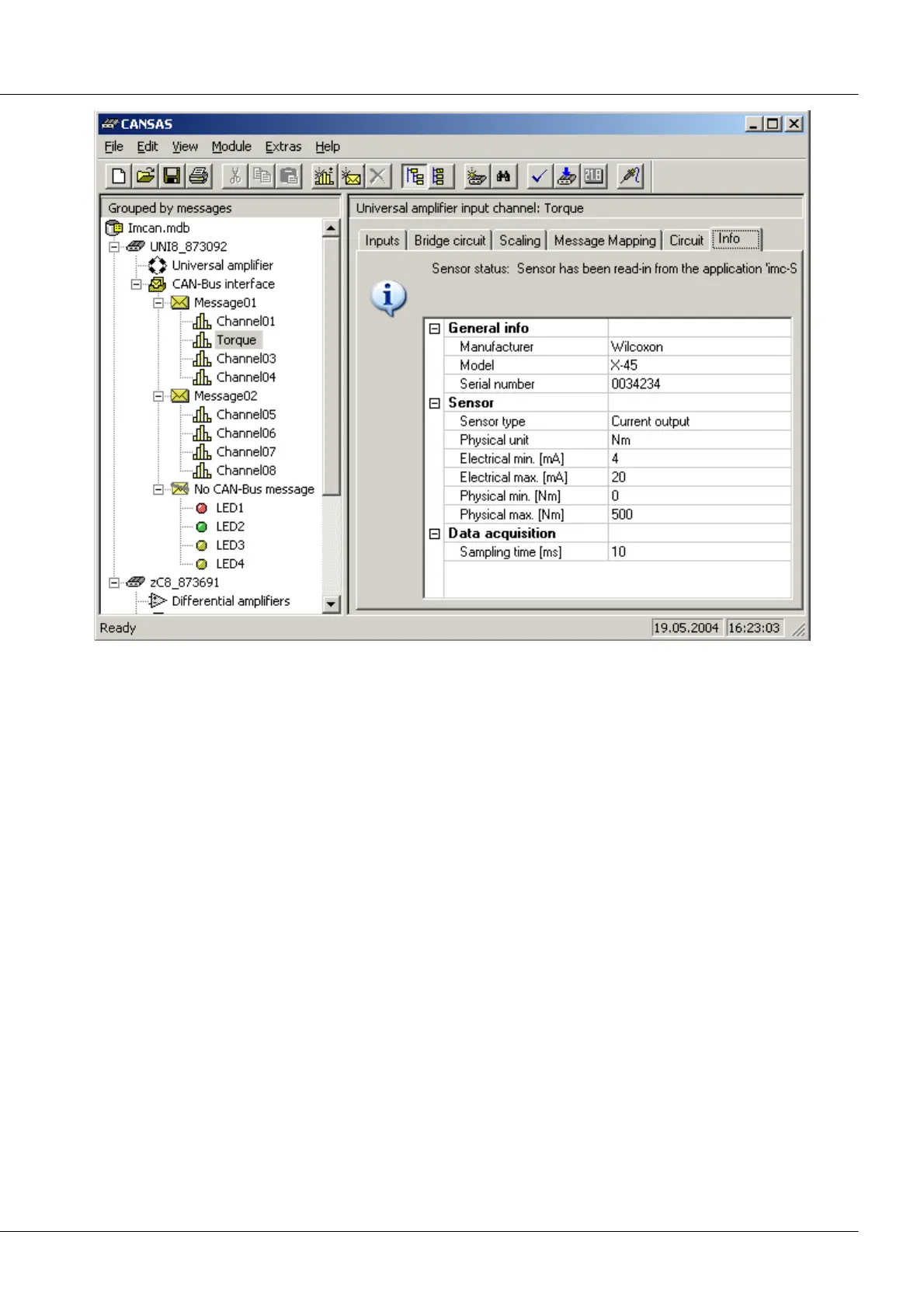
Fig. 4: An excerpt of the sensor description for a measurement channel connected to the CANSAS UNI8 module. the data
are saved as an XML-file in the TEDS and can be called at any time. Along with sensor-specific data, the necessary
channel-specific data (e.g. the sampling rate) are also noted.
The features presented above have already been implemented in already available measurement
modules belonging to the imc CANSAS series. These include a pressure module, having eight built-in
pressure cells, and the module UNI 8 with eight uniform measurement inputs which support practically
all sensors for physical measurement engineering. Both modules digitize the data they capture which
they then transmit via the CAN-bus.
In the pressure module, the sensor characteristics are already built into the sensor. Since the sensor itself
fits inside the pressure interface nipple, a very compact design is required. If one or more sensors fail,
they can simply be replaced. The replacement sensors automatically announce to the measurement
device their characteristic data. Thus the measurement device resumes its state of readiness without
needing re-calibration. The measurement device's uncertainty is added to the sensor uncertainty.
The second possibility is the clip-on pod, shown above, which contains the chip on which the sensor
information is recorded. This solution is available for practically any sensor and turns a conventional
sensor into a "smart sensor".
Sensors which already contain a PROM and can operate as per IEEE P1451.4 can also be connected to imc
CANSAS UNI8.
Naturally, the user of this new kind of measurement engineering has direct access to the measurement
device's settings via a conventional user interface. For example, if a sensor's TEDS states 500 Hz as its
sampling rate, but the user wants to sample at 1 kHz, he can simply make and save this setting by means
of the user interface.



 To Next Page