Creating virtual channels 131
imc CANSAS Users Manual - Doc. Version 1.9 - 05.12.2014© 2014 imc Meßsysteme GmbH
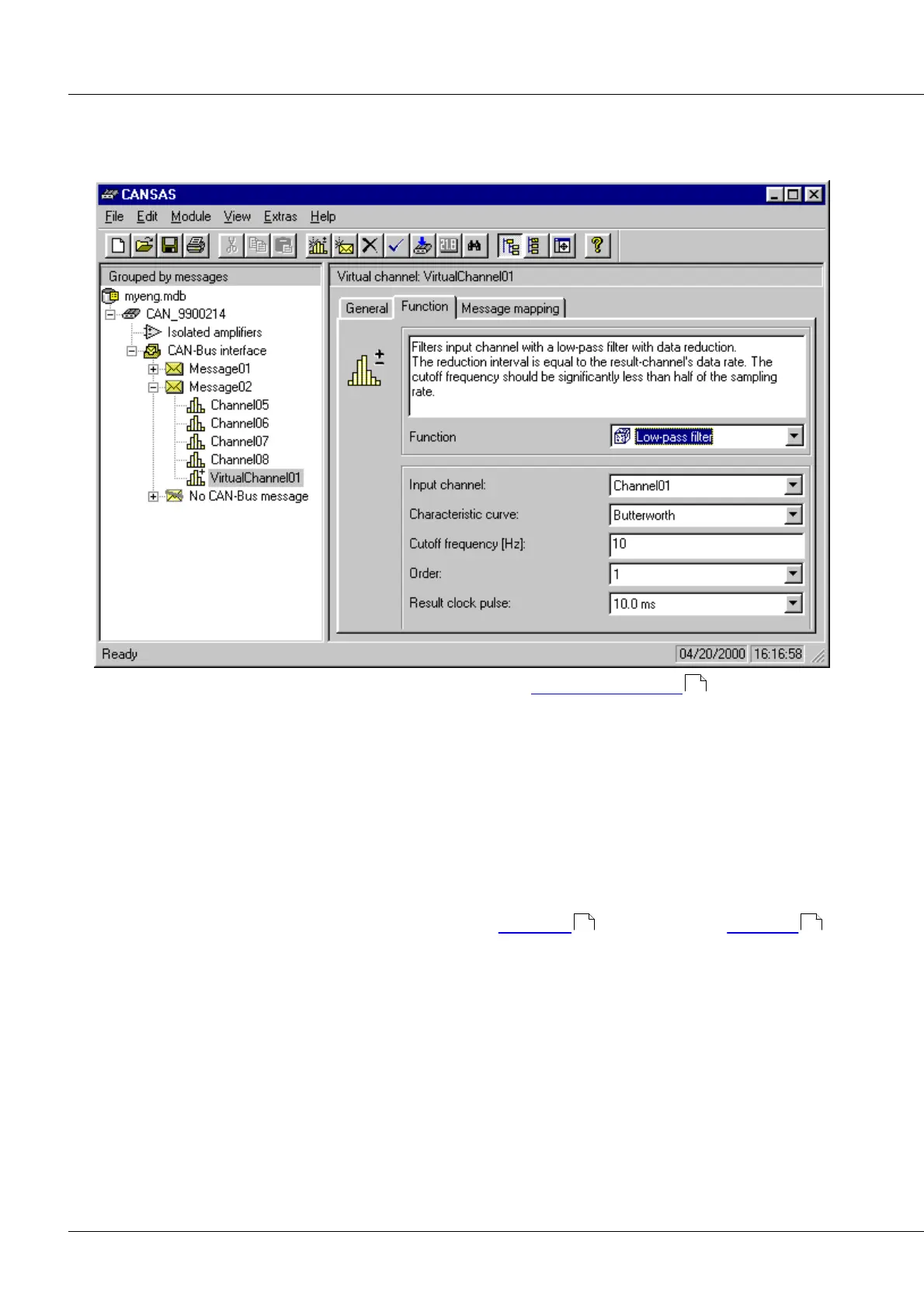
Function: Specifies how the virtual channel is computed. This is done by selecting a calculational function
and parameterizing it. The parameterizing process involves the Parameterize-dialog of the Formula
Assistant, as in FAMOS or Online-FAMOS (imc DEVICES).
Function: A selection of functions, arranged in groups (see the overview of functions further down), is
offered in a pop-down list box. Online help pertaining to the selected function is displayed.
Function parameters: The boxes below the function selection box are for setting the parameters. A
description of the various functions' parameters can be found in the 'Function Reference'.
The functions generally take one or two channels as their parameters. The channels can be physical or
already present virtual channels. If two channels are a function's parameters, they must share the same
sampling rate.
If the functions can take numerical values as parameters for comparisons or other logical operations
together with parameter channels, the values must be specified in the channel's physical units. It is then
necessary to take the scaling (factor and offset) of the numerical value's parameter channel into account.
Message Mapping: See the information on input channel Properties dialogs in Chapter Operation .
142
58 109



 To Next Page