Measurement modes 207
imc CANSAS Users Manual - Doc. Version 1.9 - 05.12.2014© 2014 imc Meßsysteme GmbH
A digital output module can also read out an analog quantity (e.g. in the form of a 16-bit integer) from
the CAN-bus. This quantity cannot be output in digital form, but it can be subjected to calculation. For
instance, a value can be compared with a limit. The result of the comparison is a digital value (0 or 1),
which can be output in digital form.
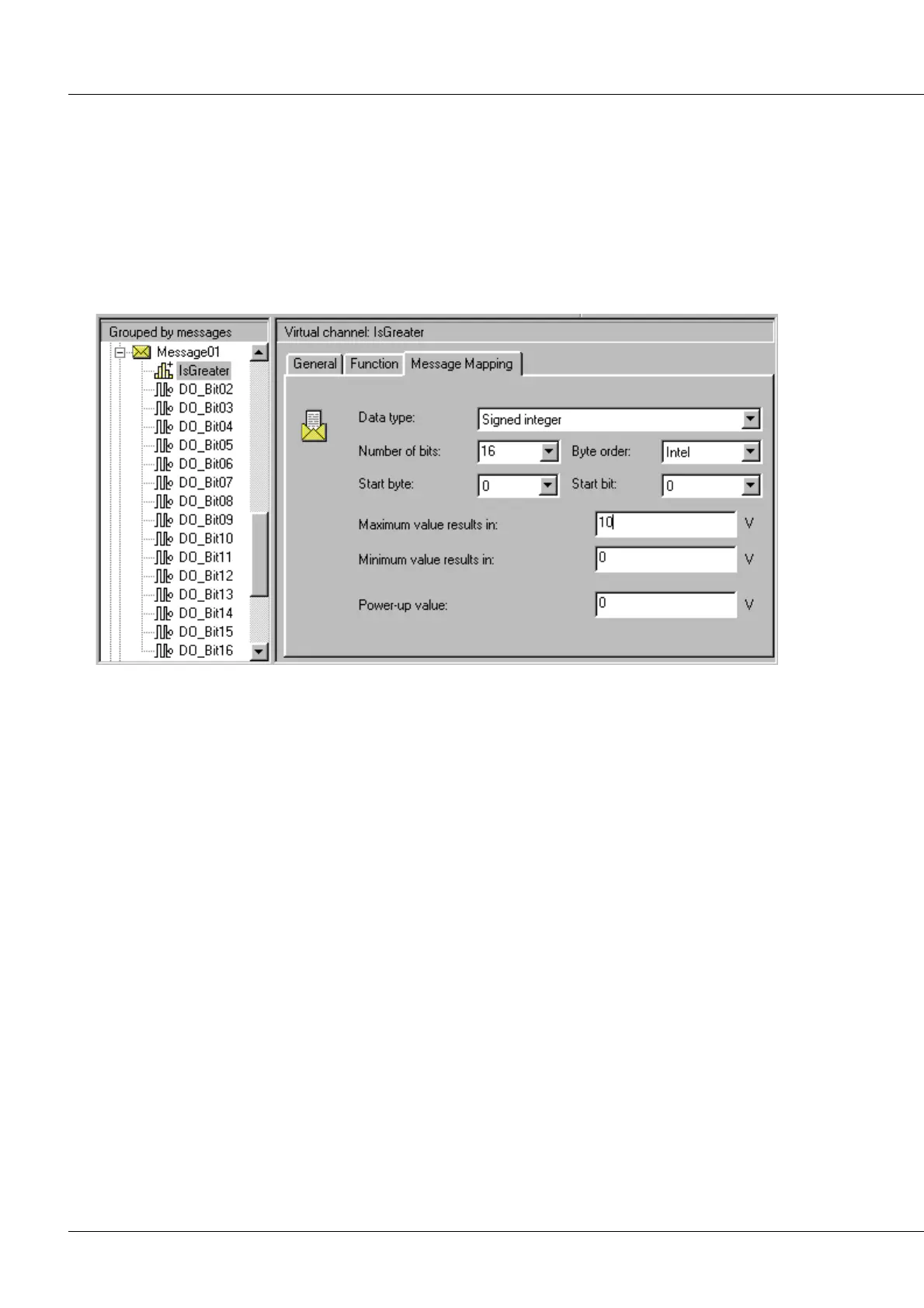
The illustration below shows as an example how the dialog for making CAN-bus settings. Note that a
virtual channel was created and was placed in the message. This virtual channel is called "IsGreater". It
doesn't reflect the result of a calculation but simply assumes values read out of the CAN-bus. This value
can be used by other calculational functions. Therefore, the virtual channel could just as well be named
"Channel with data from the CAN-bus".
In this example, a 16-bit input quantity, scaled to take values from 0 V to 10 V, is read into the CAN-bus.
The unit indicated is permanently set as "V", but the system doesn't take it into account. Therefore it
wouldn't matter if an RPM-value were read in which is scaled from 0 to 6000RPM and not 6000 V.
The value which is valid when the unit is activated, the "Power-up value", is set to 0 V. This means that
the virtual channel carries the value 0 V as long as no CAN-bus message arrives. While this is the case, the
system calculates with the value 0 V and sets the digital value which corresponds to that voltage. When a
message finally arrives, the value transmitted replaces the virtual channel's last valid value. The
calculational functions then are applied to this new value and a digital value is set to correspond to the
new calculation result. The virtual channel's new output value remains valid until a new value arrives
from the CAN-bus.
The illustration below shows how the system performs a calculation with the channel. A digital output bit
"DO_Bit01" appears under "No CAN-bus message" in the module tree. This indicates that this bit is not
under the direct control of any CAN-bus message, but instead depends on a calculation. Therefore, a
calculational function can be selected for this output bit. In this case, the function "Greater" is selected,
and it evaluates the channel "IsGreater" as its input.



 To Next Page