112 Operation
imc CANSAS Users Manual - Doc. Version 1.9 - 05.12.2014© 2014 imc Meßsysteme GmbH
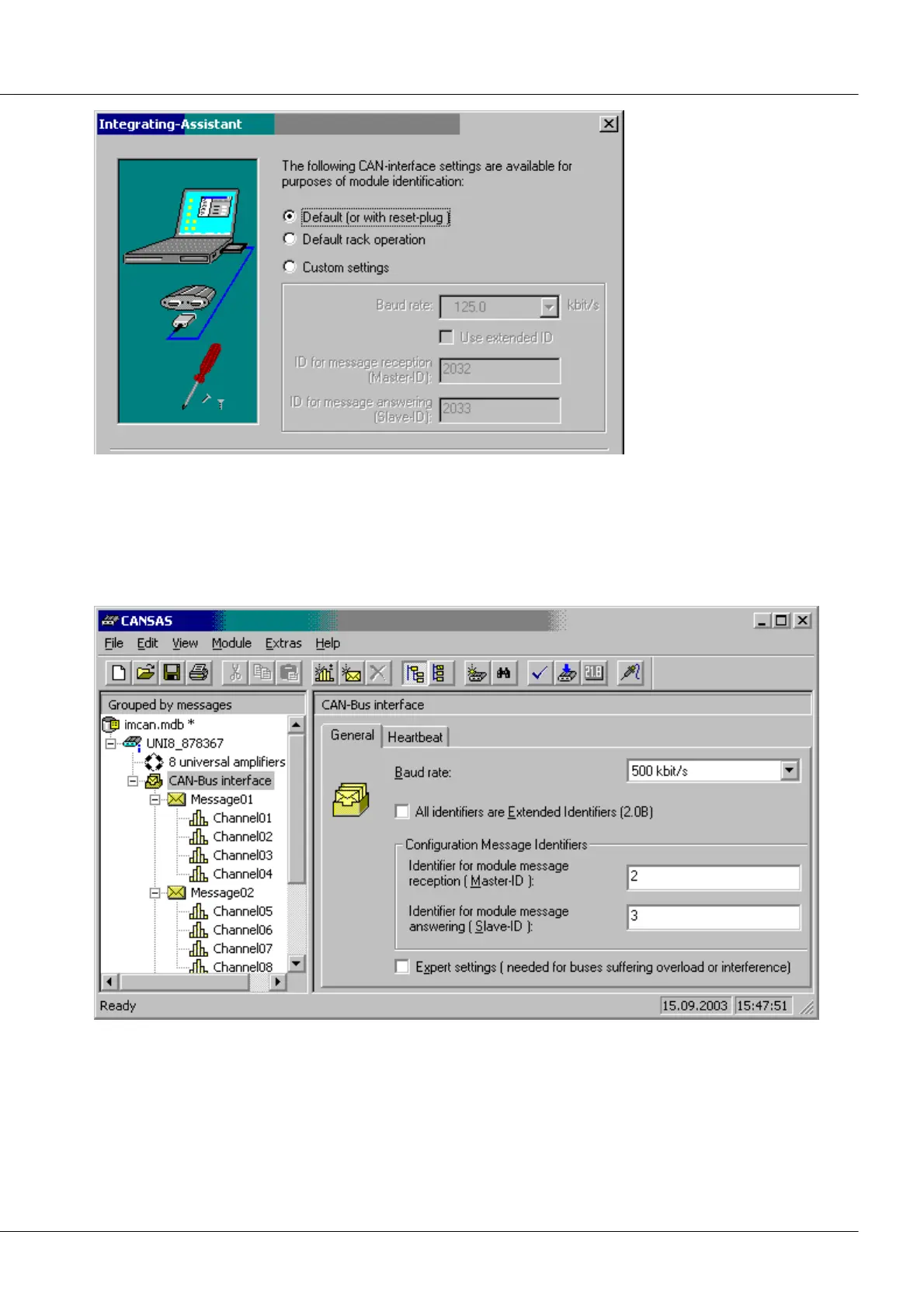
7. Close the Assistant.
8. The module is located and adopted into the software system.
9. The Reset-plug is still connected.
10.Now set the desired CAN-parameters for the module. To do this, select the entry CAN-Bus-
Interface in the software in the tree at left, and on the right-hand side, select the index card
General. Then make the following settings, in this example, for rack operation:
11.Next, the module must be configured. So select it from the menu Modules /Configure…



 To Next Page