Signal connection 559
imc CANSAS Users Manual - Doc. Version 1.9 - 05.12.2014© 2014 imc Meßsysteme GmbH
8.3.7.8.1 Connection instructions
Within a imc µ-CANSAS module there is a Phoenix strip terminal (model: MPT0.5/8) for connecting sig-
nals. This strip terminal is located on a connector junction which can be detached from the front of the
module. The cable grommet is a UNI EMC screwed cable gland of model UNI ENTSTÖR DICHT from the
company Pflitsch. When threading the cable, please adhere to the manufacturer’s instructions. The
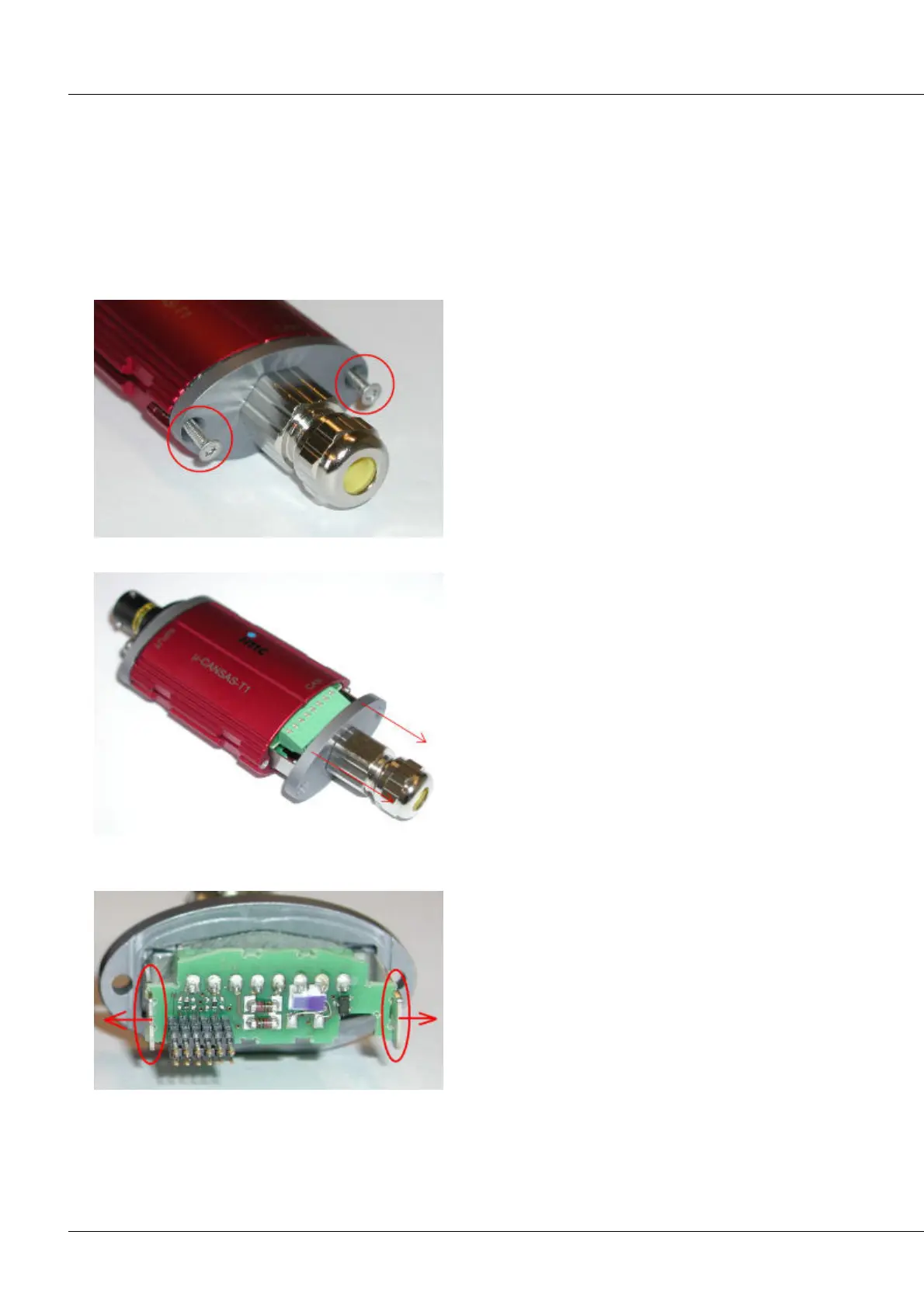
following section explains step-by-step how to access the connector junction and how to make the
necessary connections.
Step 1: Unfasten the two Torx screws from the housing face.
Step 2: Carefully pull the housing face out until the connections are exposed.
Step 3: Detach the connector junction with its Phoenix strip terminal from the housing face by gently
bending the clamping brackets at the sides outward.



 To Next Page