Working with the Module Tree 77
imc CANSAS Users Manual - Doc. Version 1.9 - 05.12.2014© 2014 imc Meßsysteme GmbH
imc CANSAS module
CAN message
virtual channel
When a imc CANSAS module is deleted, all subordinate entries are also
deleted. In order to be deleted an entry must be selected. Multiple
entries can also be selected. When the <Del> key is pressed or the menu
item 'Edit/Delete' is selected, a prompt for confirmation is posted.
Deletion only takes place if the prompt is answered with 'Yes'.
Arranging input channels and virtual channels within messages
The manner of transmitting measurement values via the CAN-Bus is to be defined by assigning positions
within messages to the various channels' data.
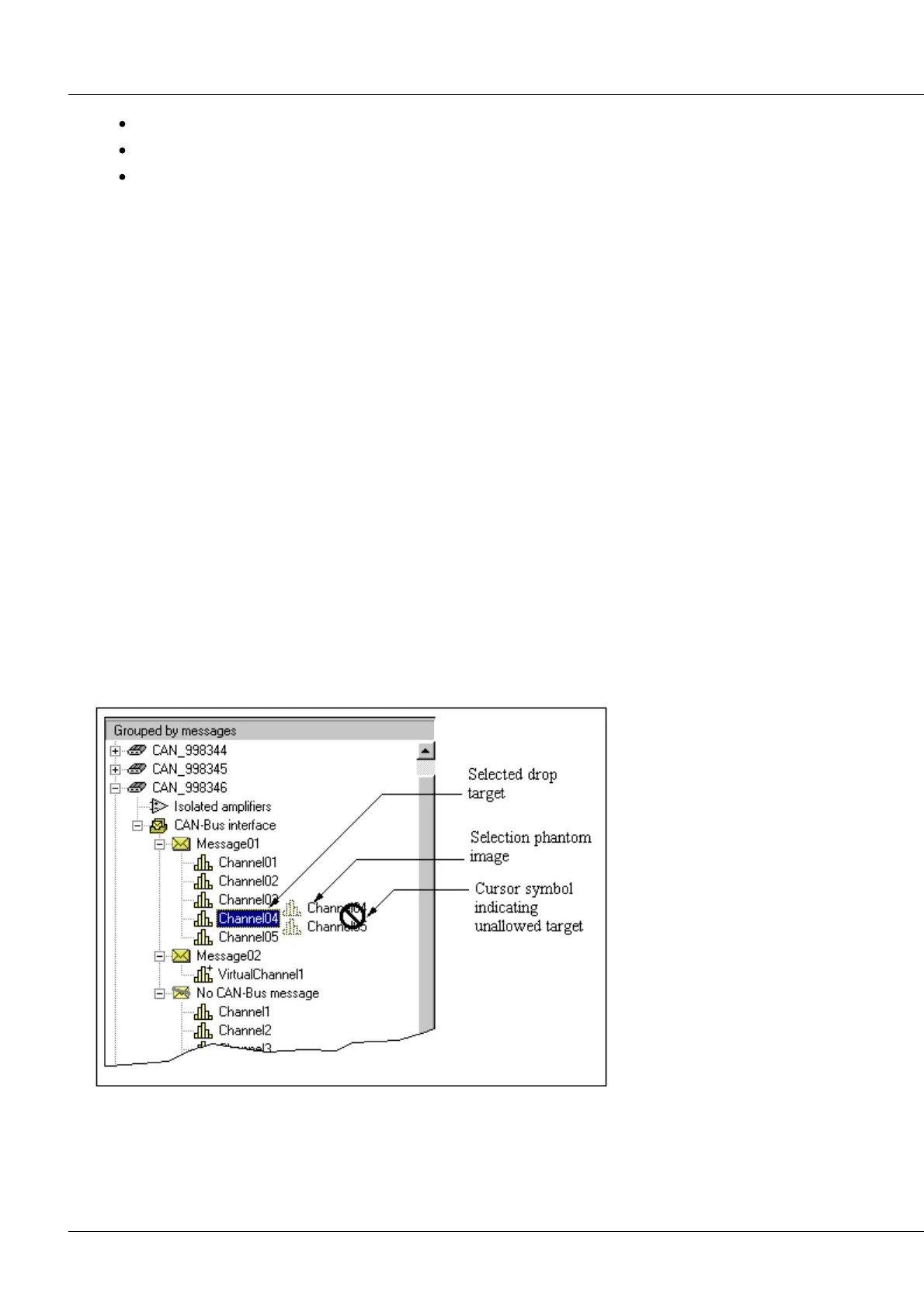
The assigning process is accomplished in the Tree by the Drag & Drop method.
For this purpose, the Module Tree must be in the mode 'Grouped by Message'. Activating this mode is
done using the menu command 'View/Grouped by message'.
The defined CAN-messages are listed under the entry 'CAN-Bus Interface'. Under each CANmessage, the
channels whose signals are transmitted in this message are listed. The position within the message's
Tree-branch indicates its position within the message.
The bottom-most entry, entitled Without CAN-Bus message, comprises all channels not assigned to
messages; these will not be transmitted.
Only channels and virtual channels can be re-arranged.
The following Drag & Drop operations are supported:
Shifting channels from 'Without CAN-Bus message' into a CAN-Bus message
Shifting channels from a CAN-Bus message into 'Without CAN-Bus message'
Shifting channels from a CAN-Bus message into another CAN-Bus message.
Shifting channels from a CAN-Bus message into another position within the same message.
The Drag & Drop operation can only be conducted within the confines of a single module.
Drag & Drop in the Module Tree
Procedure
Select the entries to be shifted.



 To Next Page